Traditional retail asks you to spend money before you know what will sell. You order stock, find somewhere to keep it, and hope demand arrives before storage fees, discounts, or changing trends eat into the margin.
Low-risk ecommerce models reverse that sequence. With print on demand, dropshipping, digital products, affiliate commerce, or made-to-order production, you can build the store and test the offer before committing to a bulk order or managing a warehouse.
When executed correctly, an online store without inventory can be highly profitable. Compared with inventory-heavy retail, less money is tied up in storage and unsold products, making it easier to test ideas and scale the ones that sell. But of course, profit still depends on healthy margins, reliable suppliers, sensible marketing costs, and careful management of shipping and returns.
This guide explains how to start an online store without inventory, from choosing a fulfillment model and profitable niche to creating product visuals, preparing production files, building the storefront, and generating your first sales.
At a glance
Here is how to start an online store without inventory: choose a model and niche, connect your storefront to a reliable fulfillment partner, create the product and listing assets, prepare any required production files, then launch to one defined audience.
What does selling online without inventory actually mean?

If you are researching how to sell online without inventory, start by understanding whether the model removes inventory ownership, storage, or both. With print on demand and dropshipping, a supplier fulfills the order after a customer buys. Digital products require no physical stock, while made-to-order products are created after purchase.
However, not storing inventory is different from not owning it. Third-party logistics and Fulfillment by Amazon remove warehousing and shipping from your workload, but you usually still purchase the stock. That means you still carry the financial risk of unsold products.
This is crucial to understand because each model removes a different type of risk. Print on demand reduces upfront stock costs but usually comes with lower margins. FBA simplifies fulfillment but still requires an inventory investment.
Advantages and disadvantages of selling without inventory
The main benefit is not “free ecommerce.” It is timing. You delay or remove the cost of finished stock until demand is clearer.
Advantages
- Lower upfront product investment: You do not need to fund a warehouse full of products before opening the store.
- Faster demand testing: New designs, product ideas, and audience angles can be tested with smaller financial stakes.
- No self-managed warehouse: The supplier stores, produces, or delivers the product.
- Easier catalog experiments: You can trial new themes, colors, and product types without committing to a full run.
- Location flexibility: Most of the operation can be managed online.
- Simpler variation testing: A single design can be presented across several colors or product types before you choose what to promote.
Disadvantages
- Lower or less predictable margins: Per-unit supplier costs are often higher than bulk manufacturing.
- Supplier dependence: A late shipment, stock issue, or production error becomes your customer-service problem.
- Limited quality control: You do not inspect every product before it reaches the buyer.
- Variable shipping times: Orders may travel from different regions or arrive in separate packages.
- More complicated returns: Custom or made-to-order items may have stricter return rules.
- Less packaging control: Some suppliers offer limited branding or insert options.
- Visual accuracy risk: A polished mockup that misrepresents color, scale, or placement can create disappointed buyers.
- Production-file risk: A low-resolution or badly prepared file may not look wrong until it has already been printed.
No inventory does not mean no expenses. Budget for your domain, ecommerce platform, design tools, samples, app fees, marketing, returns, taxes, registration, and customer support. A low-stock model reduces one large cost. It does not remove the rest of the business.
7 steps to start an online store without inventory
1. Choose the right fulfillment model
Several models let you sell products without inventory, but they offer very different levels of creative control, margin, and supplier dependence. The right choice depends on your budget, product type, and where you want your competitive advantage to come from.
Use the comparison below to weigh those tradeoffs:
| Model | Upfront product budget | Do you own inventory? | Creative control | Best for |
| Print on demand | Low | No finished stock | High for artwork; limited base-product control | Designers, apparel brands, posters, stickers, and merch |
| Dropshipping | Low | Usually no | Low to medium | Testing ready-made products or building a broad catalog |
| Digital products | Very low | No physical stock | High | Templates, artwork, guides, and downloads |
| Made to order | Low to medium | No finished stock, but materials may be required | High | Personalized, handcrafted, or limited products |
| Affiliate commerce | Very low | No | Low | Publishers, reviewers, and creators with an audience |
| Third-party logistics | Medium to high | Usually yes | Usually high | Established brands outsourcing storage and shipping |
| Fulfillment by Amazon | Medium to high | Usually yes | Varies by product model | Amazon sellers with proven demand and purchased stock |
Print on demand

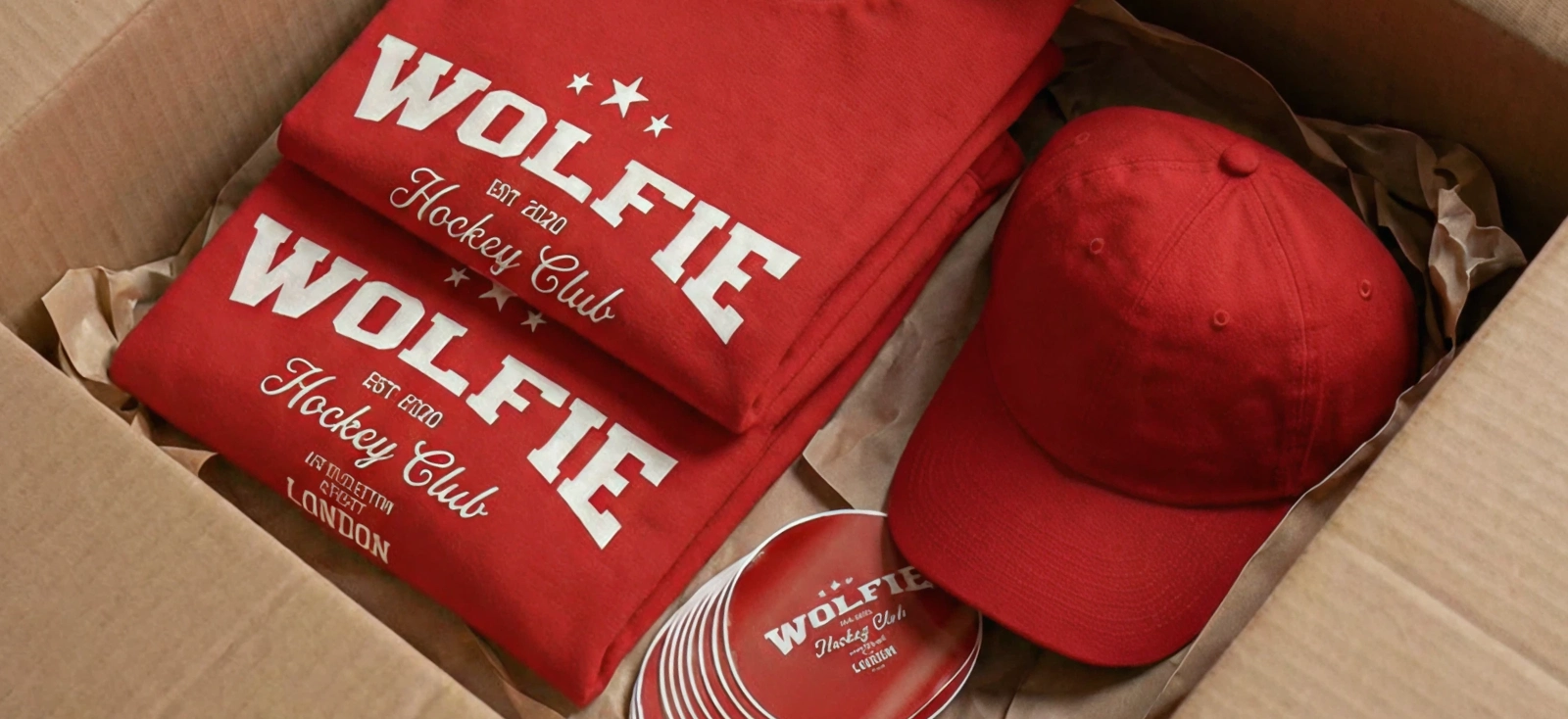
If you want to learn how to sell products online without inventory, print on demand is one of the clearest starting points. You create the artwork, connect a supplier, and choose blank products such as T-shirts, hoodies, mugs, posters, or tote bags. When a customer orders, the supplier prints and ships the item.
It works particularly well for designers and niche brands because the artwork is the differentiator. The tradeoff is margin and quality control. Compare print methods, garment options, fulfillment regions, branding features, and sample quality before choosing a provider.
Dropshipping

Dropshipping uses products that have already been manufactured. The supplier holds the stock and ships each order to your customer. It is quick to set up and gives you a wide catalog, but competitors may be selling the exact same item.
Your advantage has to come from product selection, positioning, merchandising, service, or audience access. If the supplier also provides the same generic product images to hundreds of stores, your listing can become difficult to distinguish.
Digital products

Digital products include templates, printable artwork, invitations, planners, educational resources, and other files delivered after purchase. There are no manufacturing or shipping costs, which can create stronger margins.
The challenge is differentiation. The product must solve a clear problem, be easy to use, and look credible enough to justify paying for something the buyer cannot hold.
Made-to-order or preorder products

Made-to-order products are created after purchase. Preorders collect demand before a planned production run. Both can reduce finished-stock risk, but customers must understand the lead time.
These models fit personalized goods, limited releases, and products where craft or exclusivity supports a longer wait. Do not promise a dispatch date your production process cannot reliably meet.
Affiliate commerce
An affiliate storefront recommends products and earns a commission when a visitor purchases through a tracked link. You do not own, ship, or support the product in the same way as a retailer.
This model suits publishers and creators with an audience. The downside is limited control over the product, price, checkout, customer data, and commission rate.
Third-party logistics and FBA
A third-party logistics provider stores and ships stock for you. Fulfillment by Amazon does the same within Amazon’s ecosystem. Both can make operations hands-off, but you normally purchase the inventory first.
Choose these models when demand is proven and outsourced logistics is the goal. Do not choose them because you assume they remove inventory investment.
2. Identify a profitable niche and validate demand
“Fitness,” “pets,” and “home decor” are categories, not niches. They tell you where the product belongs, but not who should choose it or why.
A narrower niche helps you avoid competing with every seller in a generic category. Instead of selling “outdoor apparel,” you could sell retro hiking shirts for national-park travelers. That gives you a recognizable customer, stronger search terms, clearer design references, and specific occasions to market around.
The goal is not to find a market with zero competition. A market with no competition may also have no buyers. Look for proven interest with room to serve a particular audience better.
Use this formula:
Demand signal + specific buyer + buying moment + product = a niche worth testing
Find signals in real search behavior

Start with what people are already searching for. Kittl search data found growing interest in custom whiskey labels, apparel neck tags, country sports graphics, and Mother’s Day designs. Our guide to high-demand products to sell explains these signals, while this list of 65 easy things to sell online can help you match them with an inventory-free product format.
Then verify the direction elsewhere:
- Use Google Trends to see whether interest is rising, seasonal, or declining.
- Check Etsy Seller Trend Reports for products and phrases gaining traction among marketplace buyers.
- Use Pinterest Trends to find growing visual styles, colors, occasions, and interests.
Turn the trend into something specific

A trend is only the starting point:
- Whiskey labels → personalized groomsmen labels with vintage distillery graphics
- Neck tags → complete label kits for small streetwear brands
- Mother’s Day → botanical shirts for gardening moms
You can then give the product a current visual direction using Kittl’s guides to styles such as Naive Design, Type Collage, or Trinket Design. Explore the full Kittl 2026 Design Trend Report for more visual styles that can give your product a current, recognizable direction.
Test before building the catalog

Create one product concept and two or three product mockups. Test them through a landing page, social poll, waitlist, limited ad, or preorder.
Measure clicks, saves, email signups, add-to-carts, and sales. These signals tell you more than compliments from people who were never going to buy.
Test one audience, one product, and one main visual variable at a time. If everything changes between versions, you will know which concept won but not what caused the result.
3. Select an ecommerce platform and fulfillment partner

Choose the sales channel based on where your first customers will come from and how much control you need.
- Shopify: Strong for building an owned storefront, controlling the customer journey, and connecting fulfillment apps. You are responsible for generating traffic.
- WooCommerce: Flexible and highly customizable for WordPress users. It gives you more control, but setup and maintenance require more involvement.
- Etsy: Gives you access to existing marketplace demand for distinctive, personalized, digital, and print-on-demand products. Etsy allows production partners when the product uses your original design or buyer customization, but the partner must be disclosed. Generic dropshipping and reselling are not allowed.
Compare setup costs, transaction fees, payment fees, theme and app costs, SEO control, customization, analytics, and fulfillment integrations. A popular platform is only useful if it supports your operating model.
Your platform and supplier also need to work together cleanly. Ask what happens after the sale: Is the order sent automatically? Does tracking return to the storefront? Can the customer choose every valid size and color? How are address changes, cancellations, damaged items, and split shipments handled?
For print-on-demand sellers, Kittl’s Printful app can bring the product workflow into the editor. You can browse blanks, work on an artboard sized to the selected product, place Printful mockups on the canvas, and send the finished print file back to Printful. This removes several manual export and upload steps, but you should still review the product preview and supplier requirements before publishing.
Read more about how you can connect your apps on Kittl with our article here: Apps are here: connect the tools you already use, right inside Kittl
4. Create product visuals that validate demand
When you sell without inventory, buyers cannot inspect the product. You may not even have a sample to photograph yet. Your listing images have to explain the product, create desire, and set an honest expectation of what will arrive.
That is why a generic white-background mockup is rarely enough. It shows that a design can sit on an object, but not who the product is for, how it fits into their life, or why this version is worth choosing.
Build on master design

Create the product artwork at the correct dimensions and keep a clean source version. Set the colors, typography, logo placement, and spacing before producing dozens of listings. If one master asset changes, every mockup and production file should be easy to update.
You can also start with templates from Kittl and build from there to keep your workflow speedy.
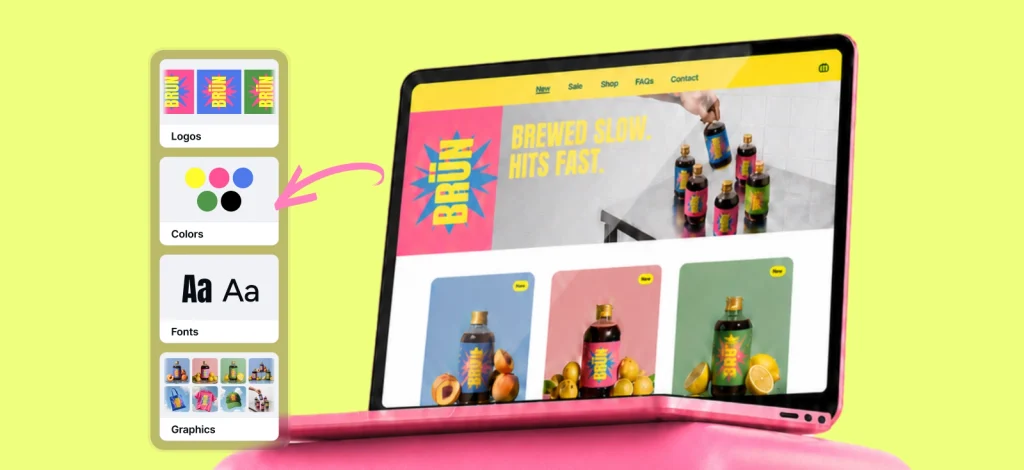
For a multi-product brand, you can even keep the reusable colors, fonts, and logos in your Kittl Brand Kit. This reduces small inconsistencies when the same identity appears on the product, packaging, listing graphics, and ads.
Create a scene your customer recognizes

Build visual context around a real buying situation. A branded napkin, for example, could appear in a candid outdoor dinner scene with a group of friends, warm natural light, a muted green tablecloth, and the loose framing of a casual lifestyle photo. That says far more about the product than an isolated napkin on white.
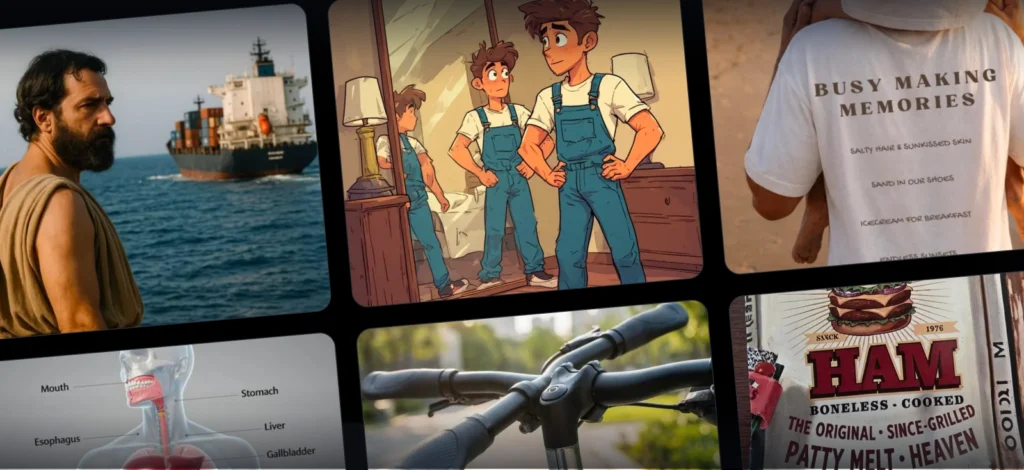
Kittl’s current AI workflows can generate an image from a plain-language description and edit an existing result conversationally. You can request a tighter crop, add sunglasses to a person, change the tablecloth color, adjust the lighting, or test another setting without rebuilding the scene from the beginning.
This makes it practical to explore several positions for the same product. One direction may feel like a relaxed summer picnic. Another may suit a more formal wedding table. The design stays the same while the audience context changes.
Keep the product consistent across every scene

With Kittl Flows, you can generate new lifestyle images from a frame containing the finished branded product. Prompt changes such as adding sunglasses, changing the tablecloth, or moving the product into another setting while keeping the core logo and design consistent across the Flow.
For exact placement across folds, curves, or print areas, use Kittl’s Mockup Generator. Together, these tools let you build and test a complete product campaign before manufacturing anything.
Build a complete listing set

A useful product listing should answer more than one visual question. Create at least:
- A clean hero image that reads clearly at thumbnail size
- A lifestyle image showing the product in context
- A close-up of the design, texture, or key detail
- A scale or dimensions image
- A color or product variation image
- A production or shipping information graphic when buyers need it
You can also learn what other images you’d need, specifically for Etsy, in our article here: How to create Etsy listing images that attract customers and make them buy.
You can test those images before manufacturing a full run. Compare click-through rate, saves, email signups, add-to-cart rate, preorders, or preference votes across two or three visual directions. If the coastal dinner scene beats the formal table setting, you have a stronger clue about how to position the product.
5. Prepare fail-safe production files
A mockup sells the expectation. The production file tells the supplier what to make. Mixing up those two assets is how a sharp listing becomes a blurry shirt, clipped poster, or off-color sticker.
Start with the supplier specification
Download the supplier’s template before setting the canvas. Confirm:
- Final print dimensions
- Print area and safe zone
- Bleed requirements
- Accepted file formats
- Required color profile
- Recommended DPI
- Transparency rules
- Maximum file size
- Minimum line weight or text size, if provided
Design at the final physical size whenever possible. Enlarging a small raster image does not create new detail. If its physical size is doubled without adding real resolution, its effective DPI is halved.
Choose the right file format
There is no universal “best files for printing” rule. The right format depends on the product, print method, and supplier.

In Kittl, open Download, select the correct artboard, set the width, height, and unit, then choose the DPI and file type. PDF and SVG are useful for print, while PNG and JPEG suit many raster workflows. The supplier’s upload specification always wins.
Set resolution at final size
For raster files, 300 DPI is a common standard for sharp print output at the final dimensions. That last phrase matters. A 300 DPI export that is later stretched to twice its intended width effectively becomes 150 DPI.
Kittl lets you set the export dimensions, unit, and DPI in the Download panel. Use 300 DPI when the provider recommends it, then inspect the exported file at 100% zoom. Do not assume a high DPI setting can rescue a low-resolution image that was already enlarged beyond its useful size.
Choose RGB or CMYK based on the supplier
RGB is built for screens. CMYK is built around printing inks. Converting between them can make highly saturated colors look duller or shift some tones, so follow the printer’s requested profile instead of converting automatically.
Kittl currently supports CMYK export for PDF and JPEG. PNG remains RGB because it is commonly used when transparency is required. If your POD partner asks for an RGB PNG, send that. If a professional printer requests CMYK PDF, export accordingly.
Learn How CMYK export works in Kittl with this article.
Remove the background only when the product needs it

Enable Remove Background for artwork that should sit directly on a garment, sticker shape, or product surface. Keep the background when it forms part of a poster, full-bleed design, rectangular print, or listing image.
Check texture overlays before exporting. A texture applied across the entire artboard may remain visible even after you remove the intended background.
Run a final preflight
Before uploading the file, check:
- Canvas dimensions match the supplier template
- Raster resolution is correct at final size
- Important artwork stays inside the safe zone
- Bleed reaches the required edge
- The color profile matches the specification
- Transparent areas are genuinely transparent
- Spelling, dates, and small text are correct
- Thin lines, gradients, and distressed textures will reproduce
- The exported file opens correctly
- The supplier preview shows the expected scale and placement
- The filename identifies the product, variant, size, and version
Kittl’s paid plans include commercial use, while the Free plan is limited to personal, non-commercial projects. Review the current pricing and licensing terms before selling products created with Kittl content.
Finally, order a sample when practical, especially for a new supplier, garment, print method, or color-critical design. The point of an inventory-free store is to avoid a bulk commitment, not to skip every form of quality control.
6. Build the storefront and product pages

A high-converting product page makes the offer easy to understand and the purchase easy to trust. It should answer what the product is, why it suits the buyer, what it costs, and what happens after checkout.
Write the description in the order a buyer is likely to need it:
- What the product is
- Who it is for or when they would use it
- The main benefit or differentiator
- Material and product specifications
- Size, fit, or dimensions
- Production and shipping times
- Care instructions
- Return or replacement policy
Avoid filling the opening with generic adjectives. “A heavyweight cotton hiking tee for people who plan weekends around trail maps” gives the buyer more information than “a premium, stylish T-shirt.”
Price from your unit economics, not from the competitor’s price alone:
Selling price − product cost − fulfillment − platform fees − payment fees − expected returns − customer acquisition cost = contribution margin
Calculate your minimum viable price first, then compare it with similar products in the market. If the price required for a healthy margin sits far above what customers currently pay, revisit the product, supplier, bundle, or positioning rather than forcing an unprofitable discount.
Set clear expectations for production time, shipping range, tracking, customs, personalization, returns, and the production partner where marketplace rules require disclosure. If the order may arrive in two packages, say so before checkout.

Finally, make the storefront look like one business. Repeat the same color system, background treatment, typography, image crop, product scale, and logo placement across listings. Visual consistency reduces the small signs of uncertainty that make a new store feel improvised.
7. Launch focused marketing campaigns
Do not launch fifty unrelated products and wait for the algorithm to explain the business to you. Begin with one product, one audience, and one reason to buy.
Use organic content to make the product relevant before asking for the sale. Show the design process, compare colorways, explain the niche reference, demonstrate the use case, or let the audience vote on the next variation. Turn the same product visuals into Pinterest assets, short-form posts, listing videos, and email creative.

Organize the campaign on Kittl’s Infinite Canvas. Group the product design, listing images, lifestyle mockups, social posts, ads, and email graphics together, then create separate artboards for each channel and format. This keeps the campaign visually consistent and makes it easier to compare, update, and export every asset as one coordinated launch.
Build search visibility around specific demand. Use the language customers use in the product title, description, image alt text, collection pages, and supporting guides. “Retro national park hiking shirt” has a clearer job than “unique graphic tee.”
Small creators can also outperform broad influencers when the audience match is stronger. Look for people whose comments show real interest in the niche, not simply the largest follower count. Give them a clear product angle and a way to track clicks or sales.
Measure the whole launch funnel:
- Impressions
- Click-through rate
- Product-page engagement
- Add-to-cart rate
- Checkout completion
- Purchases
- Refunds or replacements
- Repeat orders
Each number diagnoses a different problem. Weak clicks may point to the product angle or hero image. Strong clicks but weak add-to-carts may point to price, trust, or product-page clarity. Sales followed by returns may reveal a gap between the mockup and the delivered item.
Inventory-free store launch checklist
Do not treat launch day as the deadline for figuring out how the business works. Use this checklist as a launch gate. Each item should have evidence behind it, not simply a checkmark.
| Checkpoint | You are ready when… |
| Fulfillment model selected | You know why the model fits the product, budget, required creative control, and acceptable delivery time. |
| Inventory ownership understood | You know who owns the stock, when you are charged, and whether you need working capital before customer payouts arrive. |
| Niche and customer defined | You can describe the customer, product, purchase occasion, and point of difference in one sentence. |
| Demand test completed | You tested a real offer and set a pass-or-rework signal based on clicks, signups, add-to-carts, preorders, or sales. |
| Supplier vetted | You reviewed production locations, delivery times, tracking, support, branding options, and damaged-order policies. |
| Platform and fulfillment flow connected | A test order sends the correct product and variant to the supplier, then returns tracking information to the customer. |
| Unit economics calculated | The selling price leaves a viable contribution margin after product cost, fulfillment, platform fees, payment fees, returns, and acquisition costs. |
| Master product design complete | The source artwork uses the correct dimensions, approved typography, colors, and placement. |
| Listing-image set complete | The listing includes a clear hero, lifestyle scene, detail view, scale reference, and relevant color or product variations. |
| Production file preflighted | Dimensions, DPI, safe zones, bleed, color profile, transparency, text, and file format match the supplier specification. |
| Policies published | Production time, shipping range, tracking, returns, personalization, customs, and production partners are explained where relevant. |
| Analytics installed | You can track the path from impression and product-page visit to add-to-cart, purchase, refund, and repeat order. |
| First launch campaign prepared | One defined audience will see one clear product angle through a chosen search, social, email, ad, or creator channel. |
| Sample reviewed where practical | You checked the physical product before scaling a new supplier, garment, print method, or color-sensitive design. |
If you cannot explain what evidence earned a checkmark, the item is not complete. The purpose of the list is to catch expensive assumptions while they are still cheap to fix.
Start with proof, not a warehouse
Learning how to start an online store without inventory is really about changing the order of risk. You can test the niche, offer, and visual direction before buying a large amount of stock. What you cannot remove is the need for a useful product, credible presentation, sound margins, reliable fulfillment, and honest customer expectations.
Kittl covers the gap between the product idea and the live listing. Create the master artwork, build realistic mockups, test the visual direction, and export the production file from the same browser-based workspace. Then let demand tell you what deserves to scale.
Frequently asked questions about how to start an online store without inventory
Can you sell online without inventory?
Yes. Print on demand, dropshipping, digital products, affiliate commerce, and made-to-order production let you sell online without storing finished stock. FBA and 3PL can remove self-storage and shipping, but you usually still own the inventory.
How do you open an online store without inventory?
Choose an inventory-free fulfillment model, identify a narrow niche, select a storefront and supplier, create product visuals, prepare any production files, build the product pages, and launch a focused marketing campaign. Start with a small catalog so you can learn what buyers respond to before expanding.
What are the pros and cons of not holding inventory?
The main advantages are lower upfront product investment, simpler storage, faster product testing, and easier catalog changes. The main disadvantages are thinner margins, supplier dependence, limited quality control, variable shipping, and more complicated returns.
What is the difference between print on demand and dropshipping?
Print on demand creates a customized product after the customer orders, usually using artwork supplied by the seller. Dropshipping usually ships a product that has already been manufactured. POD offers more visual differentiation; dropshipping often offers a wider ready-made catalog.
How do you sell T-shirts online without inventory?
Use a print-on-demand supplier that integrates with your ecommerce platform. Create original artwork, present it with accurate T-shirt mockups, export the print file to the supplier’s dimensions and resolution, publish the listing, and market it to a defined audience. Order a sample before scaling a new garment or print method.
Will customers know I am using a dropshipping service?
They may. Packaging, shipping origin, paperwork, delivery times, return addresses, and separate parcels can reveal the fulfillment arrangement. The goal should not be to hide it. Give customers accurate delivery and return information, and disclose production partners when a marketplace or local rule requires it.
How do you choose the right print-on-demand supplier?
Compare product quality, print methods, base costs, fulfillment regions, production times, shipping prices, tracking, branding options, integrations, product templates, and reprint policies. Order samples of the products most important to your store and keep a backup supplier where possible.
What should you consider when starting an online store without inventory?
Check whether the model leaves enough margin after fulfillment and marketing, whether the supplier can deliver consistently, and whether customers will understand the shipping and return terms. For physical products, visual accuracy and production-file quality matter because you may not inspect the item before it ships.
Do I still need to order a sample?
A sample is not always required to publish a concept or begin a small demand test, but it is strongly advisable before scaling a new product, supplier, garment, print method, or color-critical design. Mockups test presentation. Samples test reality.
Is Amazon FBA a no-inventory model?
Not usually. FBA means Amazon stores, packs, and ships inventory for you, but sellers generally purchase and own the stock sent to Amazon. It removes self-managed warehousing, not the financial risk of inventory ownership.

Shafira is a content writer who turns boring business talk into reads people actually enjoy. She grew up hoarding $1 novels in Singapore and writing hilariously bad fiction, but now she tackles content marketing with all that creative chaos since 2019. From blogs and newsletters to UX and SEO, she writes how she thinks: nerdy, honest, and a bit offbeat. She believes the best content is human-designed, not just plain text.