










- Print Design



Chat
Chat is your creative assistant right inside Kittl. You can brainstorm, create images, and edit designs just by chatting—no need for complicated menus or tools. Whether you want to try new ideas, tweak an image, or get inspiration, just type what you need and Chat will help you out. It’s a faster, more fun way to bring your ideas to life.
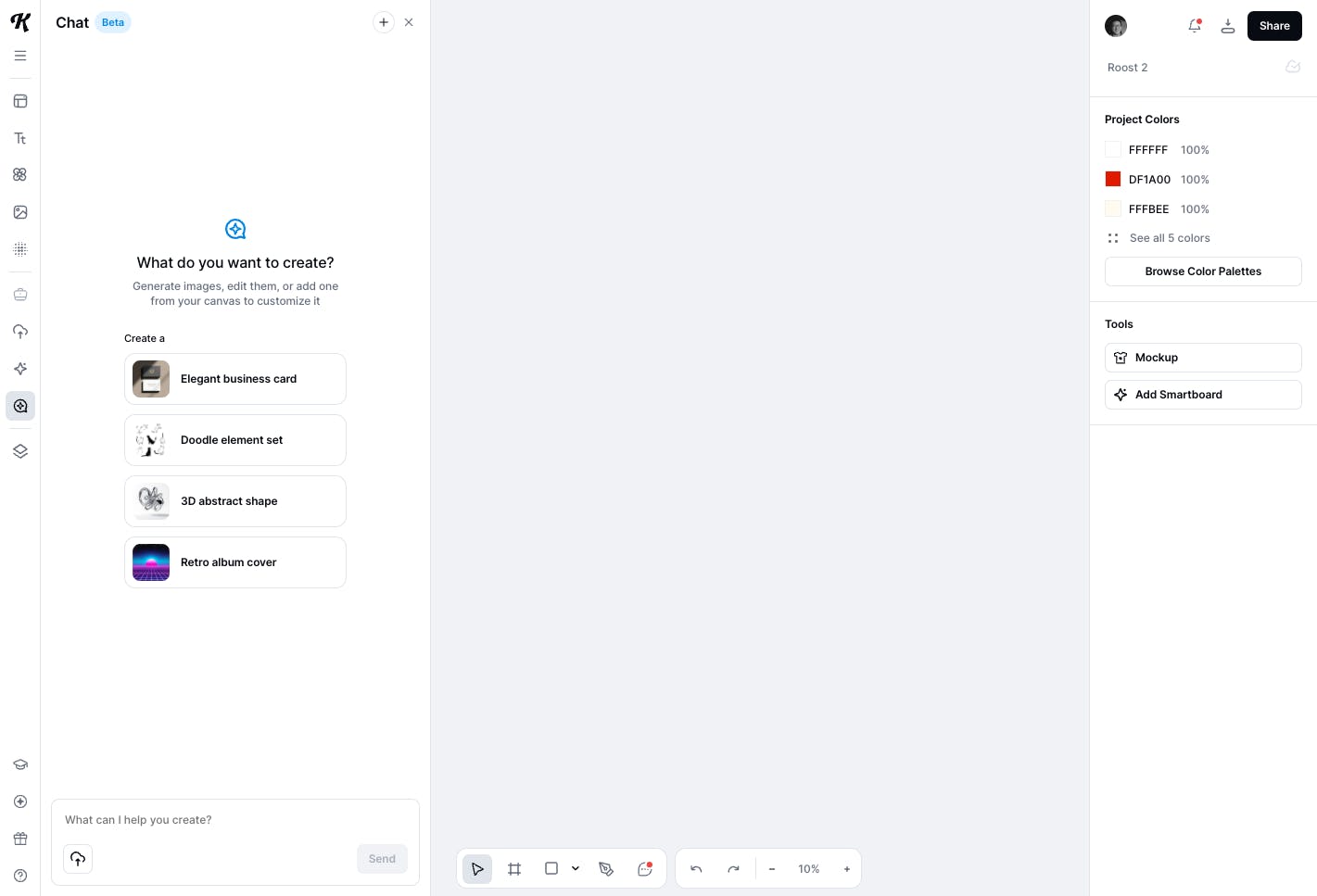
Getting Started: Step-by-Step
1. Open Chat
Look for the chat icon in the left panel
2. Start Your Conversation
Just type what you want to do. For example:
- “Brainstorm logo ideas for a bakery”
- “Create a retro poster with a cat on a bicycle”
- "Create an image that explains how beers is made"
Hit Send, and Chat will reply with suggestions, ideas, or start working on your request.
3. Generate Images with a Prompt
You can describe any scene, style, or idea, and Chat will turn your words into images. Just be as clear or creative as you want—if you need a specific format (square, landscape, portrait), mention it in your prompt.
4. Edit Images and Iterate
- After generating or uploading an image, you can ask Kittl Chat to make changes. For example: “Add sunglasses to the person”, “Change the background to blue” or “Make the cat bigger”
- You can upload up to 10 images at a time.
- You’ll also see edit suggestions when you upload or generate something new.
5. Add Images from the Artboard
If you’re working on a design in Kittl, you can send images from your canvas into the chat for editing, or bring generated images back to your canvas.
Tips & FAQs
How much does it cost?
Each image generation or edit in Chat currently costs 20 tokens.
What image formats are supported?
Square, landscape, and portrait. Just tell Chat your preferred size.
Can I make backgrounds transparent?
Yes, just ask the chat: “Make the background transparent.”
How many images can I upload at once?
Up to 10 at a time.
How do I start a new chat?
Click the plus (+) at the top of the chat window.
Are chats saved with my projects?
No, chats are linked to your account, not specific projects.
What if I need more help?
Ask Chat directly, or visit our support page for more tips.