AI-generated art has quickly evolved from a niche experiment into a cornerstone of modern creativity.
According to McKinsey’s 2024 State of AI report, over one-third of organizations now regularly use generative AI in their daily operations — a figure that continues to rise across creative, marketing, and design industries.
You’ve likely seen its influence everywhere: realistic portraits, surreal landscapes, and bold concept art, all created from a simple text prompt.
If you’re a modern designer, you’ve probably explored AI-powered design optimization to speed up your workflow, refine visuals, or find new inspiration.
These tools translate written ideas into finished visuals in seconds, opening up creative possibilities that once required hours of manual work.
But what actually happens behind the scenes when you generate an image from text? Let’s break it down.
What is an AI image generator?
An AI image generator is a tool that uses artificial intelligence to create entirely new images from written descriptions or existing visuals.
When you type something like “a futuristic city skyline at sunset in watercolor style,” the generator produces an original image that reflects your prompt.
According to Cloudflare’s AI Learning Center, these tools rely on large datasets of text and images to learn how certain words correspond to visual features. This allows them to produce everything from realistic photos to stylized illustrations.
But, as explained by MIT CSAIL, the models don’t simply “pull” existing images. They synthesize new ones pixel by pixel using learned visual patterns.
Leonardo AI and Brandermind describe this process as a blend of creativity and computation, where algorithms interpret prompts much like an artist would interpret a brief.
What technology powers AI image generation?

Behind every AI image generator is a complex system of neural networks and mathematical models designed to understand how words translate into visuals.
These tools don’t just mimic art, but they build it from learned relationships between language, color, shape, and texture.
At the core are artificial neural networks (ANNs), which function much like the human brain. They’re trained on massive datasets of image–text pairs, allowing them to predict what an image should look like based on your description.
According to Kittl’s AI Image Generation Guide, these models rely on “diffusion techniques and transformer-based learning” to capture context, emotion, and detail.
Modern systems such as DALL·E, Midjourney, and Stable Diffusion all use this foundation.
They transform random noise into coherent art by refining it over multiple steps, guided by the meaning behind each word in your prompt. Kittl’s AI Manifesto emphasizes that this technology represents a blend of science and creativity, where algorithms act as collaborators — helping artists expand, not replace, their imagination.
Recent advancements have also pushed realism and prompt accuracy further than ever. As explained in Kittl’s deep dive on realistic AI generators, new models integrate specialized training that improves lighting, anatomy, and text rendering, resulting in artwork that looks strikingly lifelike.
How does an AI image generator work?

Let’s take a look at a simplified form of what happens behind the scenes when an AI image generator turns your words into visuals.
1. Training: learning from existing data
Every AI image generator starts by studying enormous datasets of image–text pairs, learning how words like “sunset” or “watercolor” connect to shapes, colors, and lighting.
Once trained, the model can understand your prompt, such as “an owl in a neon cityscape,” and predict the visual style it should create.
2. The diffusion process
Most modern AI generators use a technique called a diffusion model, where the system starts with random noise and gradually shapes it into a clear image.
As explained by IBM, this process works by iteratively removing noise until the picture matches your prompt.
MIT’s Computer Science and Artificial Intelligence Laboratory further describes it as a method that learns the connection between language and imagery — refining abstract patterns into coherent art with every step.
3. Conditioning on your prompt
When you type a description, the model encodes that text and uses it to guide the image formation.
For example, “cyberpunk city at night” might lead the AI to emphasize neon lighting and futuristic skylines.
As Kittl’s prompt-writing guide explains, prompts act as a creative compass that directs the generator toward colors, textures, and moods matching your intent.
4. Output generation
After several refinement steps, the model produces a final image in formats like PNG or JPG.
According to a Springer AI review, this process can generate “high-quality, realistic images” by using trained neural networks that understand how text and visuals connect.
Though the output appears almost instant, it’s the result of thousands of calculations running through multiple neural layers to bring your prompt to life.
5. Refinements and iterations
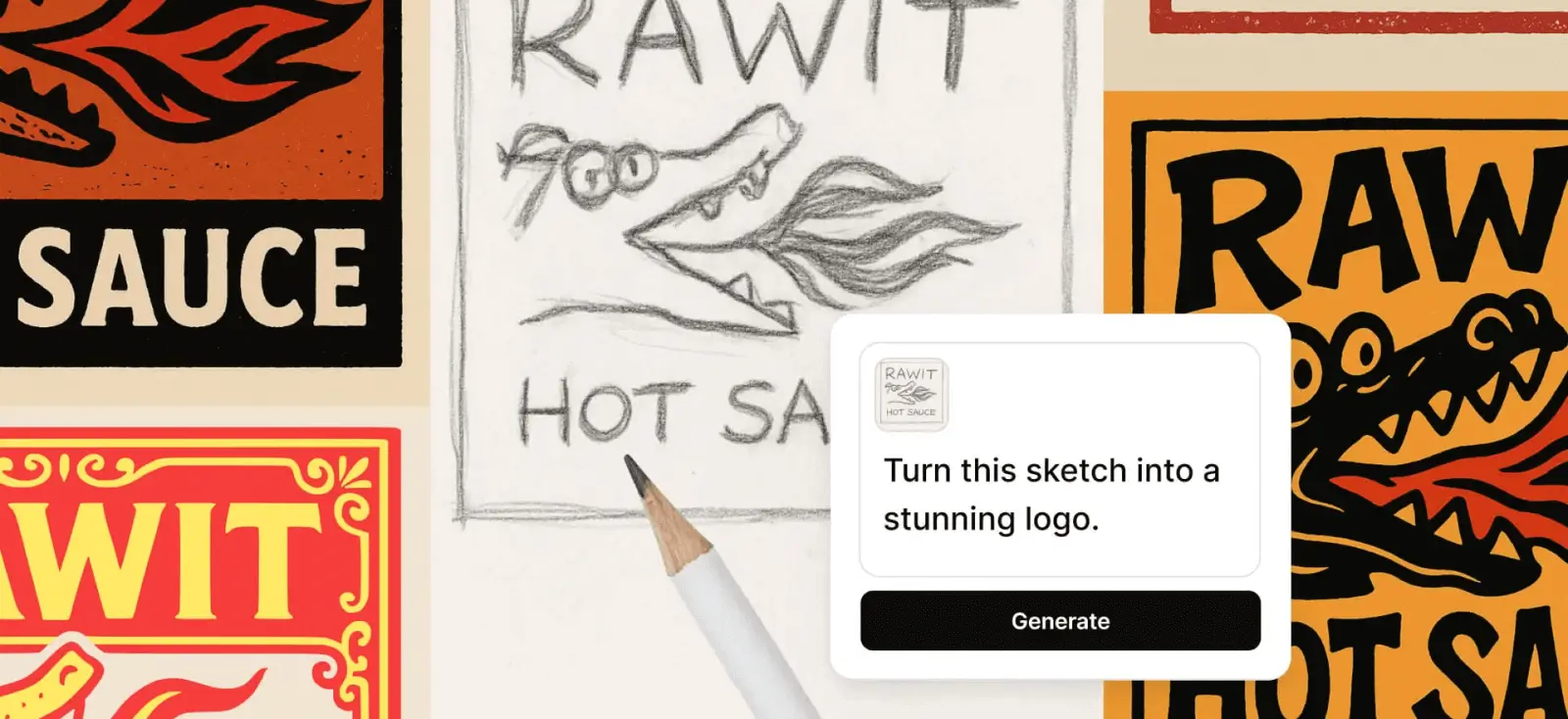
Most tools allow users to fine-tune results, adjust the art style, or regenerate new versions. Some even let you upscale or edit the image directly for sharper, print-ready quality.
What is an AI image file?

When you generate an image using AI, the result is saved as a standard digital file — usually PNG (most common) or JPG.
These are known as AI-generated image files, and while they’re created by artificial intelligence, they function just like any other image type on your computer or design software.
However, there’s often confusion between AI image files and the .AI format.
The .AI extension doesn’t refer to artificial intelligence at all. The term AI image file sometimes causes confusion, especially because .AI is also the extension for Adobe Illustrator, which is a vector format for editing in the Adobe Suites.
Most AI-generated images, however, are raster files, built from pixels rather than paths. That makes them great for digital use but less flexible when resizing for print or large displays.
To bridge that gap, Kittl gives designers full control over raster-to-vector conversion and editing. With its built-in Vectorizer and vector editing tools, you can refine AI-generated designs down to each color point, erase unwanted details, export in multiple formats (including SVG and PDF), and even generate new vector graphics directly through Kittl AI.
This flexibility is essential for professionals who want to preview designs across real-world applications before finalizing them.
Are AI image generators free to use?

Most AI image generators are free to try, giving users a limited number of prompts or credits to explore before upgrading.
Many platforms, including Kittl, offer around 20 to 30 free generations per month so you can experiment with different generators, styles, and features. These trials are perfect for testing the creative process before committing to a paid plan.
Free versions usually provide standard image quality and a few style options, while paid subscriptions unlock more advanced capabilities.
For example, higher resolution, commercial usage rights, and extended AI tools for illustration or product design.
Upgrading also means faster rendering times and access to additional features, such as Kittl’s AI image upscaler and vector editing tools, which enhance flexibility for professional work.
How can you try AI image generation online?

Getting started with AI image generation is simple and requires no downloads. In short, this is the step-by-step guide to creating your first image online:
- Visit a trusted AI image platform. Different AI models specialize in different styles (like Google Imagen 4, DALL·E, or Ideogram). All of these tools run entirely in your browser, so you can experiment freely without installing additional software.
- Choose your preferred style or aspect ratio. Whether you want a realistic portrait, square post, or landscape layout, most tools let you pick the composition that suits your project. Adjusting style options like realism, sketch, or vector can further tailor the result to your intended use.
- Enter your text prompt. Describe what you want to see, such as “a futuristic city at sunset in watercolor style.” As explained in Kittl’s prompt-writing guide, adding style details like lighting, materials, or color tones helps refine results.
- Generate and download your image. Once the image is created, you can tweak it, upscale it, or save it directly for use in your next project.
For designers, it turns prompts into practical inspiration that can feed directly into your final compositions.
You can explore more about how designers use AI image generation in their process and what the top 10 AIs are that people use to start testing different AI image generators.
If you’re using the Kittl Editor, you can explore multiple models directly in one place to test which fits your design goals best.
What can AI-generated images be used for?

AI-generated images have countless creative applications, especially for designers looking to speed up or diversify their workflow. You can use them to:
- Build brand visuals such as logos, icons, and hero images.
- Design marketing materials like posters, social media content, and ad banners.
- Create digital illustrations for editorial, entertainment, or concept art.
- Generate product mockups for merch or print-on-demand items.
- Support storytelling and education by visualizing complex ideas or historical scenes.
So, can AI help you generate more income in design? Absolutely.
By cutting down production time and opening new creative possibilities, AI allows designers to take on more projects, explore passive income through digital products, generate more POD listings, and offer higher-value services with less manual work.
Key takeaways: How AI image generators are changing creativity
AI image generation is transforming how designers work, lowering barriers to creation while expanding what’s possible visually.
- AI image generators can translate text prompts into visuals within seconds.
- They use neural networks trained on massive image datasets to interpret words and generate new compositions.
- Both free and paid tools offer flexible options for personal, educational, and commercial projects.
- Platforms like Kittl make AI-generated content easier to integrate into professional design workflows through built-in tools and accessible browser-based creation.
So if you haven’t tried it yet, this is the perfect time to explore what’s possible with an online AI image generator — and see how fast ideas can turn into visuals.