Most tools give you templates. The good ones give you flexibility.
But if you’re serious about design, you know there’s a difference between adjusting what’s already there and shaping something entirely your own.
That’s where vector editing comes in — and for a long time, doing it well meant jumping into another app, breaking your rhythm, and hoping your file made it through intact.
Now you don’t have to leave the flow. Kittl’s vector editor is built right into your workspace, so you can move from idea to execution without slowing down.
Whether you’re designing from scratch or tweaking a layout thats 90% there, you can draw, merge, subtract, and refine with the same tools you’d expect from a professional vector graphics editor just cleaner, faster, and way less clunky.
The vector tools you actually need
Shape Builder Tool
Combine, subtract, and intersect shapes to create complex forms in seconds. This transforms how you approach logo design, icon creation, and custom illustrations.
Shape tool
Quickly drop in foundational shapes—circles, rectangles, polygons, stars—that remain fully editable. These aren’t static elements; they’re living vector files you can transform endlessly.

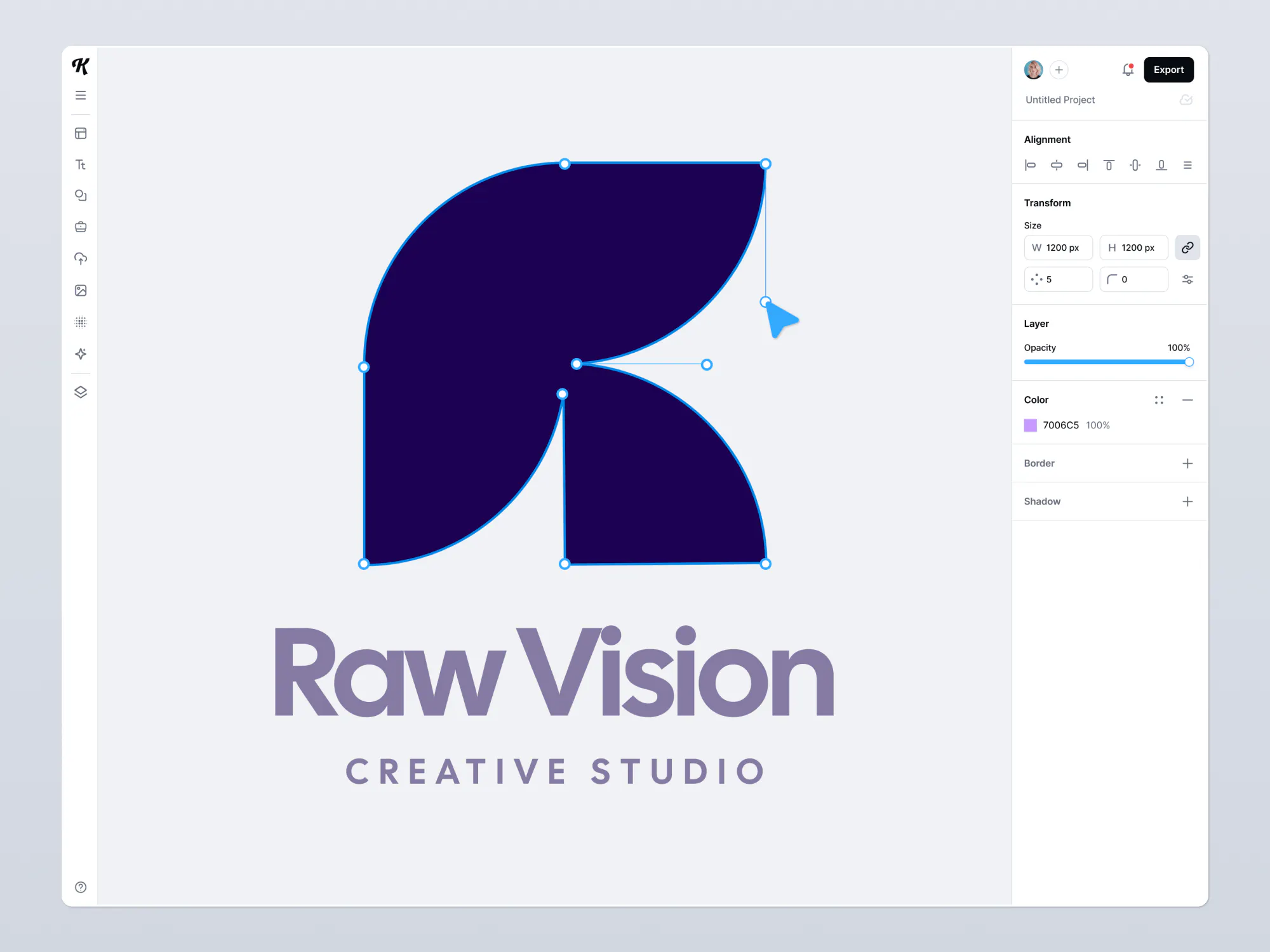
Anchor point controls
Select a point. Drag it where you want it. Adjust bezier handles like you’ve done it a hundred times — because you have. We’ve made the anchor editing experience feel smooth, precise, and free of surprises.
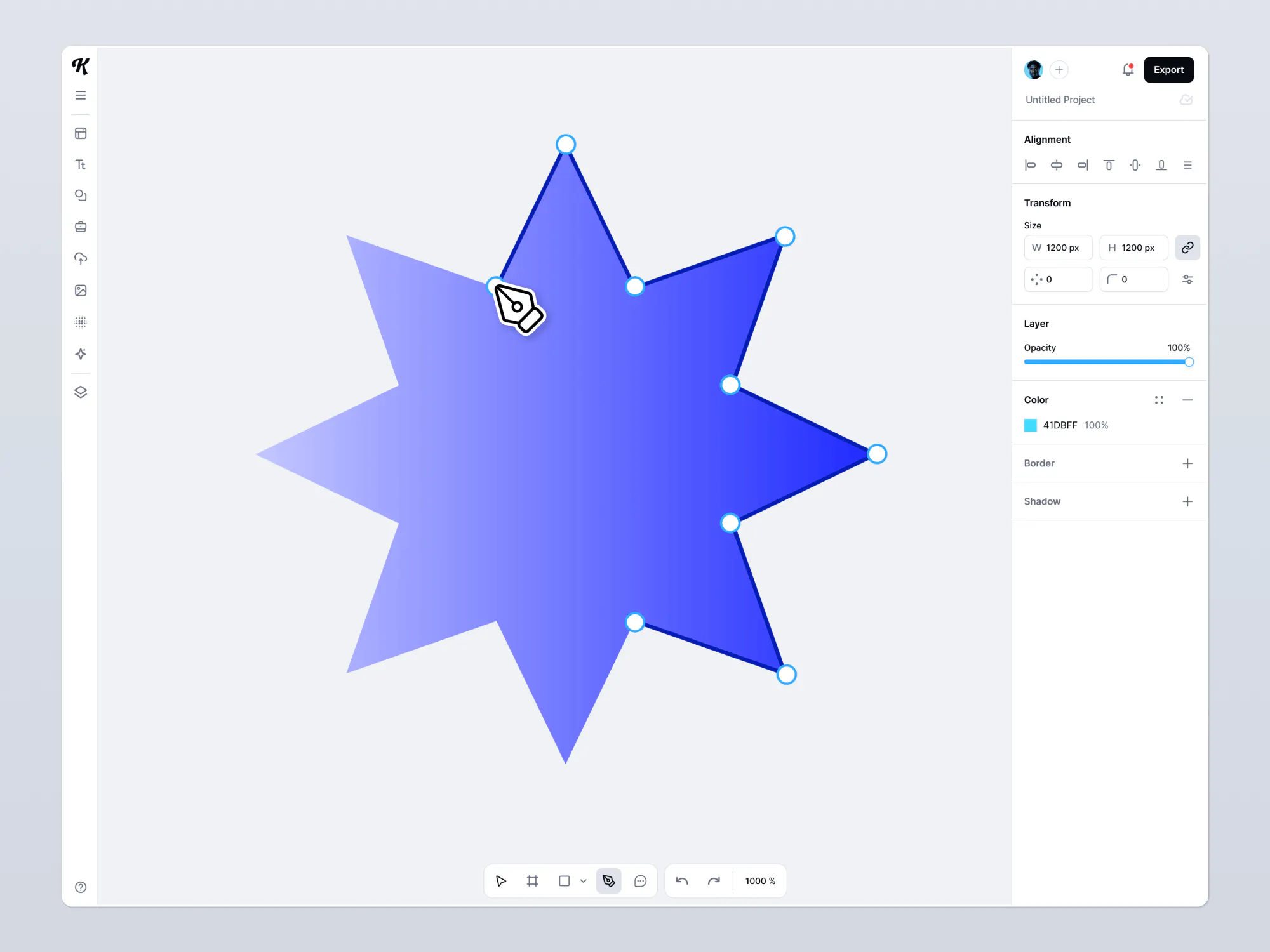
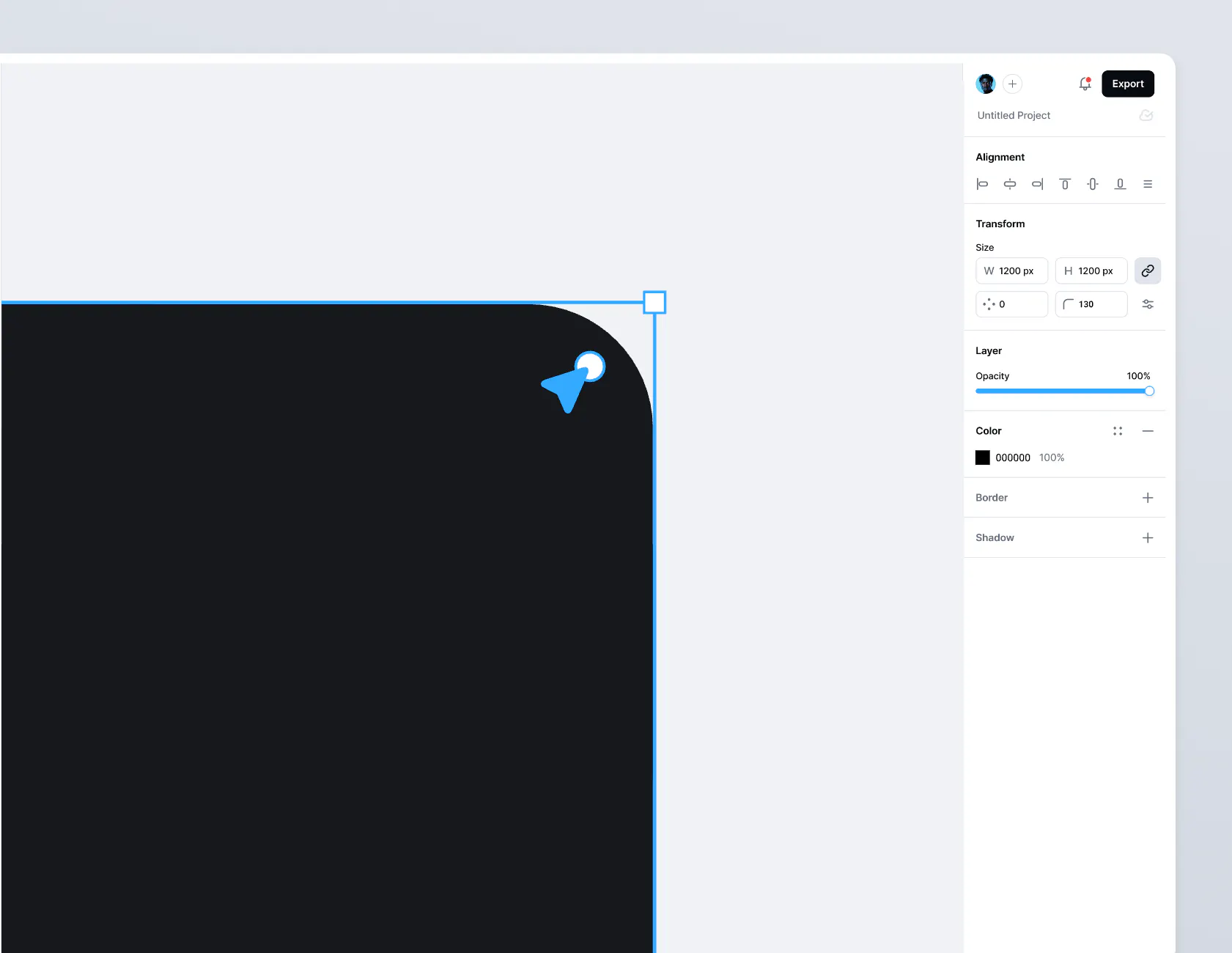
Corner rounding tool
Transform harsh angles into smooth curves with a single adjustment. Perfect for creating friendly, approachable shapes without redrawing from scratch.
Pen tool
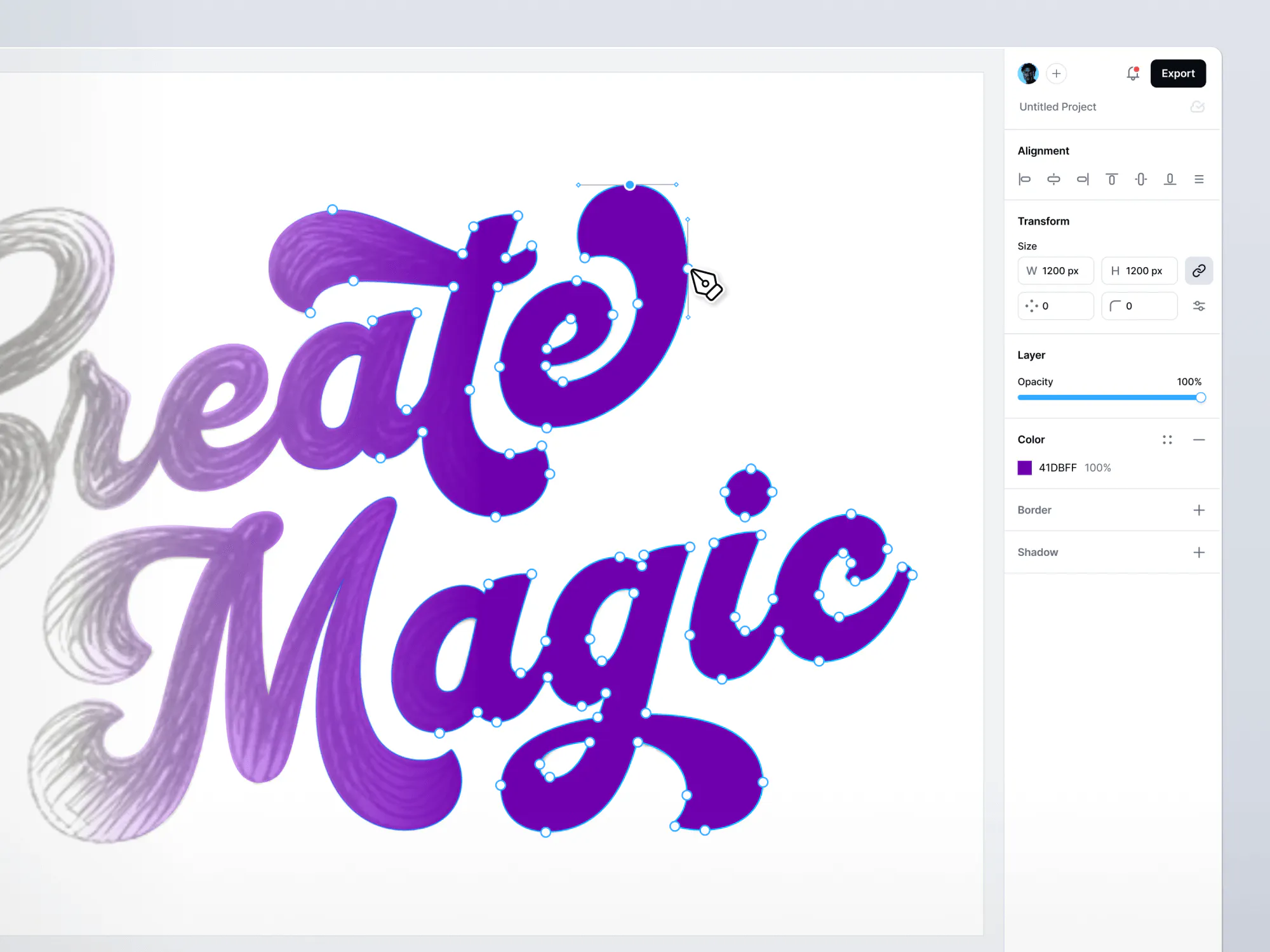
Draw anything you can imagine with precision and control. The vector editing experience feels natural, with clean, intuitive path creation that responds the way you expect.
An audio-visual learner? Check out our complete walkthrough on how to use our pen tool here:
How to use our vector tools
The power of vector editing comes from how these tools work together in your creative process:
- Start with building blocks: Begin by dropping in basic shapes with the Shape Tool that serve as your foundation.
- Combine and refine: Use the Shape Builder Tool to merge or subtract these shapes, quickly forming more complex designs.
- Add custom details: Switch to the Pen Tool to draw custom elements or modify existing shapes with precise curves and lines.
- Perfect your curves: Fine-tune your design by adjusting anchor points and bezier handles for smooth, professional results.
- Soften the edges: Apply the Corner Rounding Tool to selected points, instantly transforming sharp corners into elegant curves.
Pro tip
For logo design, try working from simple to complex. Start with basic geometric shapes, combine them with the Shape Builder, and then refine with anchor point adjustments for a polished result.
From fractured process to fluid creation
Most importantly, you maintain creative momentum. The psychological cost of switching tools is eliminated, letting you stay in that elusive flow state where your best work happens.
How designers use our vector editing suite in their real workflow
Understanding the power of vector editing is one thing, but seeing how it transforms your actual design process is another. Let’s look at four common scenarios where our vector graphics editor doesn’t just add features, it fundamentally changes how you work.
Custom logo creation
Creating the perfect logo often means combining precision with creativity. With traditional workflows, this meant sketching ideas, recreating them in a vector editor, then exporting for use elsewhere. Kittl’s integrated approach streamlines this entire process.
Design hack
Need a little help in the ideation? Our AI logo generator can help bring your ideas to life!
Typography customization
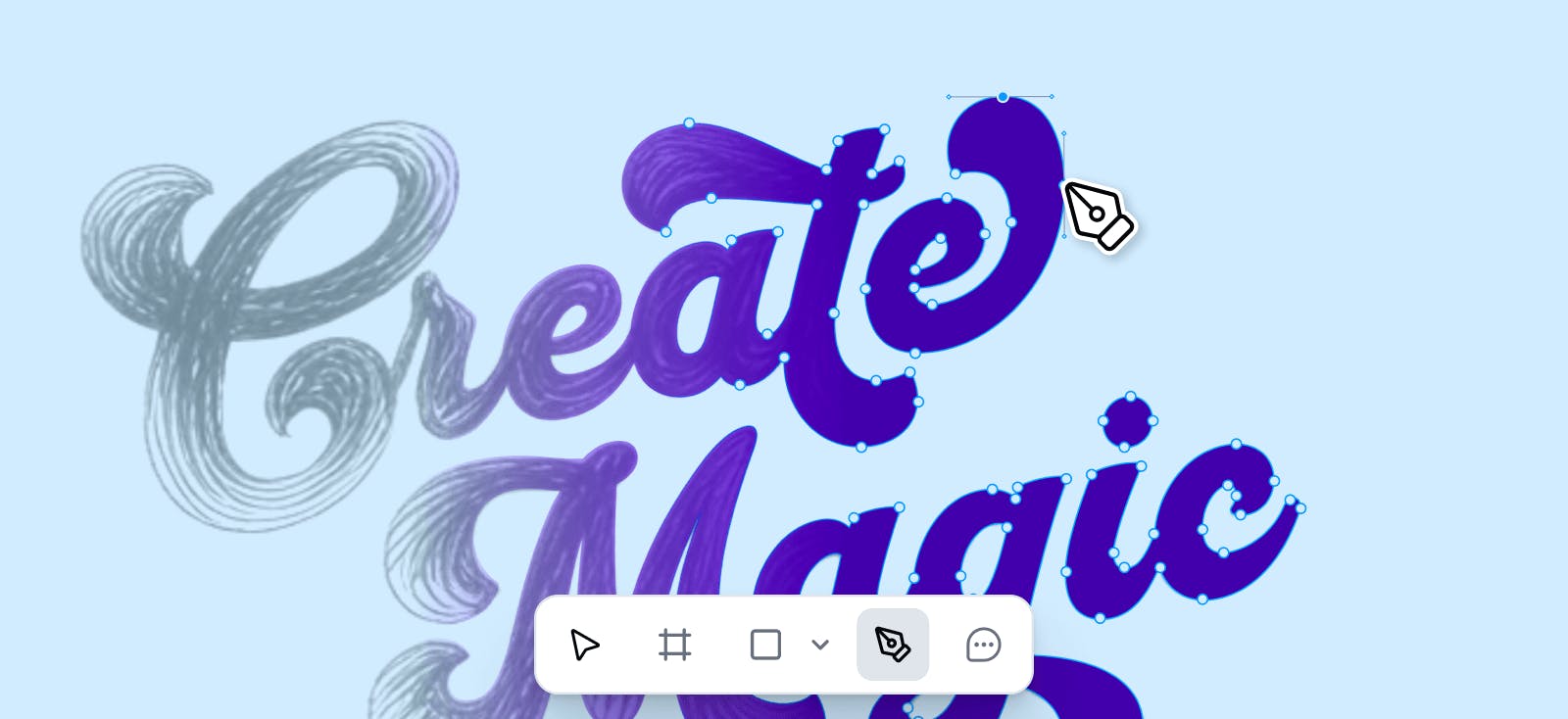
Typography speaks volumes about your brand identity, but standard fonts rarely capture your unique voice. Our vector editing software transforms text from something you select to something you sculpt, giving you control over every curve and corner.
Here’s a little hack on how to distort text into complex shapes:
Illustration development
Professional illustrations have always required specialized tools, forcing designers to maintain multiple skill sets and software subscriptions. Our vector editor brings illustration capabilities into your main workspace, making custom artwork accessible to every designer.
Need to bring other concepts into your digital workspace? Use our AI Image Vectorizer tool to transform sketches or bitmap images into clean vector elements that you can further refine in the vector editor.
Brand kit evolution
Brands are living entities that evolve over time. Traditional vector files often become outdated artifacts, requiring complete rebuilds as your brand grows. With Kittl, your brand becomes a living system, not a folder of static files.
Pro tip
Store your evolving elements in Kittl’s Brand Kit feature for easy access. Having all your logos, color palette, and other brand assets in one place means you can maintain consistency across projects with just one click.
Why it works better in Kittl
Design without disconnection
Traditional vector graphics editors excel at one thing: manipulating paths and points. But they exist in isolation from the rest of your creative ecosystem. This fragmentation isn’t just inconvenient—it disrupts the creative process at its most critical moments.
Kittl’s approach is fundamentally different. Our vector editor doesn’t just connect to your workspace—it’s woven into the fabric of it. The moment you finish editing a shape, it’s already part of your broader design system, ready to be incorporated into mockups, templates, or marketing assets.
This seamless integration means you’re never “switching to vector mode.” You’re simply designing, with the full power of vector editing available whenever inspiration strikes. It’s the difference between using a tool and inhabiting a creative environment.
Real-time collaboration, real creative synergy
Design is increasingly collaborative, yet most vector editing software was built for the lone designer working in isolation. The result? Endless version conflicts, export-import cycles, and feedback loops that stretch for days instead of minutes.
Kittl transforms this experience entirely. With our integrated Kittl Teams feature, your vector files become living documents that multiple designers can shape simultaneously:
- See changes as they happen. Watch curves adjust, shapes transform, and concepts evolve in real-time as your teammates work. This immediate visual feedback creates a dynamic creative conversation that static files never could.
- Single source of truth. No more digging through folders for “logo_final_v3_ACTUALLY_FINAL.ai.” Everyone works on the same version, with a complete history of changes always accessible.
- Contextual feedback directly on designs. Comment on specific elements, tag team members, and resolve discussions without ever leaving the design environment. The feedback lives where the work happens.
Part of something bigger
This Vector Editing Suite is only a part of our recent updates, we’ve also recently launched:
- Kittl Teams: Collaborate seamlessly with customizable roles, permissions, and workflows. Share vector files without sharing headaches.
- Reframe: Transform designs instantly for different formats and platforms while preserving the integrity of your vector editing work across every size and context.
- Smart Templates: Begin with professionally crafted foundations, then leverage our vector editor to customize every element until it perfectly captures your vision.
Pro tip
Want to learn more about these updates? Check out this article
And we’re just getting started. Coming soon to enhance your vector editing experience:
- Flatten Text: Transform typography into fully editable vector shapes, giving you unprecedented control over letterforms and text effects.
- Advanced Masking: Create sophisticated layered compositions through intuitive masking capabilities integrated directly with your existing design elements.
Advanced vector editing. Already in your workspace.
When we talk to designers about their frustrations, the same themes emerge: too many tools, too much friction, too little flow. Our vector graphics editor was built to solve these problems at their source.
By integrating professional vector editing directly into your creative workspace, we’ve eliminated the barriers between ideation and execution. You don’t need to be in “vector mode” or “template mode” or “collaboration mode” you’re just designing, with all the tools you need right at your fingertips.
So go ahead. Open a project. Draw something from scratch. Modify that almost-perfect template. Collaborate with your team in real-time. With Kittl’s integrated vector editing software, you’re not just creating designs—you’re creating a better way to design.
Right here. Right now. Right where it belongs.

Kittl brings pro-quality templates, premium fonts, and AI-powered tools right to your browser. Drag, drop, customize, and share. Perfect for brands, creators, and anyone who loves great design. Kittl was made to give you seamless and fast design process.