If you’re launching merch, testing a new drop, or trying to scale a clothing brand, choosing between DTG vs screen printing is not a small production detail.
It shapes how your artwork looks on fabric, how much margin you keep per shirt, and how smoothly you can grow from one-off samples to bulk orders. That choice matters even more in a category that is expanding fast: according toGrand View Research, the global custom T-shirt printing market was valued at $5.16 billion in 2024 and is projected to reach $9.82 billion by 2030, with digital printing forecast as the fastest-growing printing-technique segment.
The pressure is not just coming from the market. It is coming from customer expectations, too. In an Accenture survey of fashion consumers, 84% said they were interested in personalized fashion products, and the shoppers most interested in personalization also reported higher annual fashion spend.
For creators working with gradients, photos, bold logos, or limited-color graphics, that raises the stakes: the wrong print method can lead to weaker print quality, higher production costs, lower durability, or artwork that has to be simplified before it ever reaches the garment.
By the end, you’ll understand the real differences between direct to garment printing vs screen printing, from design complexity and color count to print-ready artwork, so you can choose the best option for your brand, your budget, and your long-term production goals.
Key takeaway: Which printing method should you choose?
If you are deciding between direct-to-garment vs screen printing, start with the use case.
| Choose DTG if you need… | Choose screen printing if you need… |
| Small runs or one-off orders | Bulk production at a lower cost per shirt |
| Photorealistic artwork or gradients | Bold logos, typography, or limited-color graphics |
| Print-on-demand flexibility | Specialty inks and premium print effects |
| A low-risk way to test new designs | A durable option for repeat bestsellers |
What is direct-to-garment (DTG) printing?
Direct-to-garment printing, or DTG printing, is a digital apparel printing method that applies water-based ink directly onto fabric.
Unlike screen printing, it does not require separate screens for each color, which makes it a flexible option for detailed, full-color artwork and lower-volume apparel production.
How does the DTG process work?

The DTG printing process is fairly straightforward, but each step affects the final print quality, color vibrancy, and durability of the garment.
- Step 1: Pretreat the garment
The process starts by preparing the shirt with a pretreatment solution. This helps the ink bond properly with the fabric fibers and is especially important for dark garments, where a white ink base is often needed to keep colors bright, sharp, and accurate. - Step 2: Print the design directly onto the fabric
Once the garment is ready, the design is printed using a digital inkjet-style machine that sprays water-based ink directly onto the shirt. Unlike screen printing, which applies each color through separate screens, DTG works more like a high-resolution printer for apparel. This is what makes it such a strong option for complex designs, gradients, fine details, and photorealistic artwork. - Step 3: Heat-cure the print
After printing, the garment goes through heat curing to set the ink into the fibers. This step helps improve wash durability and ensures the finished design is ready to wear.
Because the ink sinks into the fabric instead of sitting heavily on top, DTG prints often have a softer feel, especially on cotton garments. That softer hand feel is one of the reasons direct-to-garment printing is popular for detailed, full-color apparel designs.
Pros and cons of DTG
| Pros of DTG printing | Cons of DTG printing |
| No minimum order quantity, which makes it ideal for small batches, one-off samples, and print-on-demand | Higher cost per shirt at scale, especially compared with screen printing for bulk orders |
| Excellent for photorealistic prints, gradients, shading, and highly detailed artwork | Usually slightly less durable over time than plastisol-based screen prints, particularly after repeated washing |
| Low upfront cost because there are no screens or major setup fees | Performs best on cotton and can struggle on some synthetic or blended fabrics |
| A strong option for creators testing designs before moving into bulk orders | Color vibrancy can vary depending on the garment type, pretreatment, and print provider |
| Often more sustainable for on-demand selling because you only print what you need | Less suited for specialty finishes and effects, screen printing can offer more easily |
| Produces a softer hand feel on many garments, especially cotton apparel |
For creators comparing DTG vs screen printing, the biggest takeaway is that DTG shines when you need flexibility, low-risk production, and artwork with lots of color or detail.
It is often the easiest way to launch custom apparel, but it becomes less cost-efficient as order volume grows.
What is screen printing?
Screen printing is a traditional apparel printing method that pushes ink onto fabric through a mesh screen.
Unlike direct-to-garment printing, which prints the full design digitally, screen printing builds the artwork layer by layer and typically uses a separate screen for each color.
How does the screen printing process work?

The screen printing process involves more setup than DTG, but that setup is what makes it so effective for consistent, high-volume production.
- Step 1: Create the design separations
The artwork is first separated by color, because screen printing requires one screen for each ink color in the design. This is why simpler graphics with fewer solid colors are usually more cost-efficient than highly detailed, multi-color artwork. - Step 2: Burn the design onto mesh screens
Each color layer is transferred onto its own silk or mesh screen using a light-sensitive emulsion. This creates a stencil that blocks ink in some areas while allowing it to pass through in others. - Step 3: Apply ink with a squeegee
Once the screens are lined up on the garment, the printer pulls thick layers of ink across each screen using a squeegee, pushing the ink through the open areas of the mesh and onto the fabric below. In many shops, this ink is plastisol (a PVC-based plastic ink), which sits on top of the garment and creates bold, opaque color. - Step 4: Cure the ink
After all colors are printed, the garment is heat-cured so the ink fully sets. This helps create the long-lasting finish screen printing is known for.
Because the ink sits more heavily on the fabric surface, screen printing usually produces brighter, more saturated colors, especially on dark garments.
That is one reason it remains a top choice for branded apparel, event merch, and clothing lines that need reliable results across larger production runs.
Pros and cons of screen printing
| Pros of screen printing | Cons of screen printing |
| Unmatched durability, especially with plastisol inks that hold up well over repeated washing | High setup fees due to screen creation, color separations, and production prep |
| Lowest cost per shirt for bulk orders and larger production runs | Usually comes with stricter minimum order quantities |
| Produces vibrant, opaque colors that work especially well on dark fabrics | Each color needs its own screen, which can limit color count and increase cost |
| Ideal for bold logos, solid-color graphics, and clean typographic designs | Not the best choice for highly complex gradients, photorealism, or very detailed artwork |
| Allows for specialty inks and finishes like puff, metallic, glitter, and glow-in-the-dark effects | Setup takes more time, so it is less flexible for one-off prints or quick small-batch testing |
| Delivers strong consistency across large runs, which is helpful for brands scaling merch | More prepress planning is needed to make the artwork truly print-ready |
DTG vs. screen printing: Head-to-head comparison
When creators compare DTG vs screen printing, they are usually trying to answer a bigger question: which method will give their designs the best result without hurting margins or limiting growth?
This side-by-side breakdown highlights the key differences in quality, cost, durability, and design compatibility, so you can choose the right fit for your merch or clothing brand.
| Feature | Direct-to-Garment (DTG) | Screen Printing |
| Best For | Complex designs, small batches, and on-demand orders. | Bulk orders, bold graphics, and simple typography. |
| Print Quality | Photorealistic, highly detailed, gradients (up to 300 DPI). | Vibrant, solid spot colors; struggles with fine gradients. |
| Durability | Generally holds up well with proper care; the ink soaks into the fabric. | Often more durable over heavy long-term wear; thick ink sits on fabric. |
| Cost & MOQs | Cheaper for 1-24 items; no minimum orders. | Usually becomes more cost-effective at higher volumes; requires minimum orders. |
| Fabric | 100% cotton and high-cotton blends. | Highly versatile: cotton, polyester, nylon, athletic wear. |
1. Print quality and design complexity

When comparing DTG vs screen printing, the first question is usually about the artwork itself. Some designs need every gradient, texture, and tonal shift preserved. Others look stronger when reduced to bold shapes and fewer colors.
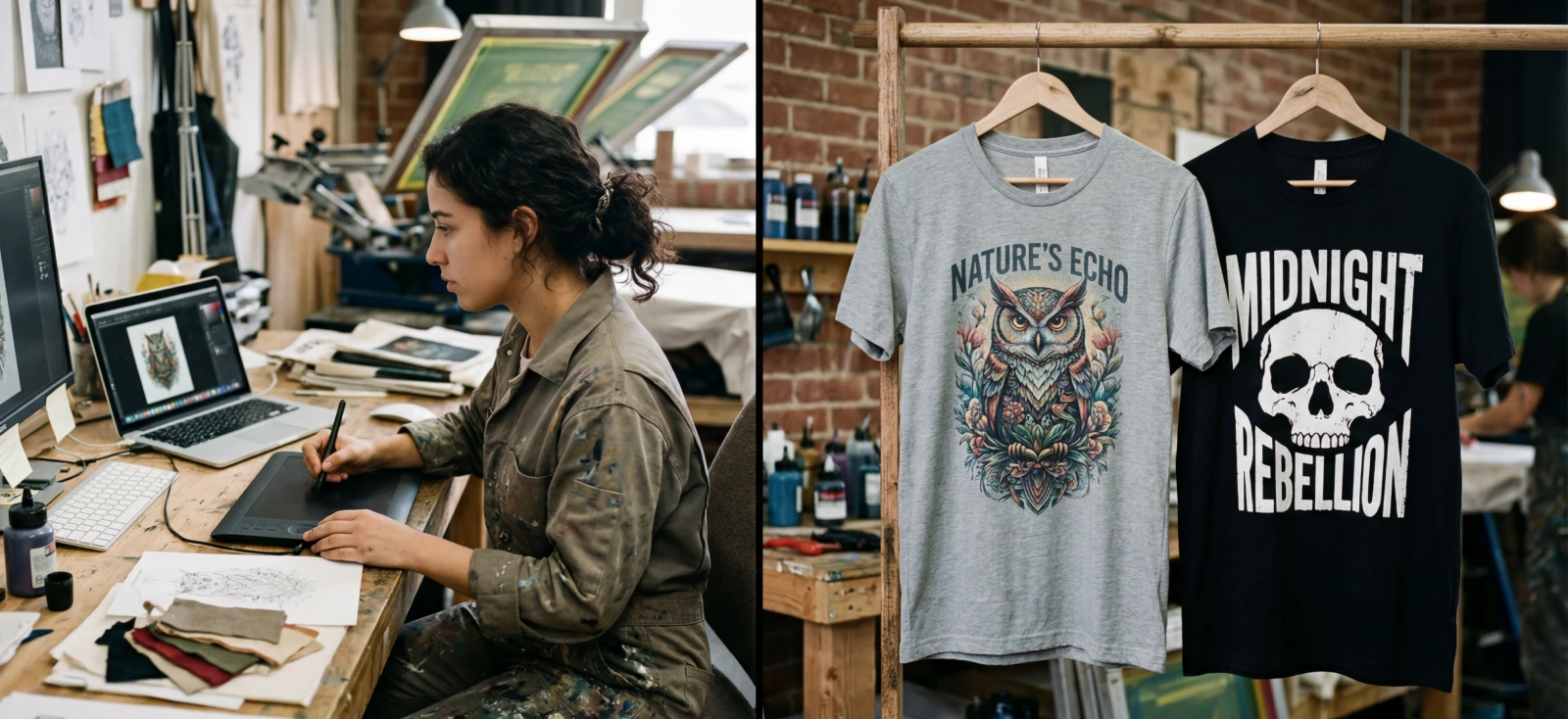
DTG printing is usually the better fit for artwork with lots of detail. If your design includes photo textures, soft shading, layered colors, or a full-color illustration, DTG can reproduce that complexity more naturally on fabric. This makes it a strong choice for creators working with detailed merch graphics, album-cover-style prints, or illustration-heavy apparel.
Screen printing works best when the artwork becomes more powerful through simplification. A bold logo, statement typography, or minimalist graphic often prints more cleanly and more intentionally with solid spot colors. Even when you want some tonal variation, halftones can help simulate depth without turning the design into a fully photographic print.
- Choose DTG for gradients, photorealistic artwork, textured illustrations, and high-detail prints.
- Choose screen printing for bold typography, minimalist graphics, and artwork with a tighter color count.
- If your design loses its identity when simplified, it likely leans DTG.
- If your design looks stronger as clean shapes and solid colors, it likely leans screen print.
2. Durability and lifespan

The difference in direct to garment printing vs screen printing is not just how long the print lasts. It is also how the print feels on the garment and how it ages over time.
DTG printing usually lasts 50+ washes. That can be a big advantage if you want the design to feel lighter, smoother, and more integrated into the shirt. For vintage-inspired apparel or fashion-forward merch, that softer hand feel can actually be part of the appeal.
With screen printing, the ink usually sits more on top of the fabric, creating a thicker and more structured print. That often leads to stronger opacity and long-term durability ( near-permanent/lasts the lifetime of the garment), especially for bold graphics, uniforms, event merch, and repeat bestsellers that need to hold up through heavy wear.
- Choose DTG if you want a softer print feel and a more embedded look.
- Choose screen printing if you want a bolder surface feel and stronger long-term resilience.
- The right choice depends on the product experience you want your customer to have, not just lifespan alone.
3. Cost and minimum order quantities (MOQs)

This is where the economics of screen printing vs direct to garment become more obvious. The better option depends on whether you are testing demand or scaling a proven design.
DTG printing is usually cheaper for 1-24 items, as there are no major setup costs. You can print one shirt at a time, which makes it ideal for sample orders, test drops, and print-on-demand workflows. For creators who are still validating ideas, that flexibility matters more than having the absolute lowest price per unit.
Screen printing becomes drastically cheaper at 50+ items. The setup takes more time and money because each color usually needs its own screen, but those upfront costs get spread across the full run. That is why screen printing is often the better business decision for larger orders and established designs with predictable demand.
- Choose DTG for one-offs, small batches, and low-risk product testing.
- Choose screen printing for bulk orders and repeat designs with proven sales.
- A smart workflow is to test new designs with DTG, then move winning designs into screen printing once the numbers make sense.
- The cheapest option depends on where the design is in its lifecycle, not just the print method itself.
4. Fabric suitability and sustainability

Your blank garment matters just as much as your artwork. In many cases, fabric suitability determines how good the final print looks and feels, while your production model shapes the sustainability tradeoffs behind it.
DTG printing usually performs best on cotton and high-cotton garments because the water-based ink absorbs more naturally into those fibers. If you are printing detailed artwork on a soft cotton tee, DTG often delivers better detail retention and a smoother, softer finish. DTG can also be a more sustainable option for creators using print-on-demand, since you only produce items as they are ordered, which helps reduce overproduction and unsold inventory.
Screen printing is generally more versatile across a wider range of fabrics. Because the ink sits on the surface, it is often a stronger option for synthetics, performance wear, and other garment types that are less DTG-friendly.
That makes it especially useful for sportswear, team apparel, uniforms, and merch collections produced across multiple blanks. From a sustainability perspective, screen printing can be efficient for larger runs, but it usually involves more setup materials, more ink handling, and a greater risk of excess inventory if demand is overestimated.
- Choose DTG for cotton-heavy garments, detailed lifestyle graphics, and on-demand production with lower inventory risk.
- Choose screen printing for synthetics, performance fabrics, and larger runs across multiple garment types.
- Factor in sustainability alongside print quality: DTG can reduce waste through made-to-order production, while screen printing often becomes more efficient once you are producing at scale.
- Choose the print method alongside the blank garment and sales model, not after the design is already finished.
The creator’s angle: designing for your print method
The biggest difference between DTG vs screen printing often shows up before anything is printed. It starts in the design file. If the artwork is built for the wrong method, you can lose detail, overspend on setup, or end up changing the design after production has already started.
That is why creators need to think about print-ready artwork early, especially when designing merch, testing a new drop, or building a clothing brand. Guides on making custom merch and designing T-shirts for POD tell us why your design should match your product and production method from the start.
A. Best practices for DTG artwork

For DTG printing, the goal is usually to preserve as much visual detail as possible. That makes it a strong fit for gradients, textured illustrations, layered artwork, and photorealistic designs.
- Set the canvas to the final print area first
Use exact dimensions from the beginning so the file is built for the real garment space, not resized later. Kittl’s artboard settings make it easier to design around a true print area in the units your printer or POD provider expects. - Use a high-resolution transparent PNG when raster export is required
For many direct-to-garment printing workflows, a transparent PNG is the most practical handoff format. Kittl’s download settings support high-DPI export, transparent backgrounds, and print-friendly formats like PDF and SVG when needed. - Watch out for semi-transparent pixels on dark garments
DTG handles complex designs well, but semi-transparent pixels, soft drop shadows, faded edges, and subtle overlays can print chalky or unevenly over the white underbase, especially on dark shirts. If your design relies on soft tonal effects, clean them up before export so the final print quality stays intentional rather than muddy. For example:- A vintage band tee with 2 solid inks and a halftone shadow is better for screen printing.
- A streetwear graphic with photo texture and 12 colors is better for DTG.
- Preview the design on the actual product color
A file can look perfect on a blank canvas and still disappear on a shirt. Mockups help catch contrast issues, placement problems, and weak highlights before production. That is one reason creators use POD mockups before launch: they help test how artwork behaves on the product, not just in the editor. - Understand CMYK vs RGB before you export
In many DTG and POD workflows, designers usually upload high-resolution RGB files, and the print provider handles the conversion to CMYK during production. For screen printing, the conversation is often less about CMYK vs RGB and more about using clean vector artwork with spot-color or Pantone guidance, since colors are typically separated manually rather than printed as a full CMYK image.
B. Best practices for screen print artwork

For screen printing, the goal is different. Instead of preserving unlimited detail, the focus is on clarity, separations, and efficient production. Cleaner artwork usually prints better and costs less.
- Keep the design to one to four solid colors when possible
Since screen printing often uses one screen per ink color, a tighter palette usually means simpler setup and lower cost. This is especially useful for bold logos, statement typography, and limited-color merch graphics. - Use vector over raster graphics
Vector graphics are easier to scale, separate, and adjust for screen print than soft raster artwork. Kittl’s vector suite is especially useful for logos, badges, lettering, and bold graphic compositions that need crisp edges. - Use consistent color systems across variations
If you are adapting one design across multiple shirt colors or collection drops, keeping your palette consistent matters. Tools like Brand Styles make it easier to maintain repeatable color and styling choices without rebuilding every version from scratch. - Convert rough artwork before treating it like final production art
If your design starts as a PNG or JPG, clean it up before sending it to a printer. Kittl’s AI Vectorizer can help turn rough raster art into something more scalable and screen-print-friendly. - Use halftones when you need depth without adding more screens
A halftone uses dot patterns to simulate shading or gradients, which can help a screen print feel more detailed without introducing full extra color transitions. This is especially useful when you want a vintage fade, tonal shadowing, or poster-style depth but still need to control color count and production cost. - Keep decorative effects intentional
Subtle glows, soft fades, and layered transparency may look great on screen, but they often need to be simplified for screen printing. Bold shapes and clean contrast usually translate better to fabric than overly effect-heavy artwork.
A good example of this creator-first workflow shows up in how a solo founder built an apparel brand end-to-end with Kittl, where the design process is tied closely to the final product, presentation, and brand system rather than treated as a separate creative step.
Final thoughts on DTG vs screen printing
There is no universal winner in DTG vs screen printing. The right choice depends on your artwork, your order size, and the way you plan to grow your brand.
Luckily, with Kittl, you can design apparel graphics, preview them on T-shirt mockups, and export cleaner, more print-ready files for both methods.
Frequently asked questions about DTG vs screen printing
1. Which is better, screen printing or DTG?
When comparing direct to garment printing vs screen printing, neither is universally better. DTG printing is usually the better choice for small runs, print-on-demand, and detailed artwork like gradients or photo-based designs. Screen printing is usually the better choice for bulk orders, bold graphics, and specialty finishes.
2. Does DTG printing fade faster than screen printing?
In many cases, screen printing tends to hold up better over long-term heavy wear, especially when thicker inks are used. DTG printing can still wash well and look great over time, but its lifespan depends more on the garment, print quality, curing, and care routine. If durability is the top priority for a high-volume design, screen printing usually has the edge.
3. Can you feel DTG print on a shirt?
Usually, less than screen printing. Because DTG ink soaks into the fabric, the print often feels softer and less raised, especially on cotton. Screen printing tends to feel thicker because the ink sits more on top of the garment.
4. Is DTG ink eco-friendly?
It can be, but not in every case. DTG printing often uses water-based inks and works well for print-on-demand, which can help reduce overproduction and unsold inventory. That said, the full impact still depends on factors like pretreatment, energy use, shipping, and how the garment is produced. A better way to frame it is that DTG can support a lower-waste workflow, especially for small-batch or made-to-order apparel.
5. What is the minimum order for screen printing?
There is no universal number. Many screen printers set minimums because setup takes more time and labor than DTG printing, especially when multiple colors are involved. Some shops accept smaller runs, while others focus on larger batch orders, so the best move is to check the printer’s pricing tiers and MOQ before finalizing the design.
6. Can I use gradients in screen printing?
Yes, but with limits. Screen printing can simulate gradients with halftones, but it is not the best option for highly detailed or photorealistic shading. If your design depends on smooth tonal transitions, DTG printing is usually the easier fit.
7. Why does DTG printing look dull on dark shirts?
Dark garments usually need a white underbase to help DTG printing colors appear brighter. If the pretreatment, underbase, or artwork setup is off, the print can look flatter than expected. This is also why soft transparency and semi-transparent pixels need extra care on dark shirts.