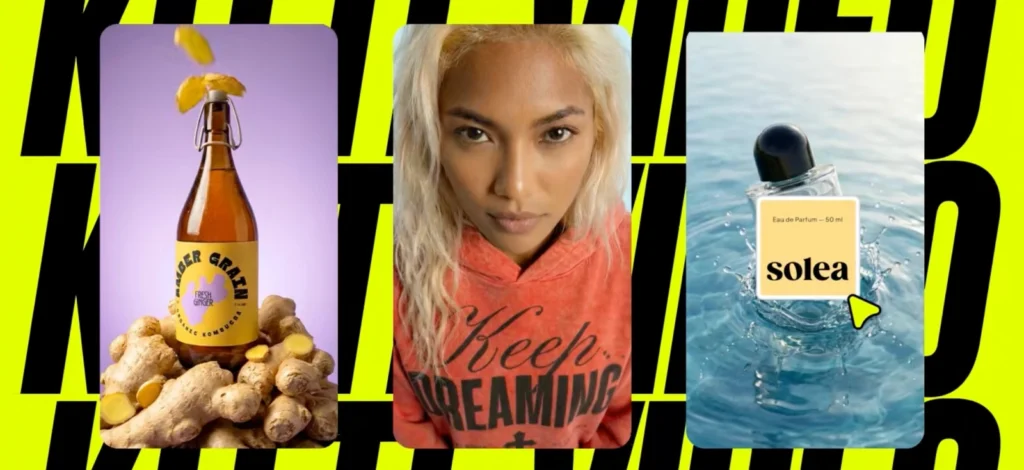
Launching a print-on-demand product without a mockup is like trying to sell an empty box. You’re asking people to imagine what doesn’t exist yet.
Smart entrepreneurs know better.
They use mockups to make their designs feel real, build buyer confidence, and even test demand before spending a dime on production.
Mockups are the runway before your designs can fly. Without them, your POD business never really takes off.
They let you present your products in polished, real-world settings, experiment with multiple designs quickly, and tell a cohesive brand story without ever ordering samples.
The best part? With tools like Kittl, creating professional-grade mockups takes minutes, not days. You can turn your flat design into a product-ready showcase, complete with realistic detail and branding consistency, all inside your browser.
In this guide, we’ll break down why mockups matter for POD entrepreneurs and show you exactly how to make them in Kittl.
That way, you can sell smarter, faster, and with more confidence.
POD 101: What a “Mockup” actually means
When you run a print-on-demand (POD) business — shirts, hoodies, posters, boxes, you name it — mockups are your visual stand-ins.
Rather than photographing every design in every color, you create high-fidelity visuals (often in a digital tool) that simulate what the final product will look like in the real world.
These mockups do three key jobs:
| Purpose | In POD context | Why it matters |
| Sell | Show a shirt on a model; poster framed on a wall; a branded mailer box | Gives customers context and reduces “what will it look like” anxiety |
| Test | Use mockups in ads or landing pages to see which designs get traction | Lets you validate demand without ordering inventory |
| Align | Internally, everyone sees the same visual vision—art director, vendor, packaging supplier | Cuts miscommunication, revisions, and surprises in print runs |
Unlike wireframes (which are rough layouts) or fully functional prototypes (which simulate working features), mockups focus on look & feel — textures, shadows, layout, and branding — without dealing with backend or functionality.
According to sources, mockups and high-quality product visuals play a massive role in e-commerce performance:
- 75% of online shoppers say images are “very important” when making purchasing decisions
- Pages with poor visuals see significantly lower engagement; high-quality images can push conversion rates up by 30% or more in some contexts.
- In fashion and apparel, presentation format matters: using human models vs flat lay vs mannequin can budge attention and clicks significantly (since consumers visually judge style, drape, and fit)
- Visuals also influence fullness of imagery sets: in large e-commerce catalogs, missing image types (e.g. no angle, no lifestyle shot) correlate with lower performance
Why mockups are the backbone of a no-inventory (POD) model

Smart entrepreneurs never rush to print before they know there’s a market waiting. Instead, they use mockups to turn flat designs into real-looking products that can be tested, marketed, and refined before a single item is produced.
In POD, that’s the difference between guessing and growing.
- Zero sample risk (cut costs and save time)
Without mockups, you’d need to order, print, and photograph samples for every color or style variation. Mockups eliminate that overhead, giving you polished visuals without inventory or photoshoots. - Speed + scale SKUs instantly
One design can be mocked up across a T-shirt, hoodie, poster, and even packaging in minutes. This agility is how POD brands rapidly expand product catalogs without touching inventory. - Demand validation before printing
Run ad tests or landing pages with mockups to see which designs get clicks, signups, or pre-orders. You only print what resonates, reducing inventory waste and missed opportunities. - Build trust with consistent branding
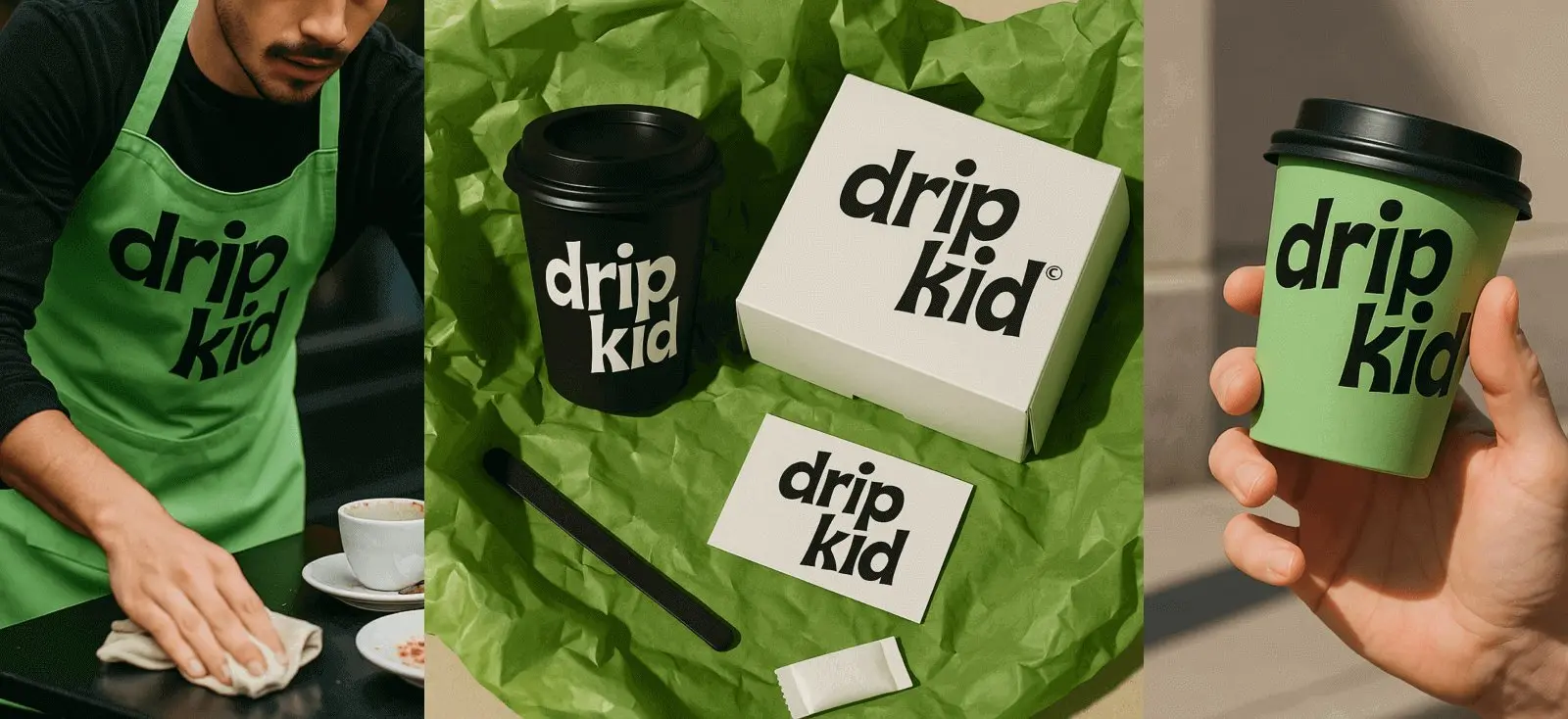
A shirt, its hang tag, the shipping box, and even the thank-you card can all share the same brand look when mocked up together. That cohesion doesn’t just look professional — it reassures buyers that what they see is what they’ll get, reducing returns and strengthening brand loyalty. - Better vendor & manufacturer alignment
Sharing print-ready mockups with your partner, stakeholder, manufacturer, or packaging supplier ensures they see exactly what you expect. Fewer surprises, fewer revisions, and fewer returns. - Reduced return risk
Studies show returns are often triggered when the real item doesn’t match how it was presented. When shoppers know exactly what to expect from your mockups, they’re far less likely to hit the return button. - Boost conversion with lifestyle context
Remember the research that says 75% of online shoppers consider product images “very important”? Well, lifestyle mockups like a hoodie on a model or a poster framed in a living room, outperform flat art every time because they help customers picture ownership.
The must-have mockups by product type
Each mockup earns its keep by how it’s shown — crisp heroes for product pages, thumb-stoppers for ads & social, a single standout image for email, and a complete, branded lineup for crowdfunding/wholesale.
It’s tempting to just show the product in your marketing, but how you present your merch often drives more sales than ad spend alone. We got some tips to stage apparel, posters, and packaging so they actually sell.
1. Apparel (tees, hoodies, sweatshirts)

- On-model (front/back): Human-model imagery increases mental simulation (“can I see myself in this?”), which raises purchase intent versus flat or mannequin shots. Two controlled experiments in apparel e-commerce found higher choice likelihood when a human model is used.
- One hero lifestyle + one clean product view: Provide context (in hand / on desk) plus a clean angle for details. Multiple high-quality images and varied settings are tied to higher conversion in e-commerce testing. Lifestyle images aid assessment and reduce uncertainty.
- Flat lay / detail crops (print texture): Multiple angles and close-ups help users evaluate materials, graphics, and print quality; Baymard’s large-scale UX testing shows users depend on rich image sets and miss key details when additional images aren’t obvious. Include zoomable detail of print/embroidery texture.
- At least one “in-scale” photo: An image that communicates real-world size (e.g., model height, garment on hanger) is sought by ~42% of users when judging size from images.
2. Posters & prints

- Framed and unframed on a wall: Context (modern living room, studio wall, hallway) helps users gauge fit and scale in a space; Baymard recommends “in-scale” imagery to reduce size ambiguity.
- Desk lean / gallery set: Showing how prints pair together (diptychs, triptychs) and how they sit on shelves increases perceived usability and bundle intent (a pattern echoed across product-page best-practice findings).
- Detail crop: Include a zoom or macro of paper texture/ink detail to address quality concerns that otherwise suppress confidence and conversions. Research on product-content depth (NielsenIQ) highlights the role of visual completeness in online purchase decisions.
- Avoid catalog bloat: Add accessories selectively. UX benchmarks show over-broad, shallow image sets spread attention without improving evaluation — prioritize your proven sellers and keep image depth high on those.
Packaging (boxes, poly mailers, labels, hang tags, inserts)

- Mailer box / shipper with branding: Packaging visuals contribute to brand experience and purchase intent; recent experimental work shows visual elements (color, graphics, logo, typography, layout) significantly impact intention via brand experience pathways. Use mockups to align those elements before you print.
- Poly bag + sticker seal / tape: Show the typical “arrives at your door” presentation — this feeds into the unboxing expectation that influences word-of-mouth and intent. Quantitative research links unboxing content with purchase intent lifts.
- Hang tag / woven label / size sticker: Detailed multiple shots reinforce perceived quality and authenticity. Baymard’s findings emphasize extra images for key attributes users evaluate pre-purchase.
- Thank-you card / care card: Include a mockup of inserts to telegraph post-purchase experience and reduce returns by setting expectations (care, fit, exchange info).
How to make mockups fast in Kittl in 6 steps
1. Upload your artwork

Bring in PNG/SVG files. Keep transparent backgrounds on graphics where needed.
2. Create a project & set your Brand Kit

Add logos, fonts, and Project Colors so every mockup stays consistent.
3. Plan your lineup in one file

Use the Infinite Canvas to stage tees, hoodies, posters, and a mailer box in one project.
4. Open the Mockup Generator

In the editor, click the Mockup button on the right panel.
5. Choose a starting template

Search “t-shirt,” “poster,” or “box.” Pick from the Mockups library.
6. Place and size your design

Drag artwork onto the mockup. Use guides and snapping for precise alignment (print area, seams, label zones).
Reuse your Project Colors, repeat logo positions, and mirror typography on hang tags, boxes, and inserts for a retail-ready look.
Your POD mockup checklist

Key takeaways: print-on-demand mockups
- Mockups make POD work: sell, test, and align before producing anything.
- Validate demand first: run ads/LPs with mockups; print only the designs that win clicks and preorders.
- Presentation drives sales: use lifestyle scenes, detail close-ups, and in-scale cues to boost conversion and cut returns.
- Save cost and time: skip samples and photoshoots for every variant; generate polished visuals digitally.
- Scale fast across SKUs: one design → tees, hoodies, posters, and packaging in minutes.
- Build trust with consistency: show a cohesive brand across product, tags, boxes, and inserts.
- Reduce friction with partners: share print-ready mockups to avoid surprises, revisions, and delays.
- Display by channel: crisp hero shots for listings; thumb-stoppers for ads/UGC; one standout image for email; a full branded lineup for crowdfunding/wholesale.
- Must-have views by type: apparel (on-model front/back, flat, texture close-up); posters (framed/unframed, gallery set, detail crop); packaging (mailer/poly, tag/label, insert).
- Kittl workflow in brief: Brand Kit + Project Colors → Mockup Generator → upload (Vectorizer/Upscaler as needed) → Background Remover → place & blend → export channel-ready crops.
- Operating principle: build once, deploy everywhere—then iterate quickly based on results.
Print-on-demand mockups: the shortest path from idea to “add to cart”
Mockups turn uncertain ideas into products people can picture — and buy.
They help you test demand before you print, show the exact look and scale buyers expect, and keep your brand consistent across apparel, posters, and packaging.
When you display the right views for the right channels: clean heroes for listings, lifestyle crops for ads and social, one standout frame for email, and a complete branded lineup for pitches, you convert attention into orders and cut costly returns.
Kittl makes this fast.
Set your Brand Kit and Project Colors, open the Mockup Generator, drop in your artwork. Done. Build once, deploy everywhere — then iterate on what resonates.
Ready to see it for yourself? Start building your mockups in Kittl and turn your next design into a product that sells.