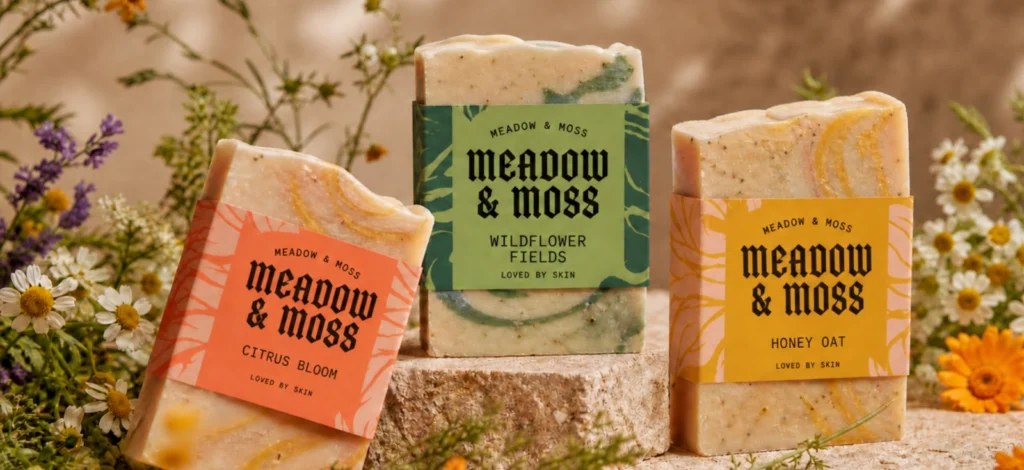
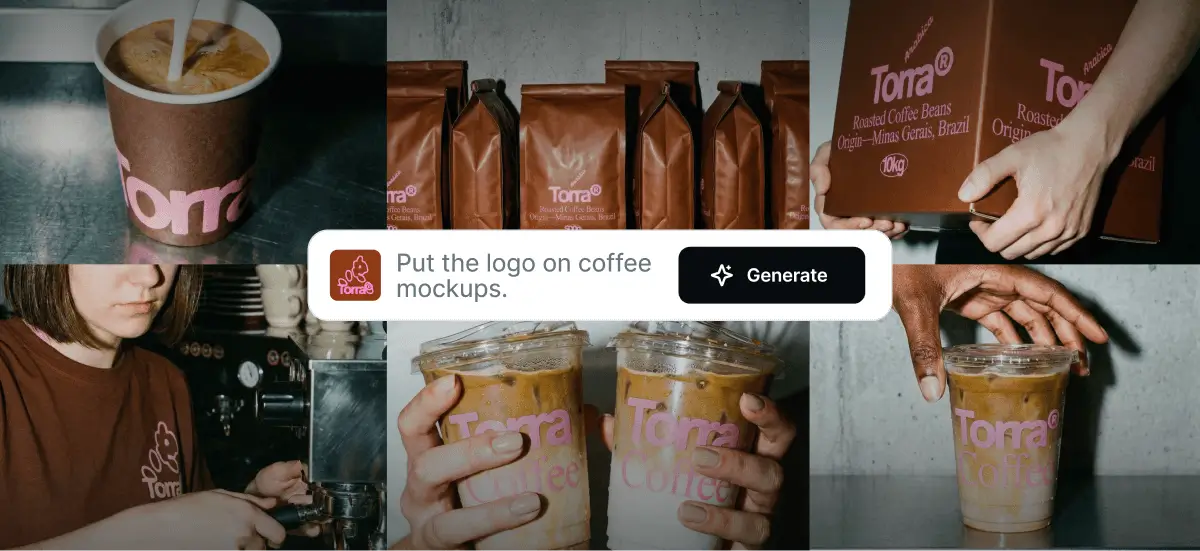
Creating high-quality product visuals has traditionally required photoshoots, styling, locations, and post-production work. For many small business owners and designers, that process can be costly, time-consuming, and difficult to repeat every time a new idea comes up.
Inside Kittl, there’s a lesser-known pairing that changes how AI product mockups are created: Nano Banana and Mockups. Individually, they solve different problems. Together, they form a flexible workflow for creating realistic, brand-accurate visuals — all without leaving the design canvas.This article explores how these two tools work, why they serve different purposes, and how they complement each other inside Kittl’s design ecosystem.
Why product visuals matter more than ever

In a digital-first world, visuals often become the first point of contact between a brand and its audience. Before product descriptions or brand stories are read, visuals already communicate quality, positioning, and credibility.
For small business owners, strong visuals help build trust. For designers, they help turn abstract ideas into something tangible.Mockups and lifestyle imagery are key here — and with AI now embedded directly into design tools, creating them has become faster and more accessible. The challenge is knowing how to use each tool intentionally.
Nano Banana: creating scenes, mood, and context

Nano Banana is one of Kittl’s AI image generators that allows users to generate images directly inside the editor. Instead of relying on external AI platforms, users can write prompts from the left toolbar and instantly generate visuals right in the Editor.
Nano Banana is just one of the 12 different AI image generator tools you can choose from built within the Kittl Editor to support different creative needs.
What sets Nano Banana apart is its strength in scene-building. Rather than focusing on isolated objects, it helps create believable environments where designs can live.
Nano Banana excels at:
- Generating lifestyle environments
- Exploring mood and atmosphere
- Adding storytelling context to visuals
Designers often use it to prompt café interiors, restaurants, workspaces, or lifestyle settings that help products feel grounded in the real world.Since its release, Nano Banana has continued to evolve with updates that improve realism and on-canvas integration.
Mockups: where design accuracy matters

While Nano Banana can generate scenes that look like product shots, those visuals are still AI interpretations. Logos, labels, and typography inside AI-generated images may appear convincing, but they aren’t always precise.
That’s where Mockups play a critical role.
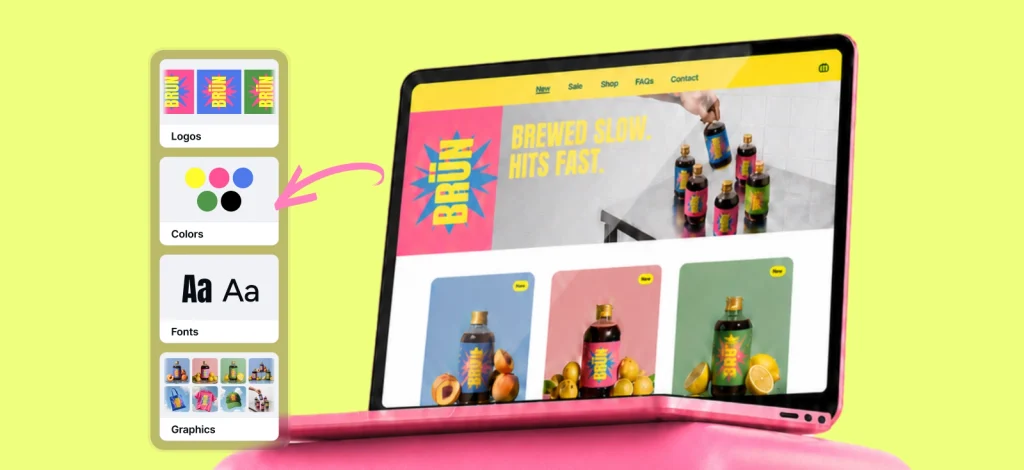
With Kittl’s built-in Mockup tool, designers apply their actual designs directly onto products. This ensures that typography,layout, and brand colors remain accurate and fully editable.
Mockups are essential when visuals need to be:
- Brand-safe
- Presentation-ready
- Suitable for online stores or client approvals
In short: Nano Banana sets the scene. Mockups make it accurate.
Why Nano Banana and Mockups work best together
Nano Banana and Mockups are designed to solve different problems within the same workflow.
Nano Banana focuses on:
- Environment and mood
- Visual storytelling
Mockups focus on:
- Precision and consistency
- Real-world product visualization
Used together, they allow designers to create visuals that feel both expressive and reliable — a balance that’s difficult to achieve with either tool alone.
Pro Tip
When working with Nano Banana, treat AI-generated visuals as a way to establish context rather than replace your core design. This makes it easier to maintain brand consistency when designs move into Mockups.
How the workflow comes together
When you already have a design
If you already have a logo, label, or packaging design, Nano Banana can be used to generate a lifestyle scene, while Mockups ensure your design is applied accurately to products within that environment.
This workflow is ideal for marketing visuals, social media assets, and early-stage product previews.
When you’re starting from scratch
For those starting from scratch, Kittl offers a rich ecosystem of design templates and a curated content library, making it easy to build strong visuals quickly — especially for typography-driven designs.
This foundation is strengthened by Kittl’s extensive font collection, allowing designers to establish a strong visual identity before bringing designs into AI-generated scenes and mockups.
Using Templates as a starting point
Templates play an important role for designers or business owners who want to move quickly from idea to execution. Instead of building everything from scratch, starting with a ready-made layout helps establish structure, hierarchy, and visual direction from the beginning.
For example, when working on a new restaurant brand, a label template can be used to design the branding of your business on the product, ensuring logo placement, typography, and spacing remain consistent.

Wild Bees Honey Label Design. Use Template

Absinthe Distillery Label Design.
Use Template

Marmalade Vintage Label Design.
Use Template
A restaurant Instagram post template makes it easier to create launch announcements or promotional content while maintaining the same visual identity.

Soft Nostalgia Design.
Use Template

Snack Receipt Design.
Use Template

Retro Taste of Home Design.
Use Template
To complete the foundation, a restaurant logo template helps establish a clear, typography-led brand mark that can be reused across packaging, social posts, and mockups.
Once these base designs are in place, they can be brought into Nano Banana to generate lifestyle scenes or contextual visuals, then refined using Mockups to ensure accurate placement on real-world products — all without leaving the Kittl editor.
Pro Tip
It helps to finalize key design elements early. Locking in typography, layout, and brand colors beforehand keeps the workflow focused on presentation instead of revisions, allowing experimentation to stay fast and intentional.
Supporting features that enhance the workflow
While Nano Banana and Mockups are the core of this workflow, several supporting features inside Kittl help make the process even smoother — especially when working with multiple ideas or product variations.
Kittl Flows helps designers explore ideas and generate creative directions faster, reducing the time between concept and visual output.
At the same time, Kittl’s Infinite Canvas allows designers to organize multiple mockups or product variations within one continuous workspace. This makes it easier to compare versions, group product lines, and present ideas clearly — a workflow many professionals rely on, as shown in this article: how pro designers use Kittl’s Infinite Canvas.
Key takeaways
- For small business owners, Nano Banana and Mockups lower the barrier to creating professional visuals — without photoshoots or complex software.
- For designers, they enable faster iteration, clearer communication, and more confident presentations.
Used together, they demonstrate how thoughtfully integrated AI tools inside Kittl’s AI ecosystem can enhance creativity without sacrificing accuracy.
Ready to turn concepts into realistic visuals?
Nano Banana and Mockups may not be the most obvious features inside the Kittl Editor, but together they represent one of its most powerful combinations.
By pairing AI-generated scenes with precise, editable mockups — all within a single workspace — Kittl makes it easier to turn ideas into visuals that feel both expressive and dependable.
That’s what makes this duo a true hidden gem.
Explore Nano Banana, Mockups, and Kittl’s AI-powered tools directly inside the editor — and see how your visuals come together in one seamless workflow.

Shafira is a content writer who turns boring business talk into reads people actually enjoy. She grew up hoarding $1 novels in Singapore and writing hilariously bad fiction, but now she tackles content marketing with all that creative chaos since 2019. From blogs and newsletters to UX and SEO, she writes how she thinks: nerdy, honest, and a bit offbeat. She believes the best content is human-designed, not just plain text.