If you’ve been running an Etsy shop for a while, you’ve probably noticed something shift: listings with video don’t just look better — they perform better.
Not because they’re more polished, but because they answer questions faster. What does it look like in real life? How does it move? Will it feel worth the price? A short video closes that gap in seconds, while static images leave buyers guessing.
The challenge isn’t understanding why video works. It’s figuring out how to create video for Etsy listings without turning every product into a full production process
If you’ve been trying to create video for Etsy listings you’ve probably realized the real challenge isn’t creativity — it’s the time and effort required to produce each one.
Why Etsy listing videos matter for sales

Etsy’s algorithm doesn’t reward video directly — it rewards behavior. If buyers click, spend time on your listing, and convert, your product gets shown to more people.
Video just happens to influence all three of those signals at once, because it reduces uncertainty faster than images alone.
When a buyer lands on a listing, they’re not just browsing — they’re evaluating risk. They’re asking themselves if the product will match what they expect, if it will look right in their space, if it will feel worth the price.
Static images can answer some of those questions, but not all of them, especially when scale, material, or real-life context are unclear. A short video adds context:
- how the product looks in use
- how it sits in space
- how it feels beyond a flat frame
And that clarity reduces hesitation.
What’s often overlooked is how this compounds. A listing that converts slightly better doesn’t just earn more from the same traffic — it starts receiving more traffic over time because Etsy recognizes it as a strong performer.
This is exactly why more sellers are looking for ways to create videos for Etsy listings faster and more consistently.
Listings don’t compete on design alone — they compete on clarity. If a buyer has to pause and figure something out, that hesitation often costs you the sale.
Etsy video requirements you need to know (2026 guidelines)
Before you create anything, it helps to understand what Etsy actually supports — because these constraints don’t just affect export settings, they shape how your video needs to communicate from the very first frame.
Here are the current requirements:
- Duration: 5–15 seconds
- Max file size: 100MB
- Formats: MP4, MOV
- Resolution: 1080px recommended
- Aspect ratio: Flexible, but 1:1 (square) performs best
- Audio: Not supported (videos play silently)
- Videos per listing: 1
On paper, these are simple. In practice, they change how your content works.
The biggest shift is that Etsy is a silent, scroll-first environment. Your video isn’t something people sit down to watch — it’s something they glance at while browsing. If it doesn’t make sense immediately, it gets skipped. That’s why clarity matters more than creativity here.
A clean, readable visual will outperform something more “produced” but harder to understand.
Another detail most sellers underestimate is that you only get one video per listing. This means your video isn’t just decoration — it has to do a job. It needs to answer the most important question a buyer has in a few seconds, whether that’s scale, fit, texture, or context.
And this is where workflows start to break down. Not because the requirements are complicated, but because meeting them repeatedly — trimming clips, resizing formats, re-exporting files — turns into a cycle of small tasks that add up quickly when you’re managing multiple products.
Design your video so the first frame works as a thumbnail. Etsy often auto-selects it, and that moment determines whether someone stops scrolling
Filming manually vs. using Kittl AI Video

Most Etsy advice still points in the same direction: grab your phone, set up decent lighting, and film your product. And to be fair, that works — especially if you’re working with a small number of listings or already have inventory ready to go.
The problem shows up when your shop starts to grow.
Because Etsy isn’t a platform where you win with one perfect listing. You win by building a catalog — testing designs, launching variations, and gradually learning what converts. And the moment the video becomes part of that process, filming turns from a simple task into a repeating one.
Every new product means setting up again. Every variation means filming again. Every update means exporting again. None of these steps are difficult on their own, but together they create friction that slows down how often you can actually publish.
That friction is easy to ignore at first. But over time, it compounds. You start delaying listings, skipping video for some products, or only creating assets for what you think will work — when Etsy growth usually comes from testing more, not guessing better.
Here’s how the two approaches actually play out in practice:
| Step | Traditional Filming | Using Kittl |
| Product setup | Requires physical product or samples | Works from designs, mockups, or images |
| Preparation | Lighting, background, camera setup | No setup needed |
| Creation | Multiple takes and angles | Generate instantly |
| Editing | Trim, crop, remove audio | No manual editing |
| Export | Resize and compress to meet Etsy limits | Already optimized |
| Time per listing | 30–90 minutes | Under a minute |
| Scaling | Repeat the full process each time | Duplicate and regenerate |
What this changes isn’t just speed — it changes how you approach your shop.
The difference becomes obvious when you try to create video for Etsy listings at scale.
When video creation takes time, you naturally become selective. You produce fewer listings, test fewer ideas, and put more pressure on each product to “work.” When it becomes fast, you can afford to experiment. You can launch variations, iterate quickly, and build momentum instead of waiting for the perfect setup.
If you’re hesitating to create a video for every listing, that’s a workflow problem — not a content problem. On Etsy, the shops that grow fastest are usually the ones that can publish consistently, not just perfectly.
That’s where a mockup-to-video workflow becomes useful — not because it replaces filming entirely, but because it removes the bottleneck that slows most sellers down.
How to create video for Etsy listing (without filming)
Once you shift your workflow, learning how to create video for Etsy becomes less about production — and more about speed and clarity.
Instead of thinking, “I need to make a video for this product,” the process becomes: “I already have the design — how quickly can I turn it into a listing that feels real?”
That difference matters more than it sounds. Because on Etsy, speed isn’t just about saving time — it’s about how often you can publish, test, and improve your listings.
Step 1: Start with a winning design

Everything begins with the design — but more specifically, how it performs in a listing environment.
On Etsy, your product is usually discovered at a small size first, so clarity matters more than detail. Text needs to be readable, layouts need to hold up at thumbnail scale, and the overall composition needs to communicate quickly.
This is where Kittl’s template library is genuinely useful. Instead of starting from a blank canvas every time, you’re working from layouts that are already structured for visibility and hierarchy.
You can still fully customize them, but you’re not solving the same layout problems over and over again — especially helpful when you’re creating multiple variations or testing different directions.
Step 2: Apply to a high-quality mockup

Once your design is ready, the next step is turning it into something that feels real — and this is where most Etsy workflows either slow down or become inconsistent.
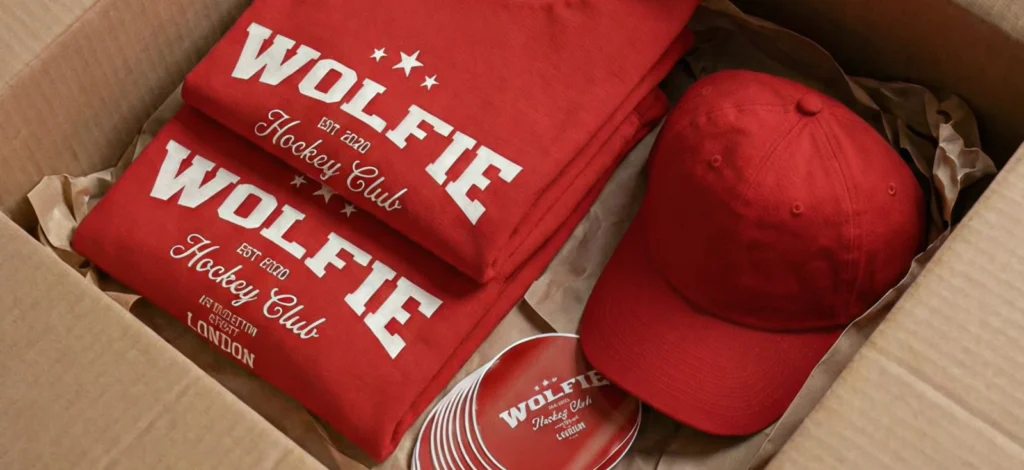
With Kittl’s mockup generator, you can place your design directly onto products like T-Shirts, mugs, or framed prints without leaving the editor. The key advantage isn’t just convenience — it’s continuity.
Your design, mockup, and adjustments all happen in the same space, which makes it much easier to refine positioning, scale, and alignment without re-uploading files between tools.
For Print-on-Demand sellers or digital creators, this also removes the need for physical samples. But more importantly, it allows you to create a consistent visual style across your listings, which makes your shop feel more cohesive and professional as it grows.
Step 3: Animate with AI video generator
Once your mockup looks right, turning it into a video is where your listing starts to compete more effectively.
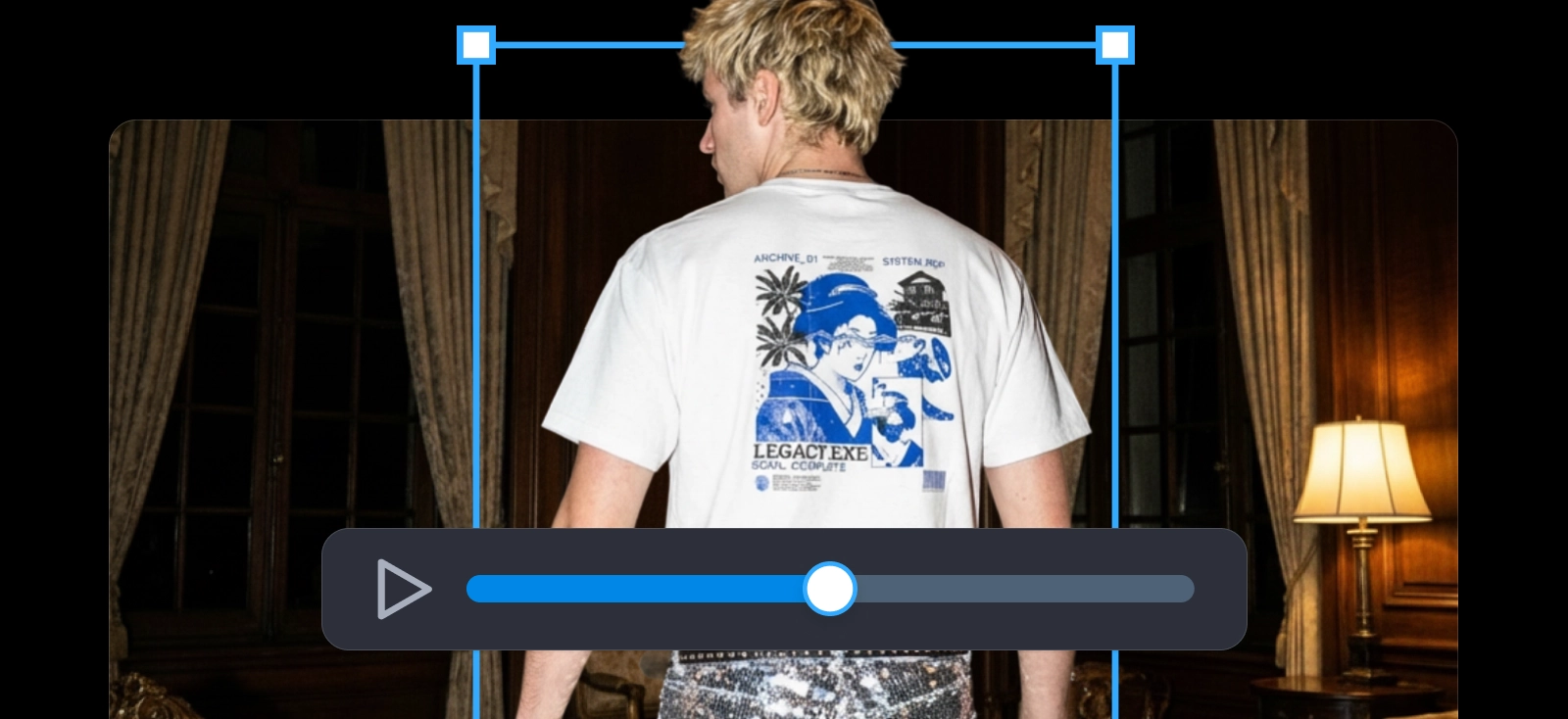
Instead of exporting your mockup and editing it in a separate video tool, Kittl’s AI video generator builds directly on what you’ve already created. The motion is applied to the mockup itself — things like subtle rotation, zoom, or perspective shifts that make the product feel more tangible without overcomplicating it.
What makes this step useful isn’t just that it’s faster — it’s that it removes a layer of decisions. You don’t have to think about trimming clips, removing audio, or formatting exports to meet Etsy’s requirements. The output is already optimized for the platform, which means you can focus on how the product looks rather than how the file is prepared.
Step 4: Scale and remix for listing packs

This is where the workflow really starts to pay off.
Inside Kittl, your design, mockup, and video all exist within the same project. That means you can duplicate the entire setup, swap out elements — like colors, text, or variations — and generate a new version without rebuilding anything from scratch.
For Etsy sellers, this is especially valuable because most shops aren’t built on single products — they’re built on variations. Having a system where you can quickly create multiple versions of a listing without repeating the full process makes it much easier to expand your catalog and test what resonates.
It also keeps everything organized. Instead of juggling files across different tools, your assets stay in one place, which makes it easier to revisit, update, or repurpose them later — whether that’s for Etsy, social media, or other product channels.
If your workflow requires exporting and re-uploading files between tools, that’s where time gets lost. Keeping design, mockup, and video in one place isn’t just convenient — it’s what makes scaling possible.
How to add a video to your Etsy listing (step-by-step)

Once your video is ready, uploading it to Etsy is straightforward and takes less than a minute.
- Go to Shop Manager → Listings
- Open an existing listing or click Add a listing
- Scroll to the Photos and video section
- Click the video icon and upload your file (MP4 or MOV)
- Adjust the crop if needed (square formats tend to display best), then click Publish
That’s it. Your video will now appear alongside your product images and autoplay in supported views, helping your listing stand out while buyers browse.
Don’t treat this as a final step — treat it as part of your listing system. The easier it is to upload videos consistently, the more your entire shop benefits over time.
How to scale your listing assets in minutes
Most Etsy sellers don’t struggle with creating one good listing. The real challenge is maintaining that level of quality across an entire shop — especially when you’re adding new products, testing variations, or trying to stay consistent over time.
This is where many shops quietly slow down.
Not because they run out of ideas, but because every new listing comes with the same set of tasks: adjusting visuals, preparing images, and increasingly, creating video. When each step takes time, you naturally start doing less of it.
Fewer listings get published, fewer variations get tested, and growth becomes dependent on getting things “right” instead of learning what actually works.
Shops that grow steadily in Etsy tend to have one thing in common: they’re able to produce and refine listings continuously. They launch, observe what performs, and iterate. That cycle only works when creating assets doesn’t slow you down.

This is where having a connected workflow starts to matter.
When your process looks like:
design → mockup → video → duplicate → launch
you’re no longer treating each listing as a separate project. You’re building from a system that can be repeated, adjusted, and expanded without adding more effort each time.
The easier it is to create video for Etsy listings, the easier it becomes to grow your catalog.
Using Kittl supports that kind of workflow because everything happens in one place. Your design, mockup, and video aren’t separate files across different tools — they’re part of the same project.
That means you can duplicate, tweak, and regenerate assets quickly, whether you’re testing new ideas or expanding a product line.
Over time, that changes how your shop grows. Instead of spending most of your time producing content for a few listings, you’re able to build a broader catalog, keep your visuals consistent, and respond more quickly to what your audience actually engages with.
Growth on Etsy usually comes from volume + iteration, not single “perfect” products. The faster you can turn ideas into listings, the more chances you give yourself to find what works.
Ready to try it?
Instead of spending hours filming your next product, try creating a video directly from your design.
→ Start creating your first Etsy listing video with Kittl
→ Explore more resources in the Print-on-Demand hub
Frequently Asked Questions
How do I create video for Etsy listings?
To create video for Etsy listings, you can start with your design, place it into a realistic mockup, and generate a short video using tools like Kittl. This approach lets you create video for Etsy quickly without needing to film, edit, or manage complex production steps.
Can I create video for Etsy if I sell digital or Print-on-Demand products?
Yes. You can create video for Etsy even if you don’t have physical products. Many sellers use mockups to showcase their designs on items like T-shirts, mugs, or prints, then turn those into videos. This is especially useful for digital and Print-on-Demand shops.
What’s the best way to create video for Etsy listings that convert?
The best way to create video for Etsy listings is to focus on clarity. Keep your video short, show the product in context, and make sure the first frame communicates instantly. Simple motion like zoom or rotation is often enough to improve engagement and conversions.
How long can an Etsy listing video be?
Etsy listing videos must be between 5–15 seconds long. Shorter videos tend to perform better as long as they clearly show the product within the first few seconds.
What is the best format when I create video for Etsy?
When you create video for Etsy, use MP4 or MOV formats, keep the file under 100MB, and aim for a square (1:1) layout for the best performance across mobile and search.

Shafira is a content writer who turns boring business talk into reads people actually enjoy. She grew up hoarding $1 novels in Singapore and writing hilariously bad fiction, but now she tackles content marketing with all that creative chaos since 2019. From blogs and newsletters to UX and SEO, she writes how she thinks: nerdy, honest, and a bit offbeat. She believes the best content is human-designed, not just plain text.