This week, we’re making Kittl easier to learn and faster to use. You can now access the Learning Hub from your dashboard, start making videos right from the AI Hub, and scale multiple boards and objects more easily on your canvas.
1) Video generation from Dashboard
You can now kick off video generation directly from the dashboard’s AI input — no need to open a project first. Start creating videos from wherever your workflow begins.
2) Learning Hub in the Dashboard
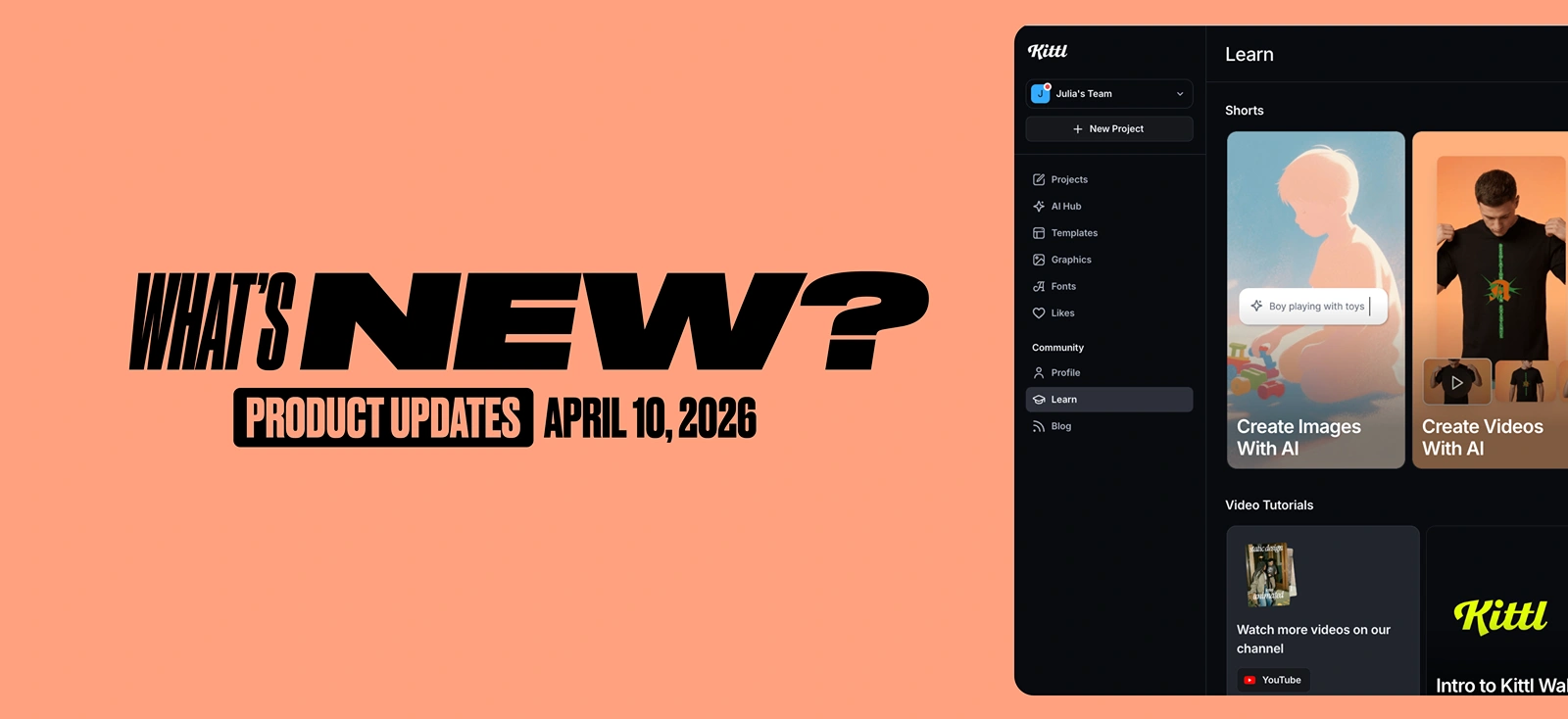
We’ve introduced a new Learning Hub directly inside the editor, giving you quick access to tutorials and short educational videos without interrupting your workflow. Instead of leaving the canvas to search for help, you can now discover tips, learn features, and watch guidance right where you work.
Now is also available on your home dashboard — not just in the editor. Browse tutorials and short videos from wherever you start your session, so you can ramp up on new features before you even open a project.

3) Scale multiple boards & objects
You can now freely scale any selection on the canvas — including artboards, image boards, video boards, mockup boards, and any other objects — all at once. Multi-select and resize without constraints.
4) New video model: Veo 3.1 Lite
Veo 3.1 Lite brings high-quality video with audio at lower cost and higher speed. It delivers the core capabilities of Veo 3.1 — including audio and frame reference support — optimized for fast turnaround.
Capabilities:
- Duration: 8s, 6s, 4s
- Generation speed: ∼60s
- Tokens per sec: 6
- Audio: Yes
- Frame Reference Support: Start & End frames

Tobias Saul is a co-founder and chief product officer at Kittl, where he leads the vision for making professional design tools simpler, smarter, and more inspiring to use. With a background in typography, lettering, and graphic design, Tobias brings a deep appreciation for craft and detail to Kittl’s product and brand experience.