You’ve probably noticed this: sometimes your AI-generated image looks exactly how you imagined. And other times, it feels completely off.
That’s not on you or your prompt. It’s because every AI Image Generator has its own style. Some think like photographers, some like illustrators, and others like concept artists.
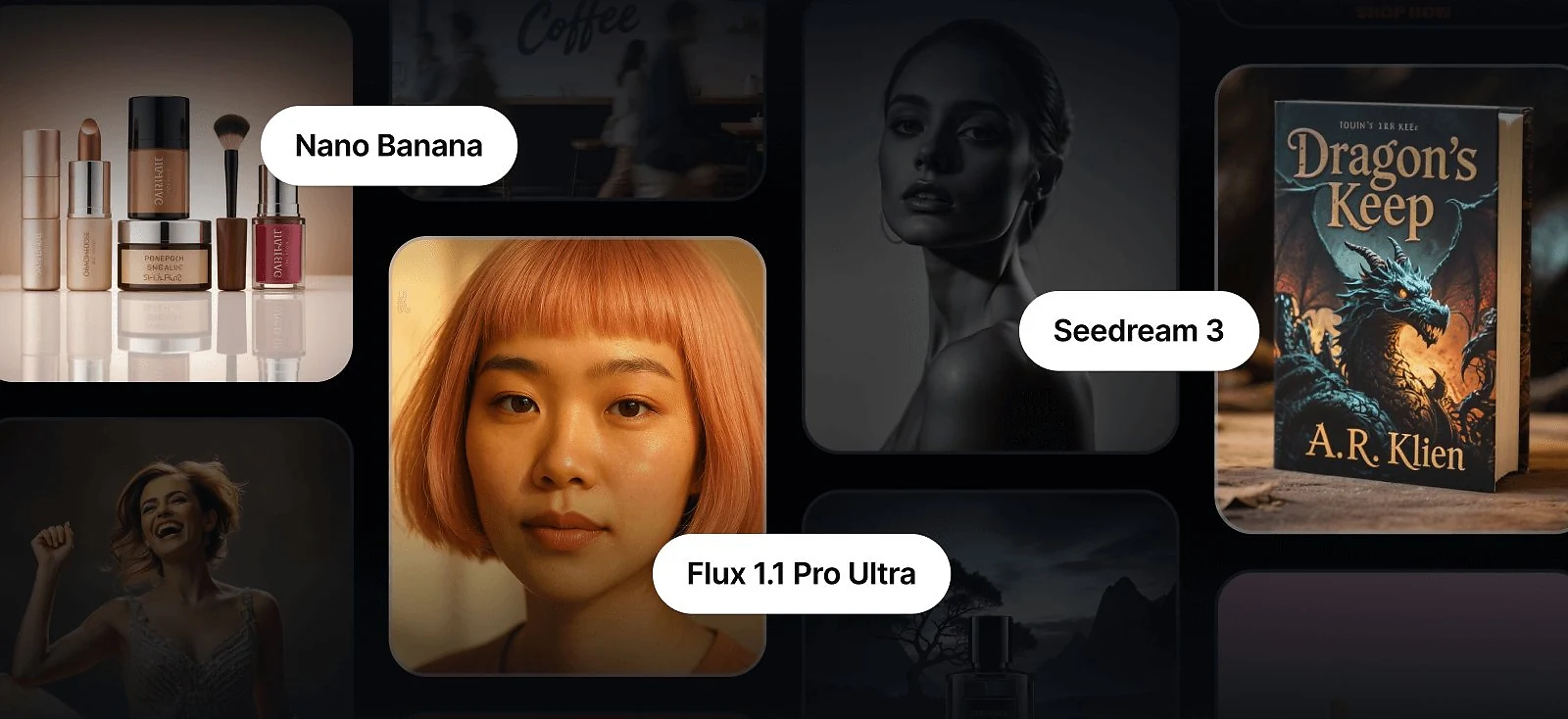
That’s why Kittl doesn’t rely on a single AI to do everything. Instead, it gives you a full creative toolbox. Kittl integrates 12 leading AI image generator models in one platform, each built for a different kind of output. Some excel at realism, others master typography, and a few are built just to help you explore ideas fast.
We’ve grouped them not by technical names, but by creative purpose. Because in the end, it’s less about which AI tool you use; it’s more about what you’re trying to make.
AI image generator with realistic images & commercial visuals
Photorealism is the holy grail of generative AI, and not every AI Image Generator delivers. If you’re building an ad campaign, designing packaging mockups, or simply need images that feel like they could have come straight from a studio camera, this group is where you’ll want to start.
Flux 1.1 Pro Ultra

If you want images that could pass for magazine photography, this is the heavyweight.
Flux 1.1 Pro Ultra reviewers consistently call it one of the most photorealistic AI Image Generator models on the market. With its ability to generate four-megapixel images in seconds, it’s the model you reach for when realism isn’t just nice to have — it’s non-negotiable.
Best for:
- Campaign visuals or product shots that need a polished, photo-studio feel.
- Hero imagery with precise lighting and texture.
| Pros | Cons |
| Exceptional texture and lighting realismHigh-resolution, print-ready imagesGreat for campaigns or editorial visuals | Slower than lighter models like Schnell Can feel “too polished” for casual scenes |
Pro Tip
Limit yourself to two fonts per poster (one for the headline and one for supporting text). More than that, and your message starts to look chaotic. Instead, play with weights, sizes, and effects within the same font family to create variety without losing harmony.
Flux 1.1 Pro

Flux 1.1 Pro is the steady workhorse of the family. It trades Ultra’s extreme polish for flexibility and adaptability, which makes it the AI Image Generator model you’ll lean on when refining ideas or iterating. Reviewers note how gracefully it handles edits.
Best for: Iterative design work, refined product shots, and visual concepts that may need multiple rounds of edits.
Things to keep in mind: Slightly less dramatic lighting than Ultra, but easier to iterate on.
Pro Tip
Use Flux Pro for A/B testing visuals — generate one idea, then ask for quick variations to refine direction.
Google Imagen 4

Cinematic, dramatic, and elegant — Google’s Imagen 4 is an AI image generator that has built a reputation for visuals that feel like film stills. Reviewers highlight its mastery of light and depth, making it perfect for moody landscapes, luxury advertising, or product shots that demand atmosphere.
Best for: Cinematic campaigns, dramatic lighting setups, and striking atmospheric visuals.
| Pros | Cons |
| Exceptional lighting and depth | Less flexible for edits compared to Flux Pro |
| Produces cinematic, dramatic images | Can lean too stylized for plain realism |
| Great with luxury, fashion, and mood visuals | Slower compared to leaner AI Image Generators |
Prompts to try: Lean into atmosphere and mood. Imagen thrives on drama.
- “Fashion model walking down a rain-soaked city street at night, neon reflections, cinematic realism.”
- “Perfume bottle floating in soft mist, glowing backlight, elegant product shot.”
Pro Tip
Use Imagen when you want to evoke emotion through light and setting — it’s less about sharp realism, more about mood and storytelling.
ChatGPT Image 1

OpenAI’s contribution to this category is a balanced, approachable model that shines in authenticity. It may not deliver Ultra’s hyper-polish or Imagen’s cinematic flair, but its strength lies in naturalism. Lifestyle scenes, casual product demos, or anything that needs to feel human and relatable fit right into its wheelhouse.
Best for: Lifestyle imagery, social ads, and relatable everyday visuals.
| Pros | Cons |
| Natural, authentic outputs | Not hyper-detailed |
| Feels relatable and approachable | Lacks drama of cinematic models |
| Strong for lifestyle, casual scenes | Can look “ordinary” in high-end campaigns |
| Easy to use with simple prompts | Less variety in extreme aesthetics |
Prompts to try: Keep it simple and human — ChatGPT Image 1 thrives on everyday realism.
- “Friends laughing in a cozy coffee shop, candid photo style, natural light.”
- “Casual office workspace with laptop and coffee cup, warm sunlight.”
Pro Tip
This AI image generator works best for content that needs to feel approachable. Don’t over-engineer prompts — lean into everyday language and scenarios.
Typography & text-based artworks
These are the types of designs where words do the talking. These AI image generator models are great at blending text and visuals, keeping letters clear and stylish even in complex scenes. Use them for posters, logos, or merch designs where typography is the star of the show.
Ideogram 3 Quality

Ideogram 3 is one of the favorite AI image generators for anyone designing with type. It generates clean, legible text inside images, a rarity among AI tools. Perfect for merch, logos, or poster designs where text must look intentional, not accidental.
Best for: Posters, apparel graphics, social posts, and logos where the text itself is the hero.
| Pros | Cons |
| Clean, legible text inside images | Struggles with long passages of text |
| Excellent for logos, slogans, and posters | Can distort fonts if pushed to extremes |
| Handles both text and imagery together | Sometimes misinterprets small decorative lettering |
| Strong photoreal and stylized blends | Still not perfect with complex layouts |
Prompts to try: Stick to short, powerful phrases. Ideogram 3 thrives on simplicity.
- “Concert poster with bold neon letters reading ‘ELECTRIC DREAMS,’ city skyline in background.”
- “Vintage-style coffee logo with the word ‘ROASTER’ in serif font, circular badge design.”
Pro Tip
Limit yourself to three words or less per design element. Ideogram nails short, punchy typography but loses clarity in dense paragraphs.
Ideogram 2.0a

A more experimental version of Ideogram, 2.0a is known for creative composition and bold text integration. It’s less precise than v3, but that unpredictability can spark fresh ideas and expressive layouts.
Best for: Zine covers, poster art, and experimental design.
| Pros | Cons |
| Bold, experimental text integration | Text often less accurate than Ideogram 3 |
| Great for edgy layouts and zine-style work | Can misalign text with intended style |
| Inspires unexpected typographic outcomes | Output varies wildly across runs |
| Fun for expressive design play |
Prompts to try: Use it when you want unpredictability.
- “Graffiti wall with spray-painted text ‘REBELLION,’ bold and chaotic style.”
- “Indie zine cover with collage elements and distorted letters spelling ‘UNDERGROUND.’”
Seedream 3

Seedream may not be the first name designers think of when thinking about AI Image Generators, but it has a unique strength: blending type and illustration into a cohesive visual. Unlike Ideogram, which aims for legibility first, Seedream leans more artistic. Think album covers, fantasy book jackets, or stylized branding where the text feels painted into the art rather than laid over it.
Best for: Artistic covers, experimental merch, and visuals where text is part of the illustration.
| Pros | Cons |
| Integrates type and visuals beautifullyPainterly, expressive outputGreat for creative exploration | Not ideal for sharp, clean letteringFonts can warp unpredictably Pro tip: Treat type as part of the artwork — think brushstrokes, glowing runes, or textured letters. |
Stylized illustrations & creative compositions
When you want something more creative than realistic, these AI image generators will definitely bring the art vibes. They turn simple prompts into illustrations, painterly textures, or magazine-style visuals — perfect for branding, storytelling, or any project that needs a touch of imagination.
FLUX Kontext Pro

Kontext Pro is built for composition intelligence — it reads a scene like a photographer. This AI Image Generator excels at generating new images that look cohesive, balanced, and emotionally tuned. It’s designed to capture atmosphere and lighting.
Best for: Creating cinematic, emotionally consistent scenes;
| Pros | Cons |
| Generates cohesive, story-driven compositions | Slightly slower for complex scenes |
| Excellent at natural depth and lighting harmony | Can overcorrect when pushed into surreal prompts |
Nano Banana

Nano Banana is the wild child. Reviewers describe it as fast, flexible, and occasionally unpredictable — the AI Image Generator you open when you’re tired of perfection and want surprise. It’s known for quick conceptual edits and bold stylistic shifts, producing everything from playful surrealism to striking visual experiments.
Best for: Style transfers, rapid edits, conceptual sketches, and spontaneous creative play.
| Pros | Cons |
| Extremely fast and flexible | Can lose detail at high resolutions |
| Great for concept testing and playful edits | Inconsistent in realism |
| Excels at stylized transformations | Less suitable for precise brand work |
| Sparks new visual directions |
Prompts to try: Use it to get unstuck — let it surprise you.
- “Convert this photo into a cyberpunk illustration, glowing pink and blue lights.”
- “Reimagine this portrait as a mosaic of tiny flowers.”
Pro Tip
Add “inspired by” references to guide style direction. Nano Banana responds beautifully to cultural or visual cues like “inspired by retro comics” or “in the style of stained glass.”
DALL·E 3

DALL·E 3 is the dependable all-rounder as an AI Image Generator. It may not be the fastest or flashiest, but it’s one of the most versatile models around. Reviewers praise its precision and adherence to text prompts, calling it “the safe pair of hands”.
Best for: Generating consistent concept art, exploring styles, and creating visuals directly from text prompts.
| Pros | Cons |
| Excellent prompt understanding | Not as visually bold as newer models |
| Reliable inpainting/outpainting | Can feel “safe” or too balanced |
| Strong at combining realism and art styles | Sometimes flattens artistic intent |
| Easy for beginners to master | Slower at large image renders |
Prompts to try: DALL·E 3 shines when you give it clear creative direction.
- “Illustrated living room interior in mid-century modern style, warm light, cozy atmosphere.”
- “Product concept: sleek black headphones on reflective surface, minimalist composition.”
Pro Tip
Think of DALL·E 3 as your “visual brief translator.” When you know exactly what you want, it’ll give you the most reliable starting point
Concept drafts & fast ideation
We get it. Sometimes you just need ideas fast — not final designs. These AI Image Generators help you sketch out concepts in seconds, test styles, and explore directions before polishing the final version. Great for moodboards, brainstorming sessions, or quick visual drafts.
Flux Schnell

The name says it all: “Schnell” means fast in German, and this model is all about speed. When deadlines loom and you need to generate a wave of ideas quickly, Schnell delivers. It doesn’t aim for Ultra’s jaw-dropping detail — instead, it’s your rapid sketchpad, ideal for moodboards, brainstorms, or quick drafts.
Best for: Concepting, brainstorming, and exploring multiple directions in minutes.
Designer Note: “Flux Schnell became my go-to for breaking creative block — I can run through ten ideas before I’d finish one elsewhere.” — User forum review
| Pros | Cons |
| Lightning-fast generation times | Not as polished as Ultra or Pro |
| Great for rapid ideation | Outputs often need refinement later which can be easily done in the Kittl Editor |
| Helps break creative block with volume | May miss fine texture details |
| Good for exploring multiple directions |
SDXL Flash

If FLUX Schnell is the brainstormer, SDXL Flash is the sprinter. Built as a rapid-fire version of Stability AI’s flagship model, SDXL Flash balances speed with surprising sharpness. Reviewers call it “the fastest route to a usable concept,” capable of pumping out detailed drafts in seconds — the perfect AI Image Generator for creative professionals juggling deadlines.
Best for: Quick visual mockups, mood boards, and draft-quality outputs that need to look convincing without hours of tweaking.
| Pros | Cons |
| Extremely fast image generation | Slight loss of fine texture and depth |
| Balanced realism and stylization | Limited fine control over small details |
| Great for early visual drafts | May produce minor artifacts in complex scenes |
| Good variety across quick runs | Needs clean, short prompts for best results |
Prompts to try: Use SDXL Flash to get visual validation before investing time in polish.
- “Five quick product mockups of eco-friendly packaging with minimalist branding.”
- “Concepts for futuristic car interiors in different color themes.”
Pro Tip
Treat Flash like a warm-up. Generate several quick ideas, then take your favorite into a slower, higher-fidelity model for refinement.
Key takeaways
Each AI Image Generator model in Kittl has its own rhythm. FLUX Ultra loves to dazzle, Ideogram loves to communicate, Kontext Pro loves to collaborate, and Schnell just wants to sprint. None of them do it all, but together, they turn ideas into finished stories.
The trick isn’t chasing the “best” one, but rather, knowing which tool fits your creative moment. Use the fast ones to explore, the stylists to surprise, and the perfectionists to deliver.
The real magic of AI isn’t in the generation — it’s in the way it expands how you think. Kittl gives you the playground to do exactly that, with twelve AI image generators built to spark, shape, and ship your best ideas.
Begin the exploration today and see what your ideas can become!
Once it’s perfected, export your poster design in high-resolution, print-ready formats — or share online with mockups that make it look real before it even exists.

Shafira is a content writer who turns boring business talk into reads people actually enjoy. She grew up hoarding $1 novels in Singapore and writing hilariously bad fiction, but now she tackles content marketing with all that creative chaos since 2019. From blogs and newsletters to UX and SEO, she writes how she thinks: nerdy, honest, and a bit offbeat. She believes the best content is human-designed, not just plain text.