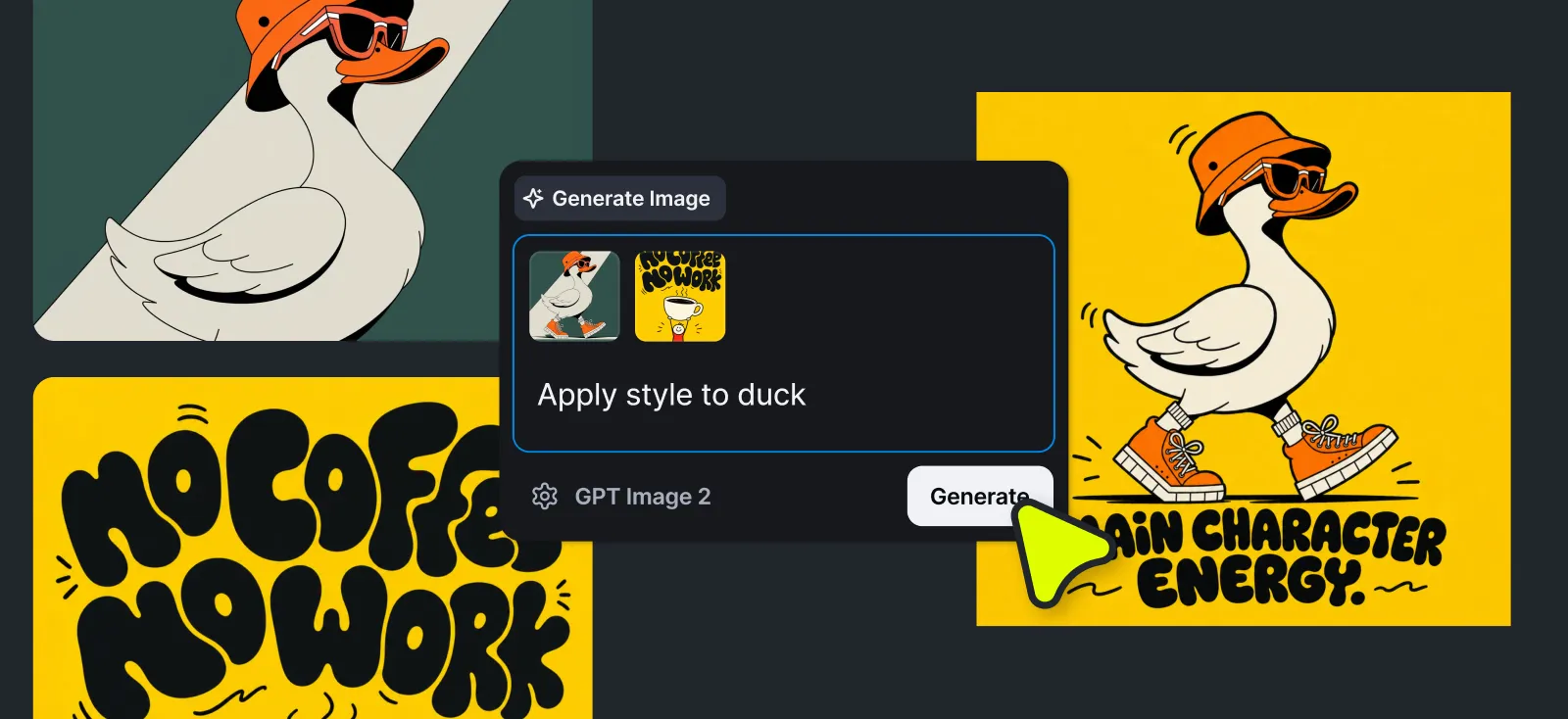
Creating with AI should feel fast, natural, and easy to iterate on. That’s why we’ve merged AI Generate and Remix into one input – and unlocked to transfer styles across both flows.
One input for creating and remixing images
Previously, generating a new image and remixing an existing one happened in separate places. For new users, that made it harder to know where to start. For everyone else, switching between the two broke the rhythm of creating a new image, tweaking it, and creating again it.
Now both actions happen in the same place.
The logic is simple:
No image(s) selected or uploaded? Kittl generates a new image from your prompt.
Image(s) selected or uploaded in the AI panel? Kittl uses it as the starting point and transforms it based on your prompt. You can modify, merge, or combine up to six images at once.
By bringing generate image and remix into one place, AI image creation in Kittl is now faster to start and easier to iterate on.
Styles now work across both flows
Merging Generate and Remix into one input made something else possible: styles are now available whether you’re creating something new or transforming something you already have.
That means you can take anything on your board — a photo, a piece of text, an element, a vector, or a full artboard – select a style, and get a print-ready result. No prompt needed.
Two ways this changes your workflow:
- Scale what’s already selling. Got a design that converts? Run it through a few styles and have new listings ready in minutes. Same concept, different directions, each one ready to upload.
- Test a new idea before you invest in it. Start with plain text or a basic element. Apply a style. Drop it on a mockup. That’s a listing – from scratch to ready in one session.
What you can apply styles to:
- Images
- Text
- Elements and vectors
- Templates
- Artboards
What you get back depends on the style you pick – photo, clipart, pattern, logotype, artistic, or vector outputs.
Read our full guide here

Kittl gives you the power of a world-class creative agency on one platform. Build product imagery, labels, packaging, and campaign assets in one place, with AI tools, a professional editor, and templates built by some of the best designers in their fields. Set your brand once, then create on brand every time.