According to The Decoder, ByteDance claims Seedream 3.0 actually outperforms Midjourney v6.1 in photorealistic portraits. From sharper skin textures, finer details, to fewer of those “plastic smooth” AI faces.
Bold claim, right?
For a tool long considered untouchable, the idea that something might be better than Midjourney is enough to make any designer stop and take notice.
Midjourney has long held its crown among designers and AI art hobbyists. But now, Seedream 3 is drawing attention — sometimes praise, sometimes skepticism — as a potential challenger.
People are debating whether it can finally bridge the gap between creative control and visual appeal.
But we know you don’t need hype.
What you need are side-by-side results, real prompt tests, insights into workflow fit, and clarity on where Seedream 3 outperforms and where it still lags behind.
If you’re a graphic designer, hobbyist, or POD creator wondering whether Seedream deserves a spot in your toolkit, this review is for you. Stick around: the next section dives into what Seedream 3 really is, and why version 3 matters.
What is Seedream 3?
Seedream 3 is ByteDance’s latest leap in AI image generation, built to push realism, detail, and prompt accuracy further than previous models.
Want to know why exactly Kittl adopts Seedream 3 into its platform?
At its core, it’s designed to solve one of the biggest frustrations with AI art tools: getting results that actually match what you asked for. Unlike many systems that “hallucinate” or veer off course, Seedream 3 emphasizes fidelity. Which means it’s capable of staying true to the designer’s vision while still offering stylistic flexibility.
Seedream 3 improves fine detail rendering dramatically, especially for human portraits, hair, and skin. It also eliminates the need for heavy post-processing upscaling, meaning the raw outputs are already high-resolution and print-ready. For designers, that’s a game-changer: less cleanup, less wasted time, and more professional results right out of the gate.
Who’s this really for? Pretty much anyone on the creative spectrum:
- Students who need polished visuals for school projects or portfolios.
- Hobbyists who just want to explore ideas without the technical complexities.
- Entrepreneurs and POD makers who need commercial-ready art that won’t fall apart when printed on fabric or scaled up for wall art.
- Pro designers who care about prompt precision and export quality, and who want AI to be a real time-saver in their workflow.
Seedream 3 vs. Midjourney v6.1: Image quality, style range, and prompt consistency
| Category | Seedream 3 | Midjourney v6.1 |
| Realism & detail | Excels at photorealism with sharp textures, lifelike skin, hair, and anatomy. Avoids the “plastic smooth” AI look. Great for portraits, product mockups, and detailed branding visuals . | Highly detailed and cinematic. Strong at lighting, composition, and atmosphere. Produces polished, dramatic visuals but sometimes idealizes realism (skin can look too perfect) . |
| Style range | Reliably mimics specific art directions (photoreal, anime, surreal, clean branding assets). Strong for consistent branding or multi-style projects without heavy prompt tweaking . | Extremely versatile with a unique artistic “flair.” Great for concept art, fantasy, surrealism, and painterly effects. Leans toward dramatic and cinematic by default . |
| Prompt consistency | Winner in prompt accuracy. Follows complex, multi-part prompts faithfully (e.g., diagrams, multi-element scenes). Handles in-image text and layout with high precision — rated above Midjourney and GPT-4’s image model in evaluations . | Strong creative interpretation, but can drift from strict instructions. Beautiful outputs even from vague prompts, though details may be missed or stylized differently. Text generation is still unreliable (often gibberish) . |
Now let’s talk about Seedream vs. Midjourney. This is a critical area for both entrepreneurs and artists, as it affects the visual impact and practical use of AI-generated images.
We’ll break it down into realism and detail, style range, and consistency, comparing how Midjourney stacks up against its peers in each aspect.
Realism and detail

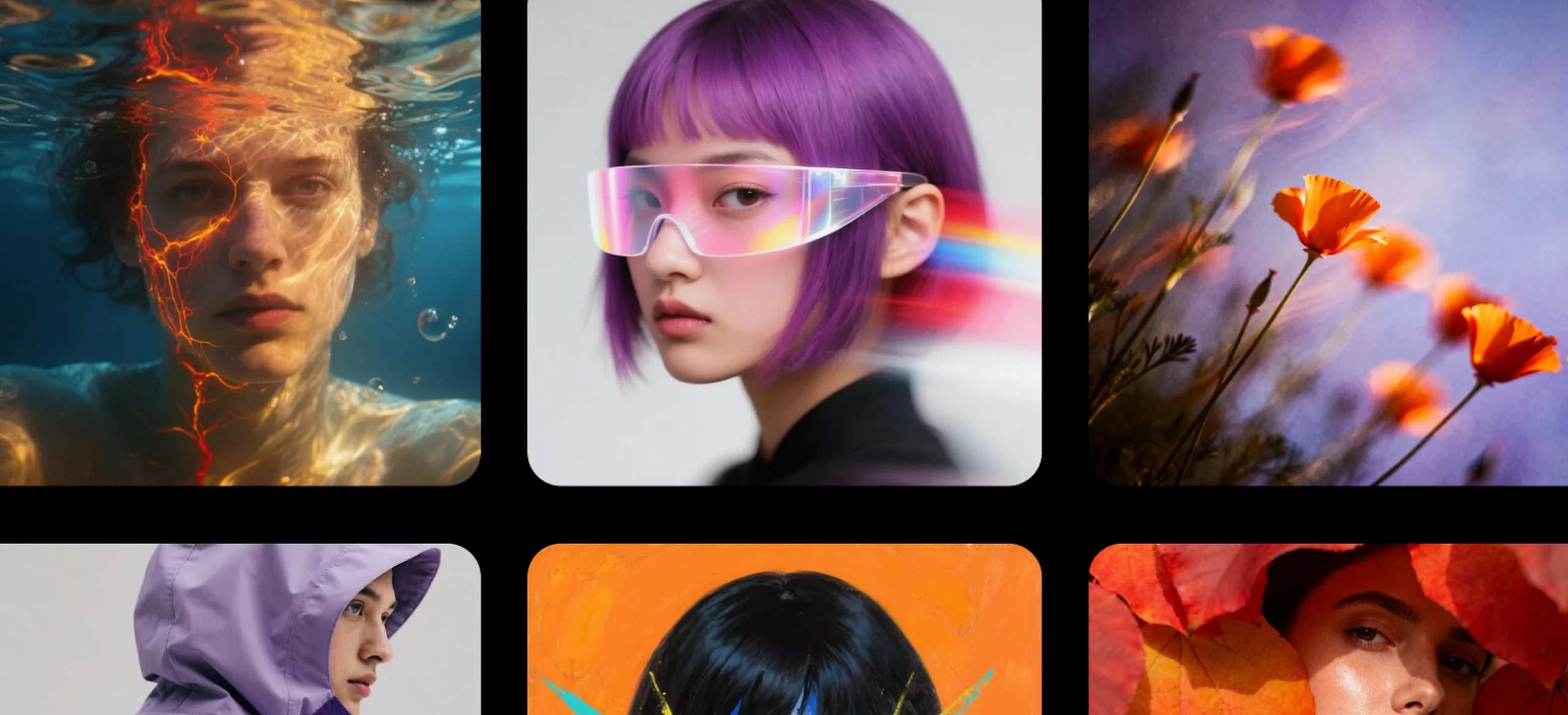
Midjourney v6.1 excels at generating highly detailed portraits with cinematic lighting and realistic skin textures, as seen in this AI-generated image.
The latest Midjourney update improved coherence in anatomy (fewer distorted arms/hands) and enhanced fine details like eyes and hair. Its images also exhibit reduced artifacts and richer textures – for instance, skin looks more lifelike rather than overly airbrushed.
Seedream 3.0, meanwhile, is engineered for photorealism and clarity. Reviewers note it produces highly detailed imagery, excelling at textures in skin, fabric, and other materials.
In fact, ByteDance’s internal tests claim Seedream 3.0 can outperform Midjourney on photorealistic portraits, capturing natural wrinkles and hair details while avoiding the overly smooth “AI look” common in many generator outputs.
This means faces from Seedream often have a tactile realism (pores, weathered lines) where Midjourney’s might lean subtly more stylized.
However, some users have observed minor quirks in Seedream’s results – for example, eye colors might skew unnaturally vibrant in portraits. Whereas Midjourney tends to default to a pleasing, if sometimes idealized, aesthetic.
For graphic designers creating product mock-ups or students visualizing concepts, these improvements mean less time fixing anatomy or texture mistakes in post-processing.
Style range

Seedream 3.0 demonstrates its versatility with crisp graphic illustrations, adapting to various art styles beyond just photorealism.
One of Seedream’s strengths is its adaptability to different aesthetics – it fluidly shifts from dreamy anime scenes and cinematic paintings to clean vector graphics or surreal concept art.
For example, creators have used Seedream for everything from Ghibli-like cartoons to modernist poster designs with consistent success. It follows style cues closely, producing realistic, stylized, anime, or CGI visuals with equal precision.
Midjourney, on the other hand, has long been celebrated for its artistic range and signature cinematic flair.
Users often praise Midjourney’s unique “charm” – it can output painterly, atmospheric imagery out-of-the-box, making it a favorite for creative exploration.
From photoreal photography to oil-painting abstractions, Midjourney offers a broad canvas of looks.
In practice, both models cover a huge gamut of styles; however, their tendencies differ slightly. Community tests suggest Midjourney “feels more creative, artistic” in its default output, while Seedream “feels more real, crisp” and design-oriented in style.
This means Midjourney might inject a bit more imaginative flair or cinematic drama even if you don’t explicitly ask for it.
For graphic designers and entrepreneurs, Seedream 3 stands out because Seedream aims to nail the exact aesthetic requested (be it a cartoon, surreal collage, or clean branding asset).
Prompt consistency

Seedream 3.0 handles complex, multi-part prompts with impressive fidelity – for example, generating a scene with three distinct environments in one image, each matching its description.
This strength in prompt consistency means Seedream excels at interpreting detailed or multi-step instructions literally. Prompts with multiple objects, specific layouts or sequences tend to come out clean and coherent in Seedream’s results.
If you described three portals (to a desert with a dinosaur skeleton, a forest under auroras, and an undersea jellyfish realm), Seedream would rendered each element clearly and in the right position (check out this article by getimg.ai). Even top-tier models often fumble such structure, but Seedream kept the perspective and content of each panel intact.
Midjourney’s approach to prompts is a bit more interpretive – it tends to prioritize overall artistry, which sometimes means it deviates from very literal adherence.
For instance, in a head-to-head test, one reviewer found Midjourney added extra freckles “randomly” across a face when asked for a freckled nose, whereas Seedream placed the freckles precisely where the prompt specified.
In a cityscape prompt with neon signs, Midjourney v7 (an iteration near v6.1) stylized text into Japanese characters (likely associating “neon nights” with Tokyo), but Seedream 3.0 stuck to the English letters given in the prompt (check out this article by videoproc.com).
Many creators find Midjourney reliably produces beautiful results even from abstract or high-level prompts, thanks to its training on artistic compositions. But if your prompt is very complex or technical (e.g. “a diagram with 3 labeled steps and specific icons at each”), Seedream is more likely to deliver it as asked on the first try.
ByteDance’s technical report highlights that Seedream 3.0 made big gains in text-image alignment and compositional structure, specifically to handle things like posters, infographics and multi-element designs without fuss.
One standout differentiator is in-image text: Midjourney still notoriously struggles to generate legible text or logos (often yielding gibberish), whereas Seedream was built to handle short text and signage.
In fact, ByteDance reports a 94% accuracy in Seedream’s rendered text for English and Chinese, far beyond what most image AIs can do. This is a game-changer for entrepreneurs making promo materials or print-on-demand merch – Seedream can draft a flyer or t-shirt design with actual titles or labels included, reducing the need for manual editing.
Overall, for designers, this reliability is gold. You can trust Seedream to respect creative direction — whether it’s layout instructions, exact motif placement, or consistent style replication without endless retries. Midjourney still impresses with its artistic flair, but it often requires more tweaking and iteration to land precisely where you want.
Usability comparison: Seedream in Kittl vs. Midjourney for designers
| Category | Seedream (in Kittl) | Midjourney (Discord/Web) |
| Interface & workflow | Integrated directly into Kittl’s design editor. Generate, edit, and finalize projects in one workspace. Beginner-friendly with style presets, background remover, and prompt suggestions. Great for productivity and immediate application in designs. | Primarily Discord-based (plus a web app). Requires using /imagine commands and exporting images to external software for editing. Steeper learning curve for beginners; more fragmented workflow. Community feed can inspire pros. |
| Export formats | High-resolution outputs (2K–4K). Clipart modes (nursery art, pixel art) auto-generate with transparent backgrounds. Background Remover provides one-click transparent PNGs. Exports as PNG/JPEG; no PSD/AI layered exports yet. | Outputs ~1024×1024 by default, with upscales to ~2K. No native transparent background or clipart modes. Exports only flat PNG/JPEG; no PSD/AI layered files. Background removal requires external tools. |
| Speed & reliability | Seedream 3: ~10s/image. Seedream 4: ~40s for 4K renders. Supports multiple results (up to 4 images per generation). Runs in-browser, stable cloud infrastructure, results appear directly on canvas. | Typical render: 30–60s for 4 variants. Queue-based on Discord servers, can be slowed by peak load. No native concurrency (unless on higher tiers). Requires downloading images manually for further use. |
When it comes to workflow, speed, and export options, the experience of using Seedream inside Kittl is very different from working with Midjourney on Discord.
Here’s how the two stack up for beginner and pro designers:
1. Interface & workflow – Beginner-friendly or pro-focused?

Kittl’s AI image generation is built into a familiar design editor interface, making it very approachable for beginners.
You simply type a prompt, pick a style, and click “Generate,” all within Kittl’s browser-based canvas. The generated image appears right on your project canvas, so you can immediately integrate it into your design (adding text, graphics, etc.) without switching apps.
This unified workflow is a big plus for designers. In practice, Kittl’s interface provides on-screen controls (like style presets and aspect ratio options) which feel intuitive for users accustomed to graphic design tools, requiring no coding or command-line prompts.
By contrast, Midjourney (until recently) is primarily accessed through Discord, which can feel less intuitive for new users. Generating images involves typing a /imagine command in a chat channel and interpreting bot responses, which may overwhelm non-technical or first-time users.
While Midjourney has introduced a web interface, its core workflow still lacks the in-canvas editing integration that Kittl offers. For a professional designer, Midjourney’s Discord-based workflow means generating images in one place, then downloading and importing them into another design software for further work.
This separation can slow down the creative process and requires comfort with multiple tools. Kittl’s all-in-one approach, on the other hand, is geared toward productivity – you can brainstorm visuals with AI and immediately refine or combine them with other design elements in the same platform.
It’s worth noting that Midjourney’s community aspect (seeing others’ prompts and outputs on Discord) can inspire more advanced users, but from a pure usability standpoint, Kittl provides a more guided, designer-friendly UI.
Kittl even includes helpful features like automatic prompt suggestions (e.g. the “Recreate” function to turn any image into a prompt) and style presets, which lower the learning curve for achieving certain looks.
Overall, beginners will find Kittl’s interface approachable, while pros benefit from its integration with a full design toolkit. Midjourney remains powerful, but its workflow is somewhat pro-focused and fragmented, expecting the user to manage generation and design in separate steps.
2. Export formats – Does it support high-res, transparent backgrounds, PSD/AI files?

Kittl’s AI image generator is designed to produce high-resolution outputs suitable for print and digital use. With the latest Seedream 4 model integration, Kittl can generate images up to 4K resolution (e.g. ~2048×2048 or higher) without needing a separate upscaler.
Here’s how Kittl and Midjourney compare on key export and format capabilities:
- Image resolution: Kittl allows generation of “print-ready” images and even offers native 2K–4K output on models like Seedream 3 and 4.
Midjourney typically generates images around 1024×1024 by default and requires upscaling (to ~2K at most) for higher resolution. In terms of raw output size, Kittl (with Seedream 4) has an edge for ultra-high-res needs. Both platforms support exporting the final images in standard formats like PNG or JPEG. - Transparent backgrounds: Kittl’s Seedream engine offers clipart-focused modes like nursery art and pixel art that automatically generate images without a background, making them export-ready as standalone graphics.
For other styles, Kittl also provides a one-click Background Remover tool in its editor. This means after generating a photo-like or artistic image, you can instantly remove its background and export a clean PNG — perfect for overlays, mockups, or merchandise.
Midjourney, by contrast, has no built-in background removal or clipart generation mode, so users must rely on external tools or manual editing to isolate subjects. - Vector/layered formats (PSD/AI files): Currently, Kittl’s AI image generator outputs raster images, not native Illustrator or Photoshop files.
You can import the generated image into Kittl’s canvas and then export your overall design as a PDF, SVG, or PNG, but you cannot export the AI-generated bitmap as an editable PSD with layers.
Midjourney likewise only produces flat images (no .PSD or .AI export). Designers who need to do heavy raster editing will still have to use Photoshop or similar, but Kittl mitigates this by allowing a lot of composition and editing directly in its app around the generated image.
3. Speed & reliability – Render times compared to Midjourney’s Discord setup

- Speed of generation is a notable advantage of the Seedream model integration in Kittl. The previous Seedream 3 model could often produce a result in as little as 10–20 seconds, which is faster than many competing generators.
Even with the more advanced Seedream 4 (which outputs larger 4K images), Kittl notes it is only “slightly slower” than lighter models. Users have observed Seedream 4 taking on the order of tens of seconds (e.g. ~30–40s for a detailed high-res render), whereas Midjourney typically takes around 30–60 seconds for a full job.
Kittl also runs in the cloud on robust infrastructure built for speed, so even complex prompts or high resolutions “might take a minute” at most. - When it comes to reliability and workflow efficiency, Kittl offers some benefits for designers. Because generation happens right on the canvas, you avoid the extra step of retrieving images from Discord.
Kittl allows generating multiple images concurrently as well, which can accelerate your creative process: for example, Pro users can generate 4 parallel images from one prompt within the editor.
Midjourney’s standard workflow (via Discord) processes one prompt at a time (yielding 4 variants), and while you can pay for faster concurrency, it’s still not as seamless as clicking “Generate x4” in an artboard.
In Kittl, you literally see a placeholder card on your canvas that updates when the image is ready, letting you continue other edits in the meantime. - Output consistency is another aspect of reliability. The Seedream 4 model in Kittl places emphasis on “exceptional input fidelity and character consistency”.
This means if you are doing things like image-to-image generations or maintaining a certain character/visual style across multiple images, Kittl’s model aims for consistency.
Midjourney’s results are high-quality, but it sometimes struggles with maintaining exact details (for instance, consistent characters or readable text across images) because each prompt is an independent generation.
Kittl has even integrated specialized models (like Ideogram for typography and layout) to improve reliability when generating text in images– a traditional weak point of AI art. So for certain design use-cases (like posters with text or a series of matching illustrations), Kittl may deliver more dependable results across iterations.
Pricing and value of Seedream vs Midjourney
| Plan | Cost | What you get | Best fit |
| Kittl Free | $0 | 200 tokens (~100 images with Seedream 4) | Beginners testing AI art |
| Kittl Pro / Expert / Business | Varies by tier | Larger monthly token bundles for consistent design work; buy extras anytime ($8 for 1,000 tokens) | Students, pros, entrepreneurs needing integrated AI + design |
| Midjourney Basic | $10/mo | ~200 images (fast hours only) | Entry-level, casual users |
| Midjourney Standard | $30/mo | 15 fast hours + unlimited relaxed mode | Hobbyists and regular creators |
| Midjourney Pro | $60/mo | 30 fast hours, unlimited relaxed mode, Stealth Mode | Professionals, higher volume |
| Midjourney Mega | $120/mo | 60 fast hours + full features | Heavy enterprise-style workloads |
Pricing for Seedream in Kittl works differently than Midjourney. Instead of unlimited subscriptions or GPU hours, Kittl uses tokens that come bundled with each plan.
Tokens are flexible: they power Seedream 3 and 4 image generation as well as other AI features like background removal and upscaling.
Kittl’s token system
Every Kittl plan comes with a monthly token allowance:
- Free Plan – 200 tokens included. Enough to generate up to ~100 images at no cost (Seedream 4 = 10 tokens; Seedream 3 = 20 tokens per image). A perfect way to experiment.
- Pro, Expert, and Business Plans – Larger token bundles each month, scaling to match heavier creative needs. Ideal for entrepreneurs or professionals who generate daily.
- Buying extra tokens for Pro, Expert, and Business Plans users – If you run out, you can top up easily:
- 1,000 tokens (~500 images) = $8
- 2,500 tokens (~1,250 images) = $20
- 10,000 tokens (~5,000 images) = $60
This model is cost-efficient because you only spend tokens when you actually use AI in your design.
Midjourney’s subscription model
Midjourney runs on a flat monthly subscription with no free trial. Instead of tokens, users get “fast hours” for GPU time plus access to relaxed (slower) generations.
- Basic ($10/month) – ~3.3 fast GPU hours (~200 images)
- Standard ($30/month) – ~15 fast GPU hours, plus unlimited relaxed generations
- Pro ($60/month) – ~30 fast GPU hours, unlimited relaxed generations, and Stealth Mode
- Mega ($120/month) – ~60 fast GPU hours, unlimited relaxed generations, best for heavy-volume creators
Midjourney’s strength is in its bulk output and artistic community. You pay once a month and can generate large volumes, especially in Relax mode. But unlike Kittl, you’ll still need other tools to edit, refine, or turn those images into usable assets.
Cost-per-image: Kittl vs. Midjourney
To compare fairly, let’s use typical token costs in Kittl (Seedream 4 = 10 tokens per image; Seedream 3 = 20 tokens per image) and Midjourney’s “fast GPU hours” (~200 images for $10/month at entry level).
| Platform | Plan | Cost | Tokens included | Approx. images (Seedream 4 = 10 tokens / Seedream 3 = 20 tokens) | Cost per image | Notes |
| Kittl | Free | $0 | 200 | ~100 Seedream 4 OR ~50 Seedream 3 | Free | True free trial, great for testing. |
| Pro | $10/mo | 1,000 | ~100 Seedream 3 OR ~200 Seedream 4 | $0.05–0.10 | Affordable for students/hobbyists; doubles as full Kittl Pro editor subscription. | |
| Expert | $24/mo | 4,000 | ~200 Seedream 3 OR ~400 Seedream 4 | $0.06–0.12 | Strong value for entrepreneurs and POD sellers. Includes full design/editor features. | |
| Token Top-Up: 1,000 | $8 | +1,000 | +100 Seedream 3 OR +200 Seedream 4 | $0.04–0.08 | Cost-efficient add-on. | |
| Token Top-Up: 10,000 | $60 | +10,000 | +500 Seedream 3 OR +1,000 Seedream 4 | $0.06–0.12 | Bulk option for high-volume design work. | |
| Midjourney | Basic | $10/mo | ~200 images (fast hours) | ~200 images | $0.05 | No free tier; community-driven workflow. |
| Standard | $30/mo | ~900 images (est. 15 fast hours + relaxed mode) | ~900+ | $0.03–0.04 | Good for hobbyists/regular creators. | |
| Pro | $60/mo | ~1,800+ (30 fast hours + relaxed) | 1,800+ | ≤$0.03 | Great for high-volume artists. | |
| Mega | $120/mo | ~3,600+ (60 fast hours + relaxed) | 3,600+ | ≤$0.03 | Best for enterprise-level users. |
*Sources: Kittl Pricing, Kittl Token Help, Midjourney Plans.
Which offers better value?
- Kittl’s Free Plan actually gives you a no-cost entry point (up to 100 free images), something Midjourney doesn’t offer.
- Cost control: You only spend tokens when you generate; unused tokens carry over (and when you run out, Kittl offers token top-ups). Buy them once and use them whenever you need them.
- Token flexibility: Because of fine-grained token pricing, you can use more expensive models selectively. When Kittl AI costs drop, your token prices drop, too.
- Cost per image for Kittl and Midjourney is very similar at the entry level ($0.04–0.08 for Kittl vs $0.05 for Midjourney Basic).
- At scale, Midjourney wins slightly on raw cost-per-image for very high volumes (Pro/Mega users generating thousands monthly).
- Unlimited generation (in Relax mode): Even when fast GPU time is done in Midjourney, you can continue with lower-priority generation.
- Kittl adds hidden value: every image is generated directly into a design editor. So while the per-image cost is close, you save on external editing software and workflow time. For entrepreneurs, this “time saved” can be as important as dollars saved.
- Kittl (Seedream): Best for design-focused users. The token model means you don’t overpay if you only need a set number of images each month. Plus, the editor integration adds value beyond just image generation — you can go from AI prompt → finished poster, mockup, or branding design without leaving the platform.
- Midjourney: Best for volume explorers and artists who generate hundreds or thousands of images monthly. Its flat subscription works if you want endless experimentation, but editing will always require a second tool.
Thinking of selling your Seedream 3 merch? Let’s talk about commercial use for POD makers
When it comes to print-on-demand (POD), it’s more about whether you can safely sell them, whether they print crisply on fabric or paper, and how smoothly they slot into your workflow.
Let’s break down how Seedream in Kittl stacks up against Midjourney in these areas.
Licensing clarity – Is it safe to sell Seedream-generated designs on Etsy, Redbubble, etc.?

For POD sellers, licensing is often the first question: Am I legally allowed to sell this design?
- Seedream in Kittl: Kittl’s terms of service explicitly allow commercial use of AI-generated images created within the platform. This includes designs generated with Seedream, provided they are original and not infringing on trademarks or copyright. That means you can upload your Kittl-made T-shirt designs to Etsy, Redbubble, Amazon Merch, or your Shopify store without worrying about hidden usage restrictions.
- Midjourney: Midjourney also permits commercial use for paid subscribers (Basic tier and up). However, free trial images are not licensed for commercial use. It’s safe to sell Midjourney designs if you’re on a subscription, but you’re still subject to the platform’s rules — and should avoid prompts that intentionally mimic protected IP (e.g., “Disney-style characters”).
Seedream 3 review print quality – Does the output scale well to T-shirts, posters, and other merchandise?

High print quality is non-negotiable for POD. A design that looks sharp on screen but blurry on fabric won’t sell.
- Seedream in Kittl: Outputs are generated at high resolution (2K–4K), more than enough for T-shirts, hoodies, mugs, and even large wall posters. Styles like clipart nursery art and pixel art also generate with transparent backgrounds, which makes them ideal for stickers or garment printing. For POD sellers, this means minimal post-processing — the images are already print-ready.
- Midjourney: By default, images are generated at ~1024×1024 and can be upscaled to ~2K. That’s generally acceptable for apparel but may require an external upscaler for larger prints like posters. Midjourney excels at dramatic, stylized artwork but requires an extra step if you need consistent print resolution.
Workflow integration – How easily can POD sellers move from Seedream outputs into platforms like Kittl, Photoshop, or Canva?

Efficiency matters in POD, where testing new designs quickly can make or break sales.
- Seedream in Kittl: The AI generator is built into Kittl’s editor, meaning once you create an image you can instantly drop it into T-shirt mockups, posters, flyers, or branding assets without leaving the platform. You can also export designs as PNG (with transparency), JPEG, or PDF, making them easy to send to suppliers or upload to POD platforms. If you want further polish, you can still take the export the image by itself into Photoshop or Canva, but many POD creators find they don’t need to, since Kittl covers the whole process from idea → final product.
- Midjourney: The workflow is more fragmented. Images are generated in Discord, then must be downloaded, upscaled, and imported into another tool (like Photoshop, Canva, or Kittl itself) for placement, resizing, or background removal. It works, but it adds extra steps and time.
Key takeaway: Seedream 3 vs. Midjourney
- Realism & detail: Seedream 3 produces photorealistic textures, lifelike skin, and accurate anatomy, avoiding the “plastic smooth” look. Midjourney excels at cinematic flair and dramatic lighting but can lean toward idealized realism.
- Style range: Midjourney shines in creative exploration, surrealism, and painterly aesthetics. Seedream 3 is stronger for designers needing faithful replication of specific art directions, making it ideal for designers, branding, and multi-style projects.
- Prompt consistency: Seedream is the clear winner for prompt fidelity. It follows complex, multi-part instructions precisely and even handles in-image text. Midjourney interprets prompts more loosely, often adding artistic twists.
- Usability: Seedream in Kittl integrates generation directly into the design editor, with beginner-friendly tools and instant application in mockups or layouts. Midjourney’s Discord-based workflow is powerful but fragmented, requiring external editing.
- Export formats: Kittl provides high-res 2K–4K images, clipart with auto-transparent backgrounds, and one-click background removal for PNG exports. Midjourney outputs require upscaling and external tools for transparency.
- Speed & reliability: Seedream 3 renders in ~10s and Seedream 4 in ~30–40s, with concurrent generations and stable cloud delivery. Midjourney averages 30–60s per job and depends on Discord queues.
- Pricing & value: Kittl uses tokens (200 free on signup; larger bundles in Pro/Expert plans, with optional top-ups). This gives cost control and integrated design tools. Midjourney offers subscription tiers ($10–$120) with unlimited relaxed mode, better for bulk generation but less integrated.
- Commercial Use (POD): Both allow commercial use with paid plans. Seedream in Kittl offers higher print resolution, transparent clipart, and instant mockup tools, making it the smoother option for POD sellers. Midjourney is safe for commercial use too but requires more post-processing.
Final verdict: Is Seedream 3 worth it?
Seedream 3 has proven itself as more than just another AI image generator — it’s a serious alternative to Midjourney.
Where Midjourney dazzles with cinematic artistry and community-driven inspiration, Seedream 3 stands out for its precision, realism, and integration inside Kittl.
For many designers, that combination makes it not just competitive, but in some workflows, the better choice.
So, who should give it a try?
- Graphic designers who want full control over style and prompt accuracy for client projects or brand assets.
- POD sellers and entrepreneurs looking to generate high-quality, print-ready designs that drop straight into mockups and merchandise.
- Hobbyists and students who want a fresh tool that’s beginner-friendly yet powerful enough to grow with their skills.
At the end of the day, Seedream 3 & 4 in Kittl offers something Midjourney doesn’t: a streamlined, all-in-one design environment where you can go from idea → generation → finished product without leaving the editor.
Try it out for yourself and see how it fits into your creative workflow. You might find it becomes your go-to design companion.