Some of the most effective video formats out there have one thing in common: they feel personal. Your product, your character, your scene — consistent across every frame. And a real human face to bring it all to life. Until now, neither of those were possible in Kittl. Both of those change today.
This week we’re shipping two updates to Seedance 2.0. Reference mode, which lets you upload up to 8 photos and turn them into a video. And human faces, now fully supported in your AI-generated video.
New: Reference mode with Seedance 2.0
Upload your photos and turn them into a video.
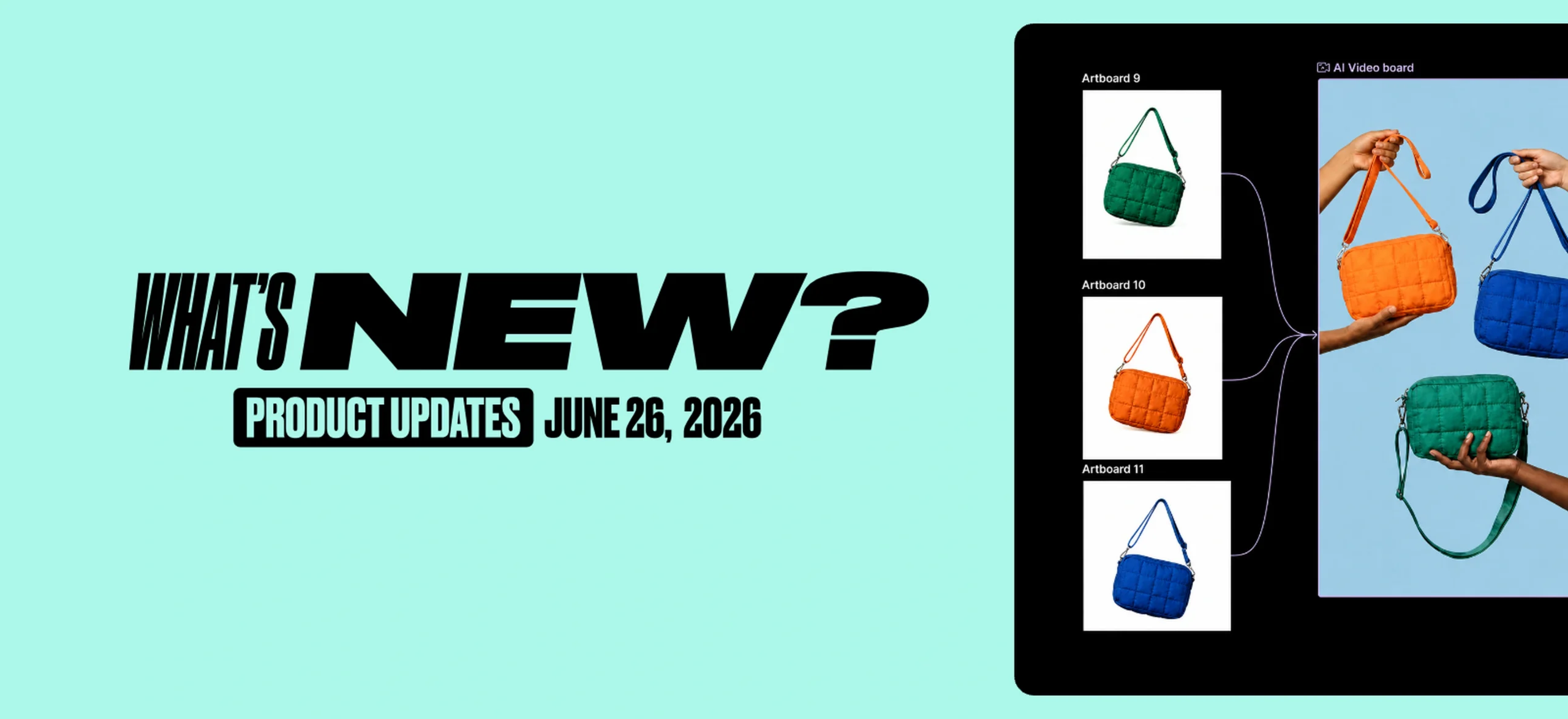
With Reference mode, now available in Seedance 2.0, you can upload up to 8 images and use them as the visual foundation of your video. Unlike Start and End Frame, where your first and last image define the opening and closing shot, Reference mode works differently. The images you upload are not placed at the start or end. Instead, they appear throughout the video based on what you upload and how you prompt it. You stay in control of what shows up and when.
Here’s how to use it:
Option one: Use the Reference Mode in smart board
- Make sure your images are on an Artboard.
- Click “Add Video Board”. A video board will appear on your canvas.
- Drag your other Artboards and connect them to the video board.
- The Generate Video panel opens on its own. You’ll see your images loaded as references.
- Type what you want the video to look like, pick Seedance 2.0, and make sure Reference Mode is selected.
- Hit Generate.
Option two: Use the Reference Mode by selecting your images
- Select the images you want to use to create your video.
- Click Generate Video in the toolbar at the bottom of the screen.
- In the panel that opens, click Upload and add your images. You can upload up to 8.
- Type what you want the video to look like.
- Pick Seedance 2.0 and make sure Reference Mode is selected at the bottom.
- Hit Generate.
New: Human faces in your videos
With Seedance 2.0, you could already generate videos with people. What’s new today: you can now bring your own human reference. Upload an image that contains a human face and use it to guide your video, so your character looks closer to your vision and stays consistent across clips.
Your face. Your character. Your creative direction.
Here’s how this feature works:
- Pick a template or start from scratch.
- Add a Videoboard to your canvas.
- Choose Seedance 2.0 or Seedance 2.0 Fast model as your model.
- Generate and iterate until it’s right.
- Export.
We know features are only as good as what you can do with them. So here’s exactly what this opens up for your business.

Content for your social media
Upload your product photos with Reference mode and generate a consistent video in one click. Add a real-looking human face to make it personal. The result? Content for Instagram, TikTok, or LinkedIn that stops the scroll.

Product launches and website video
Upload your product images and generate a video that stays consistent across every frame. Add a human face to build trust with anyone landing on your page. Faces convert. Done in seconds.

Video ads
Upload your product images, add a real-looking person, and generate multiple ad variations in one session. Test faces, angles, and styles without hiring anyone or booking a studio.

Tobias Saul is a co-founder and chief product officer at Kittl, where he leads the vision for making professional design tools simpler, smarter, and more inspiring to use. With a background in typography, lettering, and graphic design, Tobias brings a deep appreciation for craft and detail to Kittl’s product and brand experience.