Generative AI models are getting better every month. Using them is not. You still have to pick the right model, write the right prompt, and fiddle with settings before achieving desired results. The work moved from creating to configuring.
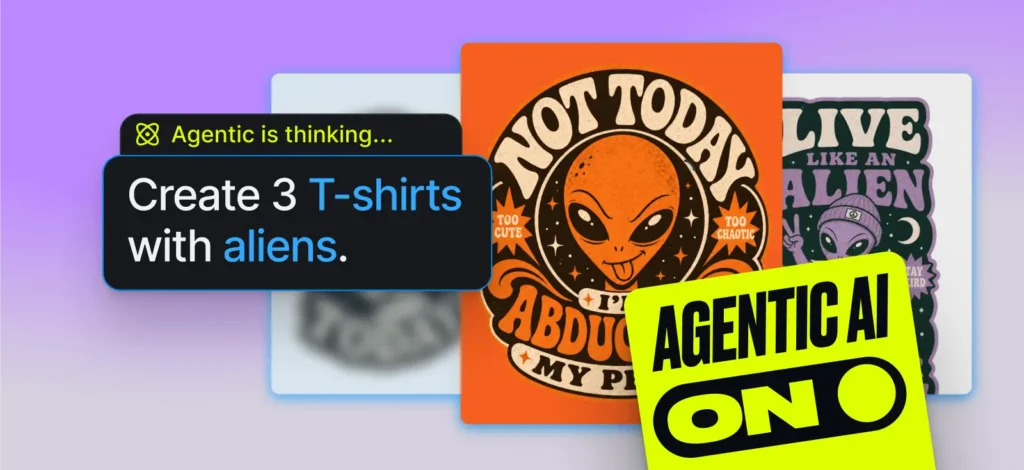
We built Agentic AI to remove that layer entirely. You describe what you want. It picks the best model for each output, rewrites your prompt behind the scenes, and comes back with up to four images or videos. One input, one run, nothing to configure.
Most tools ask you to become an expert in AI. Agentic just asks you to know what you want.
1. How it works
Agentic AI is the new default generation mode in Kittl. It introduces an orchestration layer in front of the existing image and video generation pipeline. Instead of sending a prompt directly to a user-selected model, the system interprets the brief, creates a structured plan, and selects the prompt, model, and format for each output.
The system is designed to address two recurring causes of poor AI output quality:
- Translating a creative objective into a prompt that consistently yields the intended result remains challenging, while effective prompt formulation also varies across models.
- Selecting the right model for the desired task requires significant AI expertise as no single model performs best across every design task.
By moving these decisions into the orchestration layer, Agentic AI makes model selection, prompt optimization, and generation planning system responsibilities.
Top strengths:
- End-to-end orchestration: The system moves from the user’s brief to a structured plan and generation without requiring manual model selection, detailed prompt or settings configuration.
- Independently planned outputs: A single brief can produce up to four images and one video. Each output can use its own prompt, model, aspect ratio, and creative direction.
- Plan-first execution: The orchestration layer interprets the complete brief before generation begins. This allows it to decompose multi-deliverable requests and plan each output around the user’s broader goal.
Limitations:
- One-to-many, not iterative: The system plans once and generates multiple outputs, but it does not yet evaluate the results or refine them through a feedback loop.
- No mid-run editing: Once planning is complete, the plan and generation parameters are locked for that run.
Best-fit use cases
- Outcome-led workflows: Useful for people who know what they want to create but do not know what models to chose, optimize prompts, or configure generation settings manually.
- Multi-asset briefs: Well suited to logos, product imagery, advertising, and social content where one brief may require several distinct outputs.
- Creative exploration: Produces a set of independently planned directions from one prompt, reducing the need to repeatedly rework and resubmit the same brief.
2. Model orchestration
Agentic AI is not a new image or video model. It is an orchestration layer positioned in front of Kittl’s existing generation pipeline. Instead of passing a user’s brief directly to a single generation service, the system first uses a Planner LLM to determine what should be generated and how each output should be configured.
The Planner returns a structured plan that is executed through the same model integrations used by standard AI generation. This allows Agentic AI to introduce a new decision-making layer without requiring a separate content-generation pipeline. Every resulting output is tagged as an Agentic AI generation, allowing its performance to be analyzed independently from standard generation.
Model Orchestration

Runtime planning
At runtime, the user submits a natural-language brief and may include one or more reference images. Each reference is classified as either an asset, representing content that should be preserved or transformed, or a style reference, representing an aesthetic direction to follow. The Planner uses these reference types differently when constructing the generation plan.
The Planner evaluates the complete brief, interprets the intended outcome, and determines the appropriate generation strategy. For each output, it selects a generation model, constructs or refines the prompt, chooses an aspect ratio, and defines the required settings.
The resulting structured JSON plan can specify up to four image generations and one video generation. Each generation is represented as an independent plan item with its own prompt, model, format, and settings. This allows a single brief to produce outputs that differ not only in appearance, but also in purpose and generation strategy.
From the user’s perspective, the interaction remains simple: provide the creative objective and any relevant references. The orchestration layer handles model selection, model-specific prompt development, output planning, and generation settings.
3. Capability breakdown
This assessment summarizes the behavior observed during testing of the current implementation.
3.1 Planning accuracy
What this measures: Does the plan reflect the user’s intent?
Strengths:
- The Planner reads the full prompt before generating the plan. Moderately complex briefs land accurately.
- Clear, well-structured prompts produce plans that need no adjustment before generation.
- The Planner selects aspect ratios and models appropriate to each output type, not just generic defaults.
Limitations:
- Long multi-constraint briefs can cause the Planner to drop details. The first subject or style mentioned tends to dominate.
- Abstract or mood-led prompts (“something cozy and autumnal for a candle brand”) produce more variable plans than concrete ones.
- Spatial instructions are not always transferred reliably to the generation models and may require manual correction.
3.2 Output variety
What this measures: Are the outputs meaningfully different or minor variations of the same concept?
Strengths:
- The Planner deliberately varies prompt phrasing, aspect ratio, and model across generations in the same run.
- One brief can produce up to 4 generations, and those are independent. One run can produce a square logo, a horizontal banner, a lifestyle photo, and a product mockup simultaneously. Different subjects, different models, different aspect ratios, from a single prompt.
Limitations:
- Stylistic variation is conservative and generally remains close to the requested aesthetic.
- Video is included only when the prompt clearly indicates motion or animation.
3.3 Generation speed
What this measures: How quickly does the user receive the first usable output?
Strengths:
- Planning typically completes within seconds.
- Generations run in parallel and are displayed progressively as they finish.
Limitations:
- Planning adds latency compared with standard single-model generation. Standard generation remains faster when only one immediate output is required.
3.4 Reference image handling
What this measures: Does providing a reference image (asset or style) meaningfully influence the plan and outputs?
Strengths:
- Reference images are uploaded before planning so they remain available throughout the generation pipeline
- Asset and style types give the Planner distinct signals about how to use each reference
- Style references reliably influence the aesthetic direction of the plan’s prompts
Limitations:
- Multiple references can create competing signals that the Planner does not always resolve correctly.
- References cannot be added or replaced after the plan has been submitted.
4. Use Cases
The following comparisons examine how orchestration changes the output across five design tasks. Each comparison begins with the same plain-language brief and reference inputs. In standard generation, the user selects the model and configuration. In Agentic AI, the orchestration layer plans each output independently.
4.1 Logos
Goal: generate a professional, print-ready logo from a single prompt, with no regeneration or manual adjustments.
Prompt: create a logo for an artisan bakery called “bakehouse”
Reference image used: No.


4.2 Product Photos
Goal: generate two ready-to-use product images in one run, with different angles, and backgrounds, from a single prompt and without changing any settings.
Prompt used: Create 2 product photos of my candle. warm tonal color palette with earthy terracotta hues.
Reference image used: Yes.


4.3 Product Listings
Goal: Generate listing-ready product images in one run, without a photoshoot.
Prompt used: Create 2 images my product (a product shot and a customer review) for a product listing. Keep the style of the packaging.
Reference image used: Yes.


4.4 Ads
Goal: generate ad-ready images in one run, for a social media ad with the objective to convert.
Prompt used: Generate 4 facebook ads for the coffee brand Rowdy Roasters. See attached style references for branding.
Reference image used: Yes.


4.5 Social media videos
Goal: generate a scroll-stopping UGC social video in the right format in one run.
Prompt used: Create a 12s UGC video of my serum with a woman trying it on for an IG reel.
Reference images: Yes.

The comparisons suggest a simple principle: orchestration provides the most value when the user knows the intended outcome but several production decisions remain unresolved. Its value increases with the complexity of the path between the brief and the final output, particularly when content creation is combined with agentic social media scheduling to streamline the process from generation to publishing.
5. Use cases guide
Strong fit for Agentic AI
- Product content sets: Turn one product reference into separate hero images, macro details, lifestyle scenes, and listing assets.
- Advertising campaigns: Generate several independently planned ad concepts from one brand brief, with different compositions, settings, and creative directions.
- Product listings: Decompose a request into distinct deliverables, such as a product image, benefit graphic, and review layout, instead of combining everything into one composition.
- Logo exploration: Expand a minimal brand brief into different logo directions, such as a wordmark, emblem, or badge.
- Social video production: Translate a short request into the appropriate video model, format, duration, and sequence of shots.
Better fit for standard generation:
- Precisely directed outputs: The model, prompt, format, and visual direction are already defined.
- Iterative refinement: The user wants to adjust one parameter at a time between generations.
The pattern across all of this is simple. If you already know exactly what you want, which model, which prompt, which format, standard generation is still the fastest way there. But most briefs don’t start that clean. They start as “I need ads for my coffee brand” with a dozen open decisions between the idea and the finished asset. That’s where Agentic AI earns its place: the messier the path from brief to result, the more it does for you.

Kittl gives you the power of a world-class creative agency on one platform. Build product imagery, labels, packaging, and campaign assets in one place, with AI tools, a professional editor, and templates built by some of the best designers in their fields. Set your brand once, then create on brand every time.