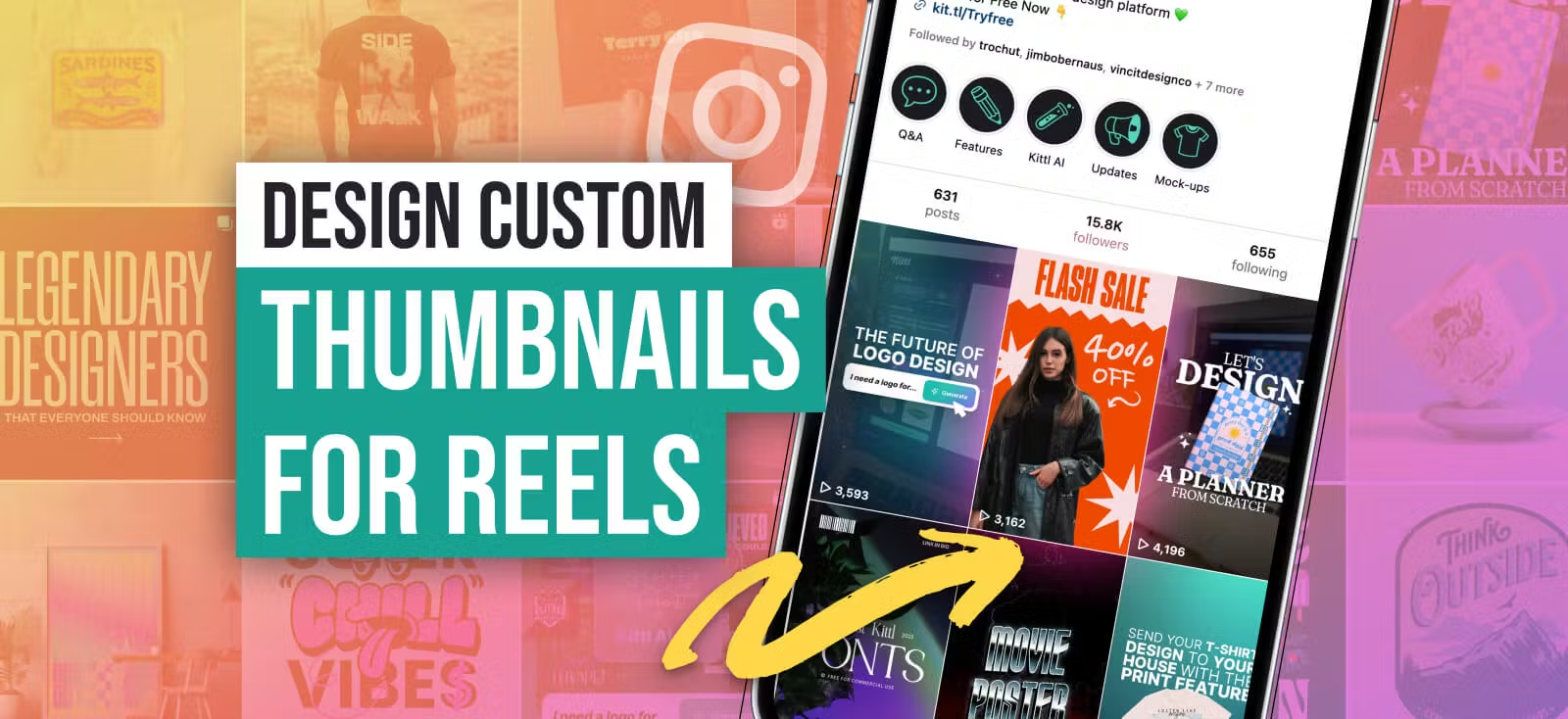
If you’re serious about growing on Instagram, custom Instagram Reel covers inspiration is something you can’t afford to ignore. Let’s be real, your content might be amazing, but if your Reels look messy or inconsistent, people are way less likely to click.
And the stats back this up.
- Reels are Instagram’s engagement king. They pull in an average engagement rate of 5.53%, which is way higher than most other content types.
- People interact more with Reels. They get about 22% more interactions compared to standard videos. That’s a big deal if you’re trying to boost reach.
- Instagram users are addicted to video. 91% of them watch videos every week. If your Reels don’t stand out, they’ll just keep scrolling to something that does.
So, what’s the takeaway? If your custom Instagram reel covers are boring, random, or don’t fit your brand, you’re basically leaving engagement on the table.
A well-designed cover makes people stop, click, and actually watch your content. Let’s dive into how you can make that happen.
What are custom Instagram Reel covers and why do they matter?
If you’re creating Reels, you’ve probably noticed that Instagram randomly selects a frame as your cover — and let’s be honest, it’s usually the worst possible one.
That’s where custom Instagram Reel covers inspiration comes in. A well-designed cover not only makes your content look polished but also helps increase engagement and maintain a cohesive brand aesthetic.
Why do custom Instagram Reel covers matter for engagement?
First impressions are everything. When someone scrolls through your profile or the Reels tab, your cover is the first thing they see. If it’s eye-catching and on-brand, they’re way more likely to tap in and watch your content.
Plus, Instagram Statistics show that Reels get 22% more interactions than regular video posts, but that only happens if people actually stop to watch.
A great cover helps make that happen.
How do custom Instagram Reel covers affect your Instagram grid aesthetic?
Your Instagram grid isnt just a collection of posts, it’s your visual portfolio. A messy, inconsistent feed makes your brand look unpolished, while a cohesive grid makes you look like you actually know what you’re doing. Custom Instagram Reel covers let you control how your profile looks instead of letting Instagram pick some awkward mid-blink frame.
One thing to keep in mind is Instagram’s 4:5 aesthetic. Reels appear as 9:16 fullscreen videos in the feed, but on your grid, they’re cropped to 4:5. That means if your cover design isnt aligned properly, key elements (like text or faces) might get cut off. Using well-placed visuals ensures that your Reels look just as good in your profile grid as they do in full-screen mode.
So, whether you’re building a brand, growing a personal account, or just want your custom Instagram Reel covers to look better, taking control of your cover design is a game-changer.
And the best part? Graphic designers like you get a headstart — and we are here to share plenty designer-approved tools and templates to help (which we’ll get into later).
Custom Instagram Reel covers dimension and best practices
Designing an eye-catching cover for your Instagram Reels is crucial — it’s the first thing viewers see and can significantly impact engagement. Here’s a straightforward guide to get it right:
1. Correct size and aspect ratio
Your Reel cover should be 1080 x 1920 pixels with a 9:16 aspect ratio. This vertical format ensures your cover displays perfectly across Instagrams interface.
2. Safe zones for text and key elements
While the full cover is 9:16, remember that on your profile grid, it will be shown as the 4:5 aspect ratio of the profile grid. It’s essential to position crucial text and visual elements within this frame to prevent cropping.
3. Optimal file formats for high-quality uploads
For crisp visuals, save your cover images in JPEG or PNG formats. These formats preserve image quality during uploads, ensuring your cover appears sharp and professional.
By following these guidelines, you’ll create compelling Reel covers that not only attract attention but also enhance the overall aesthetic of your Instagram profile.
How to find custom Instagram Reel Covers inspiration and design your own (step-by-step guide)
As a designer, you already understand the power of visuals. But when it comes to Reels, Instagram’s auto-selected thumbnails don’t always do your work justice.
That’s why taking control of your cover design is essential. With the right custom Instagram Reel covers inspiration, you can ensure every Reel looks as intentional and polished as the rest of your content.
Let’s break down the best ways to find inspiration and design Reel covers that enhance your portfolio and boost engagement.
Step 1: Find inspiration for custom Instagram Reel covers in Kittl and beyond
Before you start designing, gather Instagram reels ideas to make your cover stand out:
- Look at trending aesthetics. Scroll through Instagram, Pinterest, or TikTok to see whats popular. Are people using bold fonts? Minimalist designs? Vibrant colors? Pay attention to design trends that match your brands personality.
- Check out top creators in your niche. See how influencers and brands design their Reel covers. Take note of composition, typography, and color schemes that make their content visually appealing.
- Use color psychology. Bright colors grab attention, while neutral tones give a polished, editorial look. Choose colors that evoke the right mood for your content.
- Stick to your brand vibe. If your profile leans toward warm earth tones, don’t suddenly go neon. Keeping things consistent makes your feed look intentional and professional.
- Browse Kittls’ template library. If you need a structured starting point, Kittl’s template library is packed with pre-made designs. You can explore different styles and find a layout that speaks to you before customizing it to fit your brand.
How to find Reel Cover inspiration in Kittl:
- Go to the Kittl Templates Page.
- Use the search bar to look up keywords like Instagram, Reels, or social media to find relevant templates.
- Scroll through the designsKittls intuitive interface lets you browse endlessly for fresh inspiration.
- Refine your search by sorting templates based on color palette, design style, or theme to find a composition that fits your brand.
- Click on any template to start customizing, adjust colors, typography, spacing, and visual hierarchy to match your aesthetic.
Once you find the right template, customize it to fit your creative vision. This saves time while allowing you to refine details that truly make your Reel covers stand out.
Step 2: Design your custom Instagram Reel covers in Kittl
Before you dive in, theres one big thing to keep in mind: Instagram crops your cover when it appears on your profile grid.
If you don’t design with that in mind, you might end up with cut-off text, awkward framing, or missing elements. Let’s make sure that doesn’t happen.
A. Start with the right canvas size
Set up your design at 1080 x 1920 pixels (9:16 aspect ratio). This is the full-screen size for Reels, so your cover will look crisp and clean when people watch it in their feed or on the Reels tab.
B. Design for the safe zone (avoid getting cropped!)
Here’s where things get tricky. While your Reel plays in full 9:16, Instagram crops the cover to 4:5 (1080 x 1350 px) when viewed in your profile grid. If you don’t account for this, you could end up with text or key visuals getting cut off.
To make sure your design stays intact, set up guides to mark the safe area:
- Drag a horizontal guide 250 pixels from the top. Anything above this could get cropped.
- Drag another horizontal guide 250 pixels from the bottom. This keeps important elements from getting lost.
- Keep your main text, logos, and key visuals inside a centered area of 1080 x 1420 pixels.
Think of this as your safe zone — anything inside will be visible no matter where the Reel cover appears.
C. Make it eye-catching and readable
- Use bold, legible fonts. Thin or overly decorative fonts might disappear when viewed on a small screen. Stick to clear, high-contrast text. Go with a bold font pairing that can’t go wrong for your Instagram Reel custom cover
- Avoid putting text too close to the edges. Even within the safe zone, leave some breathing room around your design so it doesnt feel cramped.
- Stick to your brand colors and typography. Consistency makes your Reels look polished and recognizable across your profile.
Step 3: Uploading and applying your custom Instagram Reel covers correctly
- Open Instagram and start a new Reel: Tap the + icon at the bottom center of the screen and select Reel to begin the upload process.
- Create or upload your Reel content: Record a new video or select an existing one from your gallery. If youre using a pre-recorded clip, make sure its already edited to your liking before moving forward.
- Proceed to the editing screen: After adding your content, tap Next to access Instagrams editing tools, where you can trim clips, add text, or adjust audio.
- Access the cover selection: On the editing screen, look for the Cover or Edit Cover option. This is where you can select or upload your custom Reel cover.
- Upload your custom cover: Tap Add from Gallery or Upload from Camera Roll and select the custom cover youve designed. This ensures your Reel cover stays consistent with your overall branding.
- Adjust and confirm: Once uploaded, drag or scale the image if needed to align it properly within Instagrams cover frame. This helps prevent awkward cropping when it appears in different placements.
- Preview before posting: Before finalizing, take a moment to preview how your cover will look in the Reels tab and profile grid. If anything looks off, go back and make adjustments before publishing.
- Share your Reel: Feel free to add a caption, hashtags, and any other description to your Reel. End it with Share to post your Reel with the custom cover.
Custom Instagram Reel Covers inspiration: Free templates to get you started
Creating Reel covers for a client’s latest promo with no inspiration? The last thing you want is to start from scratch.
Grab a template that matches their brand vibe, tweak the colors, fonts, and layout to match your vision, and there you have it — a polished, eye-catching cover in minutes.
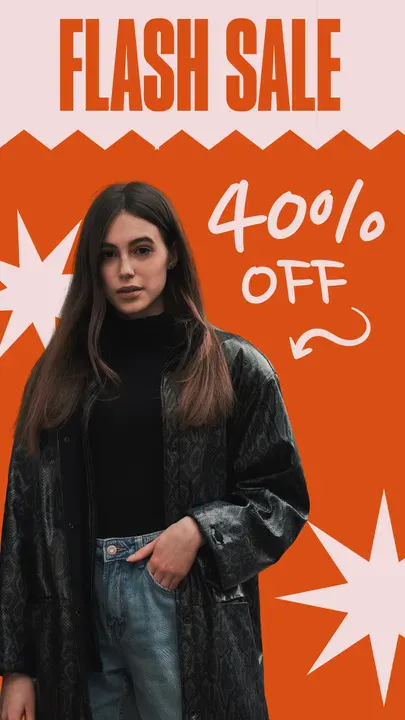
Reel Thumbnail Flash Sale Design. Use Template
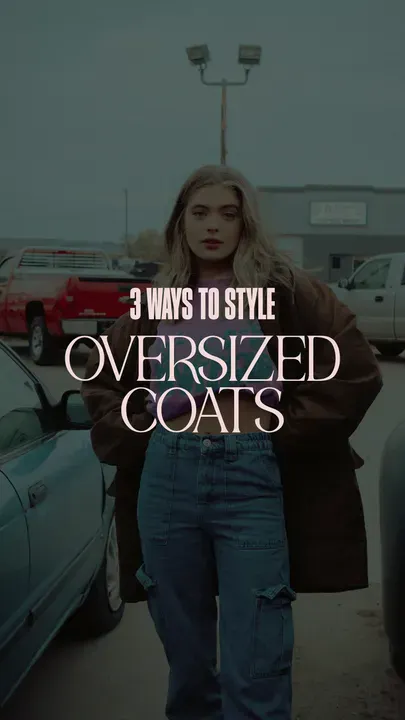
Reel Thumbnail Apparel Brand Design. Use Template
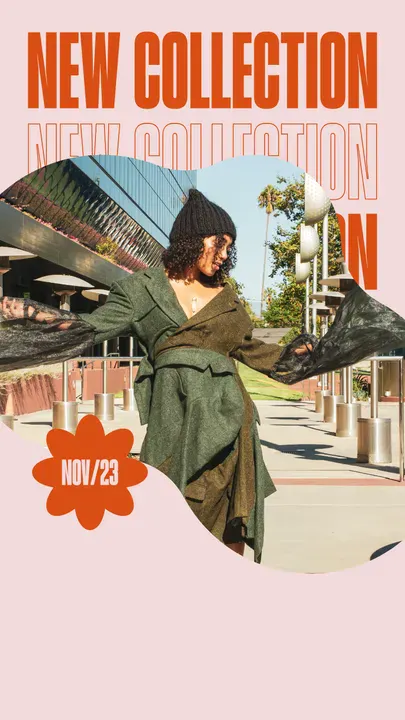
Reel Thumbnail New Collection Design. Use Template
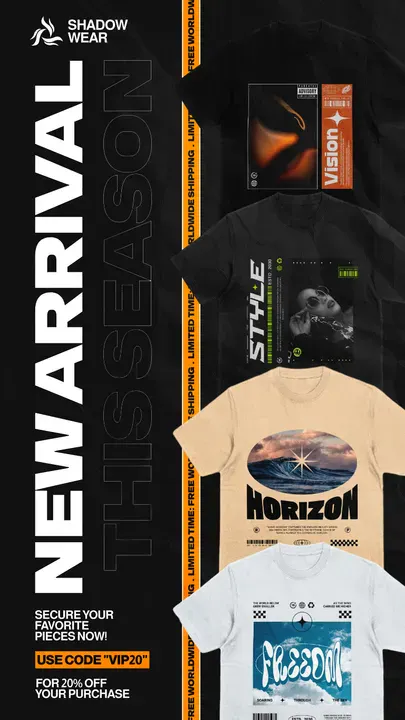
Shadow Wear Streetwear Collection Design. Use Template
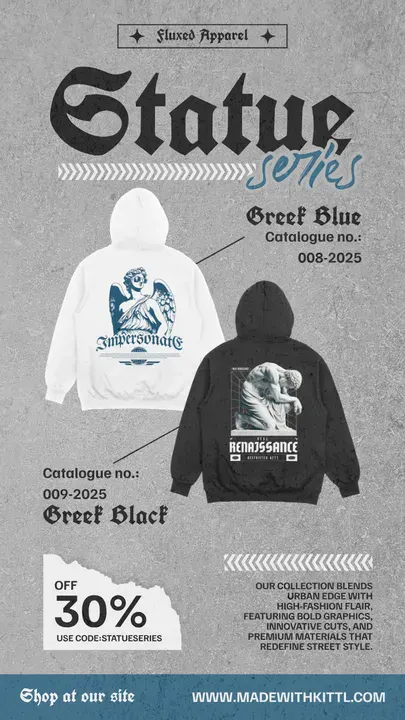
Streetwear Collection Drop Design. Use Template
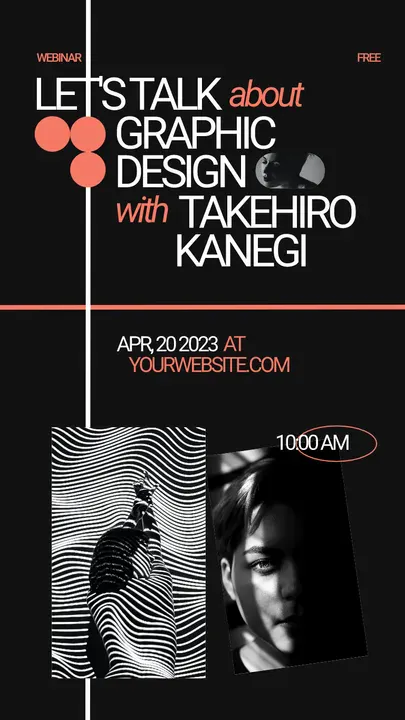
Black Podcast Event – Minimal Modern Design. Use Template

JDM Series New Arrival IG Story. Use Template
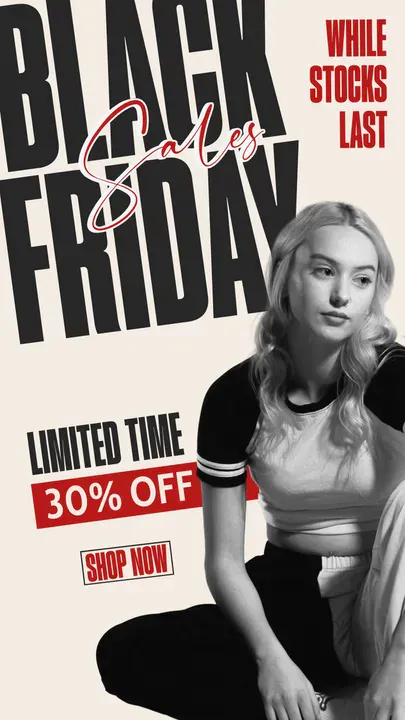
Black Friday Sale Story.
Use Template
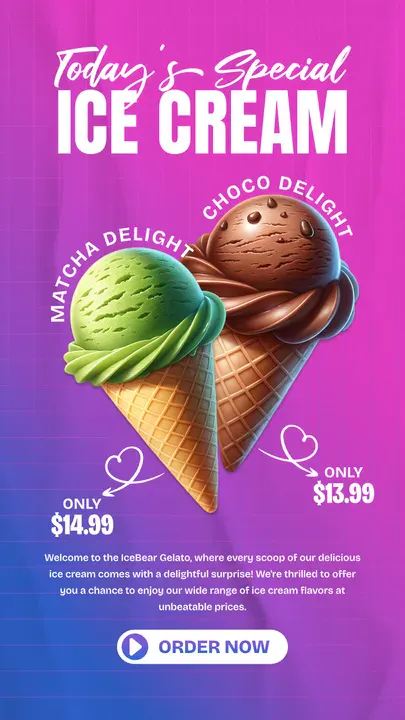
Ice Cream Marketing IG Story.
Use Template
Put your custom Instagram Reel Covers inspiration to work
By now, you’ve got everything you need to create custom Instagram Reel covers that stand out, from finding inspiration to designing with the right layout and safe zones. Before we part, we’d like to share some final tips to make sure your covers look as professional as possible.
- Keep it clean Overloading your design with too many elements can make it look cluttered and unprofessional. Stick to a balanced layout with clear focal points.
- Use high-quality images Blurry or pixelated covers instantly make your profile look unpolished. Always work with high-resolution visuals to maintain a sharp, professional look.
The best part? You don’t need to start from scratch. If you’re looking for ready-made, professionally designed templates, Kittl’s template library is packed with inspiration.
Browse, customize, and bring your Reel covers to life in minutes — all without sacrificing creativity or quality.
Start designing today and create scroll-stopping Instagram Reel covers that match your brand, engage your audience, and make your profile stand out.