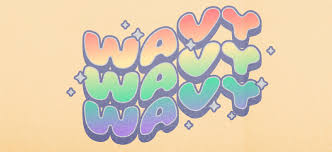
Are you looking for a simple way to add some flair to your designs with a wavy text effect? Whether you’re working on social media graphics, logos, or even print materials, adding wavy text can bring an extra level of creativity and movement to your designs.
Traditionally, creating this effect might have required expensive software like Adobe Illustrator or Photoshop, but with Kittl, you can use a wavy text generator for free – achieving wavy effects in just a few clicks.
In this blog post, well guide you through the process of how to make wavy text in Kittl. Well also explore how you can combine this effect with colorful gradients to make your text stand out even more. By the end, youll have everything you need to create your own wavy text designs quickly and easily.
Follow the steps below to generate your own wavy text, or check out the video tutorial led by graphic designer Drew. In the video, he’ll guide you through the process of crafting vibrant, rainbow-colored wavy text.
Table of Contents
What is wavy text?
Wavy text is a typography effect where the letters or words appear to flow in a wave-like pattern, adding movement and visual interest to an otherwise static design. This effect can be subtle or dramatic, depending on the settings you choose, and it works particularly well in modern, bold, or playful designs.
Whether you’re creating a wavy text font or experimenting with gradient effects, adding a wave can transform a basic design into something eye-catching.
Why use Kittl for wavy text?
A free account with Kittl allows you to easily create wavy text effects without the need for complex design software like Photoshop or Illustrator. With Kittl, you dont need any prior design experience to start creating beautiful typography effects, including wavy text.
Kittl is free to use and offers intuitive, drag-and-drop tools that let you experiment with wavy text effects in just a few clicks. Plus, you can layer other design elements, such as gradients and backgrounds, to take your designs to the next level.
Step-by-step guide: How to make wavy text in Kittl
1. Sign up for Kittl (its free!)
The first step is to sign up for a free account on Kittl. Just head over to Kittl and create your account. Once you’re logged in, youll have access to Kittls design tools, including text effects, gradients, and templates.
2. Create a new project
After logging in, click the “Create New Project” button to start a blank canvas. This is where youll bring your wavy text font design to life. You can choose the canvas size depending on what youre designing, whether its for social media, a website, or a print project.
3. Add your text
With your blank canvas ready, the next step is to add your text. Click on the “Text Tool” located in the toolbar on the left. Type out your desired text, and you can adjust the font size and alignment to fit your design needs.
Kittl offers a wide range of wavy font styles, but for the best results, youll want to choose one that suits a wave effect. Bold, simple fonts tend to work well because they allow the wave effect to stand out more clearly.
4. Apply the wavy text effect
Now it’s time to add the wavy text effect. Heres how you can do it:
- After selecting your text, navigate to the “Effects” panel on the right.
- Look for the “transformation” options and select “flag” from the list of available effects. Youll instantly see your text transform into a wave-like pattern!
Kittl allows you to adjust the intensity of the wave effect using sliders. You can make the waves more subtle or more dramatic, depending on the look you’re going for. Play around with these settings until you find the perfect balance.
Check out the video tutorial below to see how you can add a gradient to your design, just like the stunning rainbow effect in Drew’s wavy text creation!
5. Customize and fine-tune your design
Once your wavy text and gradient effect are in place, you can further fine-tune your design to fit your vision. Kittl allows you to:
- Resize and reposition your text on the canvas.
- Layer additional elements like shapes, icons, or backgrounds to complement your wavy text.
- Adjust the colors of the gradient for a softer or more vibrant effect.
At this stage, you have full creative control to add more depth to your design. You can also experiment with different fonts or text sizes to see what works best.
6. Export Your Wavy Text Design
Once youre happy with your design, it’s time to export it. Kittl allows you to export your work in several file formats, including PNG, SVG, and PDF. This is great for different use caseswhether you need a high-resolution image for print or a scalable vector graphic for web use.
Why use wavy text in your designs?
Adding a wavy text effect can make your designs feel more dynamic, playful, and visually engaging. Whether you’re designing for a brand, personal project, or social media content, using wavy text can help your designs stand out and grab attention.
Here are a few types of content where wavy text works particularly well:
- Logo Design: Use a wavy font for a logo to create a sense of flow and motion.
- Social Media Graphics: Eye-catching wavy text is perfect for Instagram posts or Twitter banners.
- Posters and Flyers: Add a wavy text effect to your typography for a more artistic, trendy look in poster or flyer designs.
- Website Headers: Create an engaging website header with colorful wavy text to draw users in.
How Kittl stacks up against other tools
If youve used design software like Photoshop or Illustrator, you know that creating effects like wavy text can be time-consuming and require a good amount of expertise. Kittl simplifies the entire process, making it accessible to both beginners and experienced designers.
Kittl vs. Photoshop/Illustrator:
- Cost: Photoshop and Illustrator require paid subscriptions, while Kittl is free to use for these basic text effect features.
- Ease of Use: Photoshop and Illustrator have steep learning curves, while Kittls interface is intuitive and beginner-friendly.
- Speed: You can create a wavy text effect in Kittl in just a few clicks, whereas Adobe tools often require manual adjustments and layers.
By using Kittl, you can skip the complexity and high costs associated with traditional design software and still produce professional-quality work.
Start creating wavy text in Kittl today!
Kittl’s wavy text generator is simple and free to use, making it the perfect tool for designers of all levels. Whether you’re looking to add a playful wave to your typography or experiment with colorful gradients, Kittl makes it easy to bring your ideas to life.
Start experimenting with wavy text effects today, and see just how much movement and creativity you can add to your designs!
Ready to get started? Head over to Kittl and start creating your own wavy text for free!