Great poster design begins with typography, not images or color. The words you choose — and how you style them —deliver your message with maximum impact. Think of iconic protest posters or blockbuster movie releases. It’s the bold, purposeful type that captures attention and stays in memory. If you want to create posters that stand out, focus on mastering text first. Typography isn’t an afterthought; it’s the foundation. In this guide, you’ll learn how to design a poster step by step, with text leading every creative choice.
How to design a poster #1: Start with a poster design template
Every poster has to solve the same first problem: how to get noticed. The quickest way to tackle that is with a poster design template.
Kittl’s content library spans every genre:
- Movie poster design with cinematic fonts and bold compositions.
- Event poster layouts made for concerts, workshops, and community gatherings.
- Motivational poster designs where the words are the art.
- Vintage posters with classic typefaces and textured effects.
- Minimalist posters that strip everything down to pure typography.
You’ll find posters like these in the mix!


Inspirational poster. Use Template

Student orientation. Use Template

Templates give you a professional foundation — balanced composition, clear hierarchy, and proven readability. But every element can be customized: swap fonts, recolor layouts, or start from scratch if you want total creative freedom.
Whether you begin with a design or a blank page, remember this: your typography is the engine. The rest of your poster supports the type.
How to design a poster #2: Master typography
If how to make a poster is the question, typography is always the answer. It’s not decoration; it’s communication at its purest. Here’s how to get it right:
1. Choose fonts with personality

The fonts you select shape the entire mood of your poster. Kittl offers thousands, from legendary classics (Helvetica, Garamond, Futura) to exclusive handcrafted typefaces.
- Serif fonts → timeless, authoritative, literary.
- Sans serifs → clean, modern, approachable.
- Scripts → personal, expressive, human.
- Display fonts → bold, loud, unforgettable.
Pair fonts with intention. A bold sans serif headline and a clean body font? Professional. A textured display font paired with a subtle serif? Vintage and emotional.
Pro Tip
Limit yourself to two fonts per poster (one for the headline and one for supporting text). More than that, and your message starts to look chaotic. Instead, play with weights, sizes, and effects within the same font family to create variety without losing harmony.
2. Use shadows and depth for impact

Flat text disappears. Shadows give your type weight and presence. Kittl’s editable shadow styles (drop, block, line, 3D) let you shape the mood: from subtle editorial refinement to full-blown cinematic drama.
Think of a movie poster: would Inception feel the same without its monumental block-shadow title? Probably not.
Pro Tip
Match your shadow style to your poster’s purpose. Use a soft drop shadow for readability in minimalist designs, a crisp block shadow for bold event posters, and a dramatic 3D shadow when you want cinematic punch. Subtlety sells sophistication; bold shadows sell energy.
3. Transform text into art

Typography isn’t static. With effects like arches, waves, rises, and textures, type can bend, stretch, and live as its own graphic element. Imagine your headline arched over a circle, or a gritty texture layered through bold capitals. That’s not “just text” anymore, that’s design.
Pro Tip
Start with clarity, then push for character. A headline should be legible first, unforgettable second.
How to design a poster #3: Preview, perfect, and share your poster
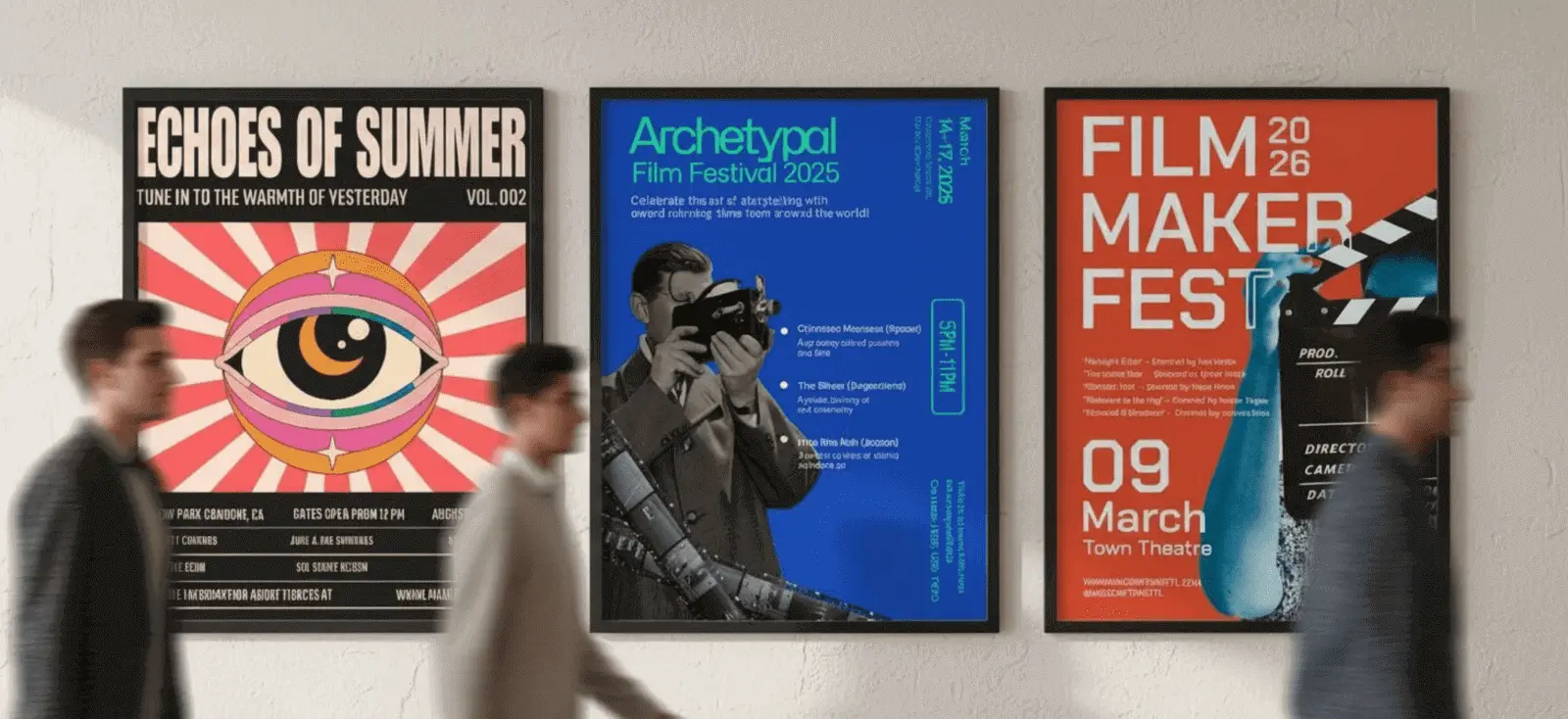
The final stage of poster making isn’t in the editor, it’s in the real world. Posters are meant to be seen on walls, on screens, and in hands.
Kittl’s poster mockups let you preview your poster in context: taped to a brick wall, framed in a gallery, or shared in a digital feed. This step answers key questions:
- Can people read it from across the room?
- Do the colors hold up outside your editor?
- Does the typography still feel powerful in context?
In no time, your posters are right there in context.


Once it’s perfected, export your poster design in high-resolution, print-ready formats — or share online with mockups that make it look real before it even exists.
Key takeaways: How to design a poster in Kittl
- Start with poster design templates. Kittl’s library gives you professional layouts — movie, event, motivational, vintage, and more — so you’re never stuck with a blank screen.
- Typography leads the way. Fonts, shadows, and text effects turn words into the centerpiece of your design, making your poster instantly more powerful.
- Experiment with hierarchy and color. Adjust size, contrast, and palettes until your message is clear and your design feels alive.
- Preview before you print. Use Kittl’s mockups to see your poster on walls, in frames, or online feeds to check readability and impact.
- Share your poster anywhere. Download high-resolution, print-ready files or create lifestyle visuals that make your design look real before it hits the printer
Your story deserves a wall, not just a file.
Posters have always been the voice of movements, concerts, stories, and ideas. And yours is no different. The act of making a poster isn’t just design — it’s giving shape to something worth sharing.
So start. Type it out, style it, preview it, and print it. Then watch how your words travel further than you expected.

Shafira is a content writer who turns boring business talk into reads people actually enjoy. She grew up hoarding $1 novels in Singapore and writing hilariously bad fiction, but now she tackles content marketing with all that creative chaos since 2019. From blogs and newsletters to UX and SEO, she writes how she thinks: nerdy, honest, and a bit offbeat. She believes the best content is human-designed, not just plain text.