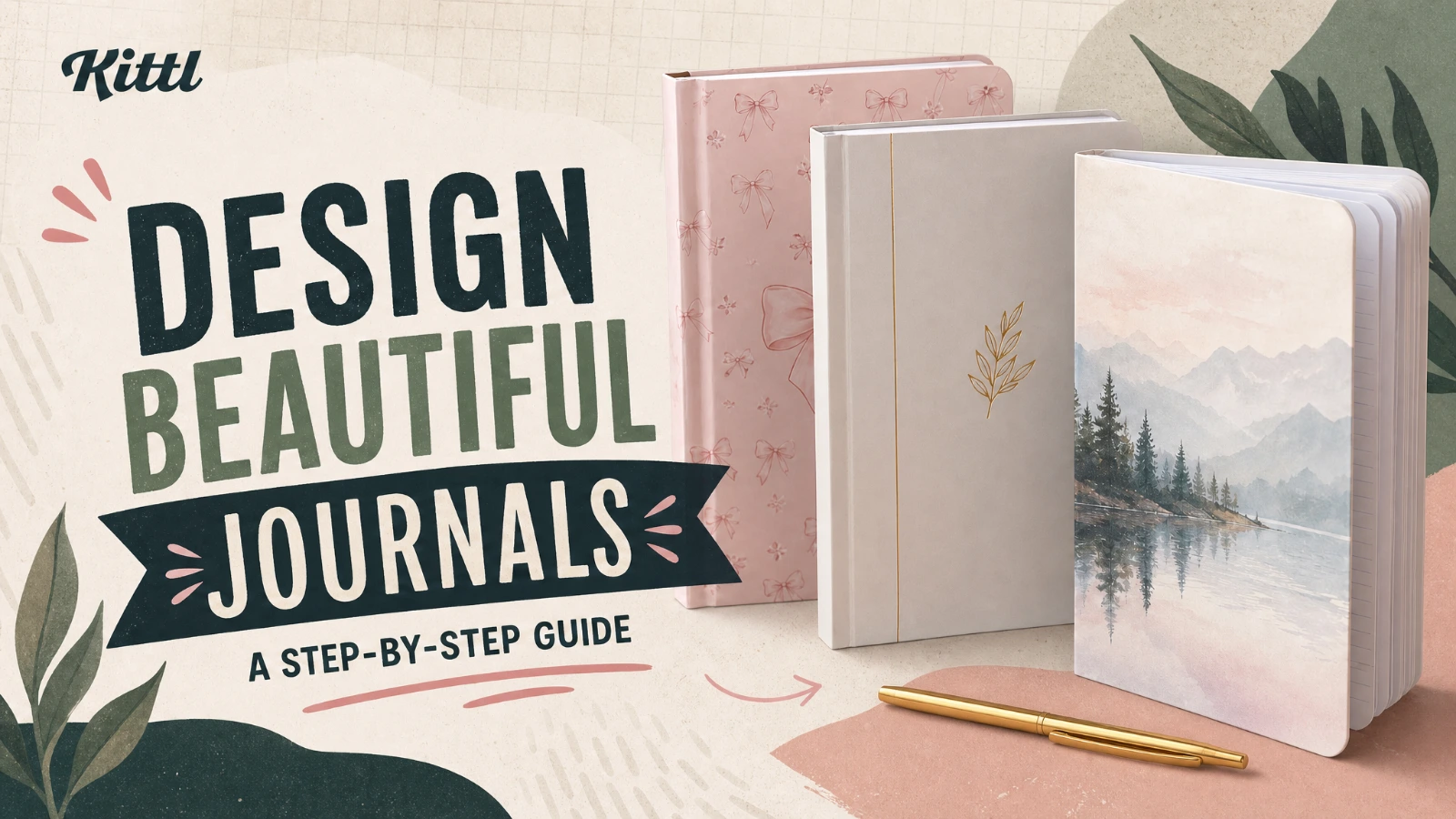
If you want to create a journal to sell on Amazon, the process is simple. Choose a niche, design a cover and interior, export print-ready files, upload them to Amazon KDP, and optimize the listing so shoppers can find it. Amazon KDP lists notebooks, diaries/journals, prompt journals, and log books as examples of low-content books. Low-content books can be published without an ISBN or with your own ISBN, but they are not eligible for the free KDP ISBN.
This guide shows you how to create a journal to sell on Amazon with Kittl, from idea to upload. It also covers the details that usually slow people down, like trim size, bleed, page setup, royalties, and listing copy.
Can you sell journals on Amazon?
Yes. Amazon KDP lets you publish print books on demand, which means Amazon prints a copy only when a customer orders it. For journals, that makes KDP one of the easiest ways to test ideas without ordering inventory up front. KDP says print and digital books can appear on Amazon stores in about 72 hours after publishing.
Benefits of selling journals on Amazon KDP
- Low Initial Investment: You don’t need to spend a lot of money to start. With KDP, you can create and sell journals with little to no upfront costs.
- Passive Income: Once your journals are listed on Amazon, they can generate sales passively, providing a steady stream of income.
- Global Reach: Amazon allows you to reach a global audience, expanding your potential customer base.
- Creative Freedom: Designing your own journals gives you the freedom to create products that reflect your personal style or cater to specific niches.
What you need before you start
You need four things before you design anything:
A clear journal idea.
A KDP account.
A print-ready cover and interior.
A listing strategy built around the exact phrases people search.
Kittl fits well here because it is built for creators who want professional-looking output without heavy, complex software. You can start in Kittl for free, but Kittl’s Free plan is for personal and non-commercial projects and only exports PNG or JPG at up to 72 dpi. Kittl says Pro unlocks PDF export, 300 dpi high-res downloads, custom artboard sizes, and commercial use, which makes it the safer choice for a print-ready KDP workflow.
Step-by-step guide: How to create a journal to sell on Amazon using Kittl

Step 1: Setting up your amazon KDP account
Before you start designing, you’ll need to create an Amazon KDP account if you don’t already have one. This account will be where you upload and publish your journal. Signing up is free and easy:
- Visit the KDP website: Go to the KDP website and sign in with your Amazon account or create a new one.
- Set up your account: Fill in the required details, including payment information, so you can receive royalties from your journal sales.
Step 2: Choose a journal niche that solves one clear need
The best journal ideas are specific. Do not start with “journal.” Start with a use case.
Good examples include:
- fitness journal
- gratitude journal
- self-care journal
- prayer journal
- travel journal
- productivity journal
- lined notebook for students
- habit tracker
- wellness log
- reading journal
Once your KDP account is ready, it’s time to decide on the theme of your journal. This could be anything from a daily planner to a fitness tracker or even a blank notebook.
The key is to choose a niche that you are passionate about or one that has a clear audience on Amazon.
Here’s a few design templates with specific themes that might inspire you:

Life is Good Journal Template. Use Template

Life is Gift Journal Template. Use Template

My Delulu Notebook Template. Use Template

Vintage Tropical Travel Journal. Use Template

Happy Notes Flower Design. Use Template

Blue Waves Gratitude Journal. Use Template

Notebook Cover Design. Use Template
You can find hundreds of more free book cover templates on the Kittl website.
Standard journal sizes
After deciding on the theme, you need to determine the size of your journal. Common sizes for journals is: 6” x 9” (15.24 x 22.86 cm)
KDP provides templates that you can download to ensure your design fits perfectly on the cover and interior pages. The sizes they provide for templates in English are:
- 5 x 8 inch (12.7 x 20.32 cm)
- 5.5 x 8.5 inch (13.97 x 21.59 cm)
- 5.06 x 7.81 inch (12.85 x 19.84 cm)
- 5.25 x 8 inch (13.34 x 20.32 cm)
- 6 x 9 inch (15.24 x 22.86 cm)
- 6.14 x 9.21 inch (15.6 x 23.39 cm)
- 6.69 x 9.61 inch (16.99 x 24.4 cm)
- 7 x 10 inch (17.78 x 25.4 cm)
- 7.5 x 9.25 inch (19.05 x 23.5 cm)
- 7.44 x 9.69 inch (18.9 x 24.61 cm)
- 8 x 10 inch (20.32 x 25.4 cm)
- 8.5 x 8.5 inch (21.59 x 21.59 cm)
- 8.5 x 11 inch (21.59 x 27.94 cm)
- 8.25 x 6 inch (20.96 x 15.24 cm)
- 8.25 x 8.25 inch (20.96 x 20.96 cm)
- 8.25 x 11 inch (20,96 x 27,94 cm)
- 8.27 x 11.69 inch (21 x 29.7 cm)
When choosing the size of your journal, consider how your target audience will use it.
For a pocket-sized checklist journal, opt for smaller dimensions like 5 x 8 (12.7 x 20.32 cm), making it easy to carry in a handbag or pocket.
If you’re designing a work planner, a slightly larger size like 6 x 9 or 8 x 10 may be ideal – big enough to stay on a desk, but portable enough to fit in a backpack for office commutes.
For a travel journal, consider a compact size that fits neatly into a travel bag or jacket pocket, such as 5 x 8. The size of your journal should align with its intended purpose, ensuring convenience and functionality for your buyers.
You aren’t required to use the templates provided by Amazon KDP but you can use the sizes as a reference. With Kittl, you can easily customise the dimensions of your journal design to match the size allowances listed above.
We’ll show you how further down in this guide.
Step 3: Designing your journal cover using Kittl
Start with the cover because it helps you define the product before you build the interior. In Kittl, begin with a book cover template or a blank custom artboard set to your final trim size.
Keep the front cover simple:
- one strong title
- one visual style
- one clear promise
For example, a fitness journal cover should look structured and goal-oriented. A gratitude journal cover can feel softer and calmer. A reading journal can lean editorial. Kittl works best when you use that creative direction first, then layer in fonts, shapes, textures, and layout refinements.
When you export for KDP, remember that the cover file needs to account for bleed and spine width. KDP requires 0.125″ bleed on all sides of the cover, and any content you do not want trimmed should sit at least 0.25″ from the outside edge.
Step 4: Build interior pages people will actually use
A journal sells twice. First with the cover. Then with the interior.
If the inside feels generic, the product will struggle even if the cover looks strong. Match the interior to the promise on the front.
Here are a few examples:
A fitness journal can include workout logs, measurement trackers, progress check-ins, and goal pages.
A self-care journal can include mood tracking, prompts, routines, and reflection pages.
A gratitude journal can use repeatable daily prompts with enough writing space.
A travel journal can include itinerary pages, memory prompts, packing lists, and notes.
KDP requires single-page interior files, not spreads, so build the book one page at a time. If your book has bleed, upload the manuscript as a PDF. If it does not have bleed, KDP accepts PDF and some other file formats, but PDF is still the safest export for consistent print results.
Step 5: Export print-ready files
KDP says all images in both the cover and manuscript should be at least 300 DPI. It recommends a maximum of 600 DPI to keep file size manageable. Fonts and images should be embedded, transparent layers should be flattened, and submitted files should not contain crop marks, comments, or hidden objects.
That is why your export settings matter. For a KDP workflow, use a Kittl plan that gives you high-resolution, commercial-ready exports and PDF support. That keeps the design process fast while still giving you a file KDP can process cleanly.
Step 6: Upload your journal to Amazon KDP
Once your files are ready, go to your KDP Bookshelf and create a new paperback. If the journal qualifies as low-content, check the Low-content category option during setup. Then upload your manuscript, upload your cover, preview the book, and move to pricing.
This is also where many creators lose time. They rush the previewer. Do not do that. Check:
- trim size
- spine alignment
- margins
- bleed
- barcode placement
- page order
- font rendering
Fix every issue before you publish.
Step 7: Optimize the Amazon listing so people can find it
If you want to know how to sell journals on Amazon, the answer is not just design. It is design plus positioning.
Your title should describe the journal clearly. Your subtitle should add context. Your bullets or description should explain who it is for, what is inside, and why it helps.
A weak listing says:
“Beautiful guided journal for everyone.”
A stronger listing says:
“A 90-day fitness journal with workout logs, weekly goal check-ins, habit trackers, and reflection pages for beginners and regular gym-goers.”
That kind of copy helps you rank for the exact phrases people already use:
- create a journal to sell on amazon
- how to design a journal to sell
- how to publish a journal on amazon
- amazon kdp journals
- fitness journal
- self care journal
- gratitude journal
Step 8: Price with profit in mind
The old “35% to 70% royalty” shortcut is too broad for this topic because that mainly applies to eBooks. For paperbacks, KDP says royalties on Amazon marketplaces are now 50% or 60% depending on the list price and marketplace, and Expanded Distribution pays 40%, minus printing costs. Printing cost depends on page count, ink type, and marketplace.
So before you publish, run the math. A journal with more pages or color interiors may look better, but it can also reduce margin. Start with a format that is easy to print profitably.
Mistakes to avoid when creating a journal to sell on Amazon
The biggest mistakes are simple:
Using a vague niche.
Designing the cover before defining the buyer.
Uploading spreads instead of single pages.
Ignoring bleed and margin rules.
Using low-resolution exports.
Writing a generic listing.
Using eBook royalty assumptions for paperback math.
Each one makes the product harder to publish or harder to sell. KDP’s submission rules are clear about single-page files, 300 DPI minimum images, bleed requirements, and paperback royalty calculations, so it is worth getting those right before launch.
Why Kittl works well for journal creation
Kittl is strongest when you want speed without sacrificing visual quality. It lets you move from idea to polished layout fast, which is useful when you are testing several journal concepts and need to create covers, interiors, or variations without getting stuck in a slow design workflow. That fits Kittl’s brand direction too: professional results, less complexity, more creative momentum.
For creators selling on marketplaces like Amazon, that matters. You need to validate ideas quickly, not spend days fighting the software.
Use Kittl’s free book cover templates

Thoughts are free – Butterfly. Use Template

Celestial Moon Moth Journal. Use Template

Monogram Journal Cover. Use Template

Blue Journal Cover.
Use Template
Final thoughts
If your goal is to create a journal to sell on Amazon, do not overcomplicate it. Pick one audience. Build one clear use case. Design a cover that signals the value fast. Build an interior people will actually use. Then publish with clean files and a listing that matches how buyers search.
That is the real path to selling journals on Amazon. Not more clutter. Better focus.
FAQ
How do I create a journal to sell on Amazon?
Choose a niche, design the cover and interior, export print-ready files, upload them to KDP, preview the book, set pricing, and publish. If the book is low-content, mark it correctly during KDP setup.
Can I create a journal to sell on Amazon KDP for free?
You can open a KDP account and publish a low-content book without buying inventory, and low-content books can be published without an ISBN. But for Kittl specifically, the Free plan is personal and non-commercial and limited to 72 dpi PNG/JPG exports. For commercial, print-ready PDF workflows, Kittl says Pro is the plan that unlocks PDF export, 300 dpi downloads, and commercial use.
What is the best journal size for Amazon KDP?
For most creators, 6″ x 9″ is the safest default because KDP calls it the most common trim size in the U.S. Smaller sizes work for portable journals, and larger sizes work when the interior needs more space.
Do journals need an ISBN on Amazon KDP?
Low-content books do not require an ISBN on KDP. You can publish without one or use your own. Low-content books are not eligible for the free KDP ISBN.
How long does it take for a journal to go live on Amazon?
KDP says books can appear on Amazon stores in about 72 hours after publishing.
How much can you make selling journals on Amazon?
It depends on list price, marketplace, page count, ink type, and printing cost. For paperbacks sold on Amazon marketplaces, KDP says royalties are 50% or 60% depending on price and marketplace, minus printing costs.

Kezia Sabrina is a biotechnologist turned Product Manager who pairs deep user insight with unconventional product strategy. Having worked across healthcare, e-commerce, and now graphic design, she builds pages for two distinct audiences: bots and real humans. At Kittl, she’s reworked the blog into something cleaner and easier to navigate, and occasionally writes for it herself. She owns several of its content categories, including AI Research, and writes on product thinking and SEO experimentation for e-commerce sellers, with just enough creative weirdness to stay memorable.