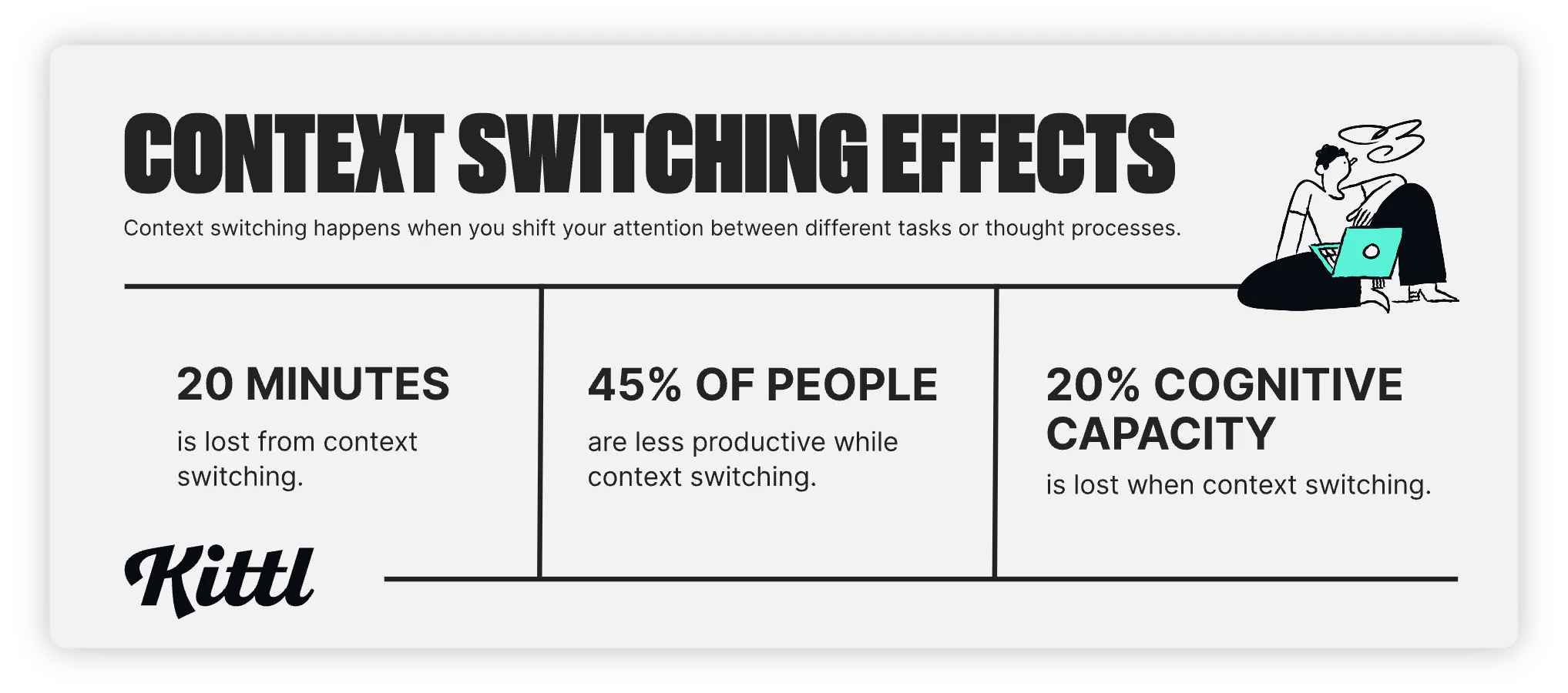
Did you know that it takes 20 minutes to get back on track with a project after being interrupted? For designers, that adds up, especially when the traditional designer workflow involves multiple tools for content creation and collaboration.
Nearly every step is done in a separate tool. Mood-boarding in Miro, collecting stock photos, designing in your editor, and checking edit requests in your email — all this context-switching hampers productivity for 45% of workers.
What would you do if you had this time back in your day? Start a project early, learn a new skill, or maybe start a passion project?
Now we’re not saying you should be working at a 100% productivity level non-stop — but if you find yourself jumping between more than three tools a day, you’re working harder, not smarter.
Lets dive into the 3 biggest time wasters for designers and explore how you can take back control of your workflow.
Collecting feedback and edit requests
A significant drain on a designer’s time is sifting through email threads, Slack messages, and sometimes even texts to find specific edit requests. This type of feedback is fragmented and often unclear. Have you ever experienced these common scenarios?
- Requests to change a design element but no clear indication of which element.
- Edit requests or comments on an old file version.
- Last-minute edit requests after final drafts were already accepted.
This type of scattered (and delayed) communication is harmful to your workflow in multiple ways – it’s slowing you down, causing confusion, and creating extra work for you. Timesheet reports from employee monitoring tool make that cost painfully clear when you see a day chopped into dozens of tiny fragments.
While you’re chasing down clients or colleagues for clarification, you could have been started on the next project.
Luckily, the solution is easy — you need a centralized platform where all comments are tied directly to the design itself…no more scavenger hunts.
See the image below, where feedback is left directly in the design project. You can collaborate with clients, team members, and other stakeholders in real-time — viewing and responding to edit requests as they’re left.
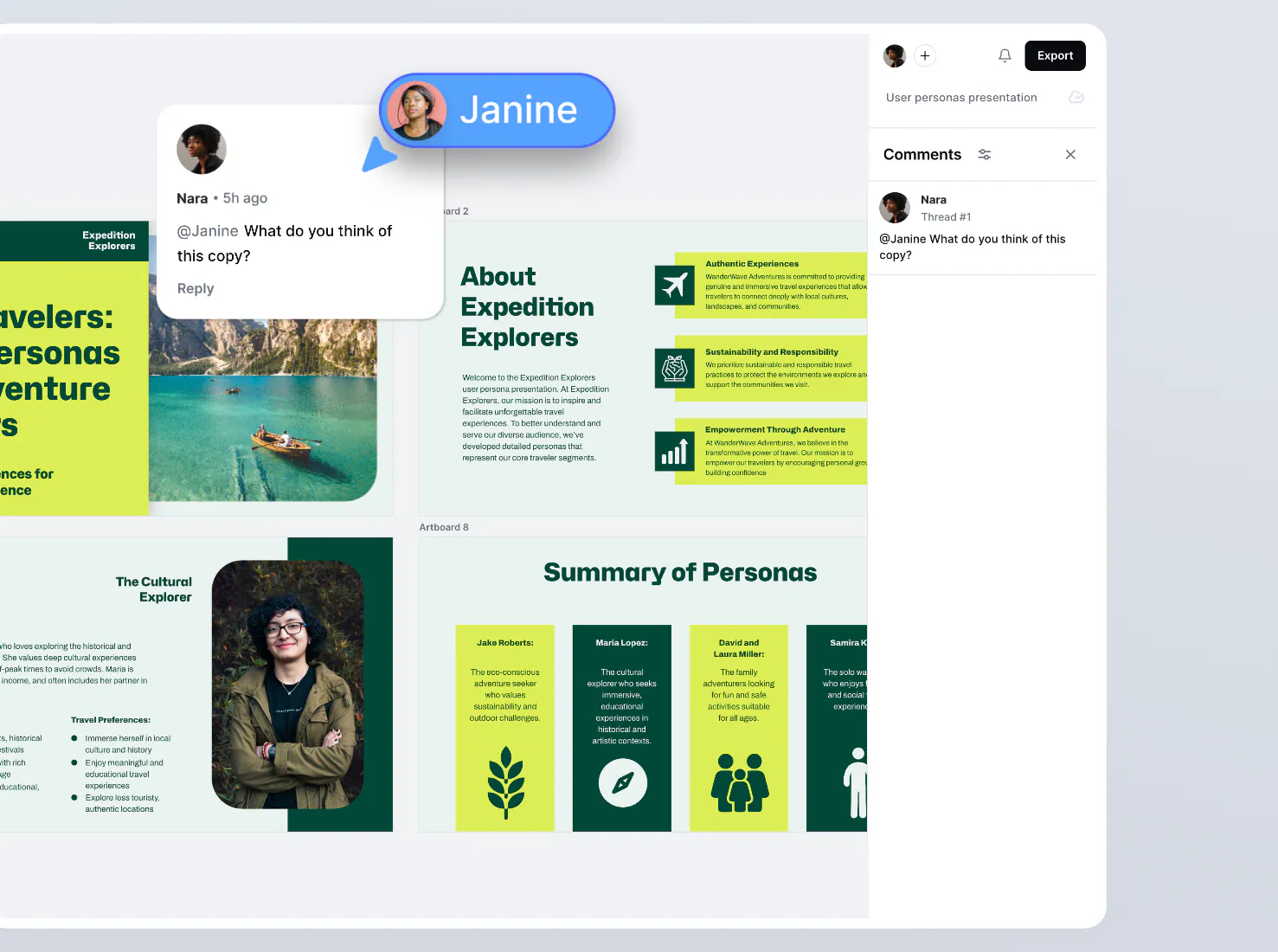
A single consolidated area for feedback, directly in your editor, such as this, is the ideal solution for graphic designers.
The export loop
Along the same lines is possibly one of the biggest frustrations of graphic designers – the export loop. This is the repetitive cycle of exporting and sharing files to collect feedback. Imagine this common scenario:
- You’ve just wrapped up a design and need feedback from your team or client. You export the file.
- You share the file and wait for comments.
- Feedback arrives — sometimes scattered across multiple emails and Slack threads.
- You return to your design tool, make the edits, and repeat the export process.
- The updated file gets sent out and you think it’s the final version — but a new round of edit requests come rolling in.
- You get stuck in the export loop for several more rounds. And just when you think it can’t get more frustrating, the latest file version gets lost, creating confusion and miscommunications.
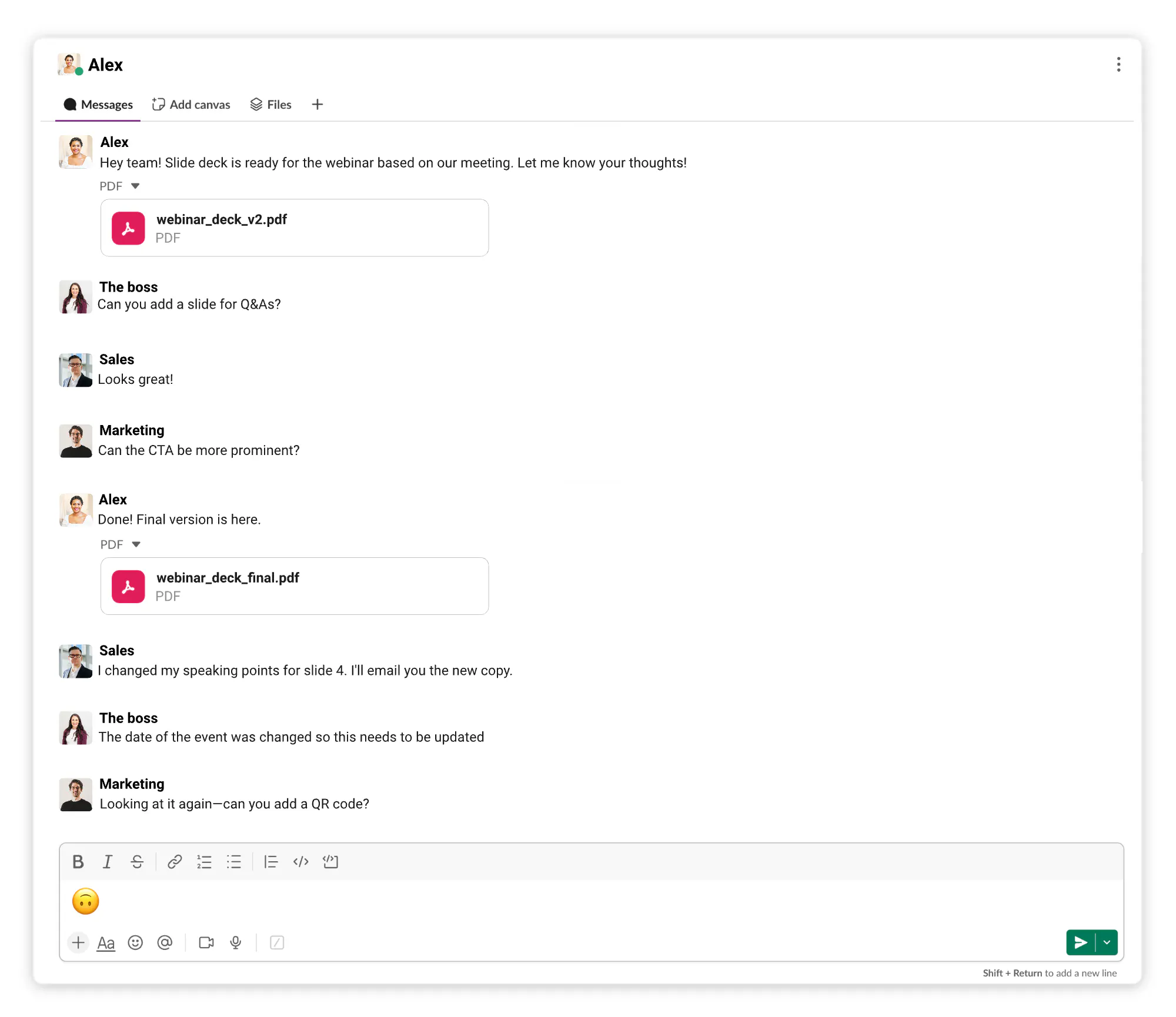
With the process above, you’re left with unnecessary files, confusion, and frustration.
Switching between multiple tools
Graphic design today often requires a patchwork of tools, each with its own specialty. But many graphic designers are expressing exhaustion due to the excessive number of tools they use and feel pressured to become proficient in.
One user in the popular graphic design Reddit group stated:
Focus on the project you are doing, the end result. Find the best tools that help you get there. If it takes more than 3 tools to get to the result, then you are probably doing it wrong. Especially in graphic design.
We couldn’t agree more with that statement – you shouldn’t need more than three tools to get one project done. But it’s all too common. For example, a common graphic designer process looks like this:
- Mood-board in Miro.
- Transfer to your tool to create your design.
- Jump to Photoshop to clean up a photo.
- Jump to a stock photo library to browse background images.
- Switch to a different library for vector icons.
- Return to your design tool to piece it all together.
While each tool has its dedicated purpose, switching between them disrupts your workflow and takes a toll. Each transition costs you mental energy as you reorient yourself and adjust to a different tool’s interface.
Even if you’re a pro and know these tools like the back of your hand, the time and energy you spend going back and forth adds up — just like in marketing, where using all-in-one email marketing software can eliminate the need to juggle multiple platforms. Furthermore, technical health is just as vital as the tools themselves; taking steps to improve inbox placement through proper domain authentication ensures that your designs and feedback requests actually reach your clients rather than getting lost in spam filters.
Easy steps to fix it & take your time back
By identifying and addressing the inefficiencies in your workflow, you can reclaim hours every week, reduce frustration, and deliver better work faster.
So, how can designers reclaim their time and focus? Here are a few strategies:
- Create clear feedback processes: Set expectations with clients and teammates. Encourage them to consolidate feedback into a single document or use collaborative tools for clearer communication.
- Centralize feedback: Use tools that tie comments directly to the design itself. This eliminates the need to dig through emails or Slack threads to find specific requests.
- Use unified platforms: Opt for tools that combine feedback and collaboration in the design tool itself.
- Minimize tool switching: Look for tools that cover multiple functions. For example, instead of hopping between Miro and Illustrator, explore software that offers both mood-boarding and vector design capabilities in one place.
Next time you find yourself bogged down by exports, feedback chaos, or tool overload, take a step back and ask: Is there a better way to do this? The answer is yes – and your future self will thank you for it.
See the scenario below: The design project is accessible by multiple users who can work together in real-time. Comments are made and responded to directly within the project.
Plus, all the design features and assets you need are also accessible directly in the project – from stock photos, icons, and endless fonts to your essential design features and AI tools such as an image generator and background remover.
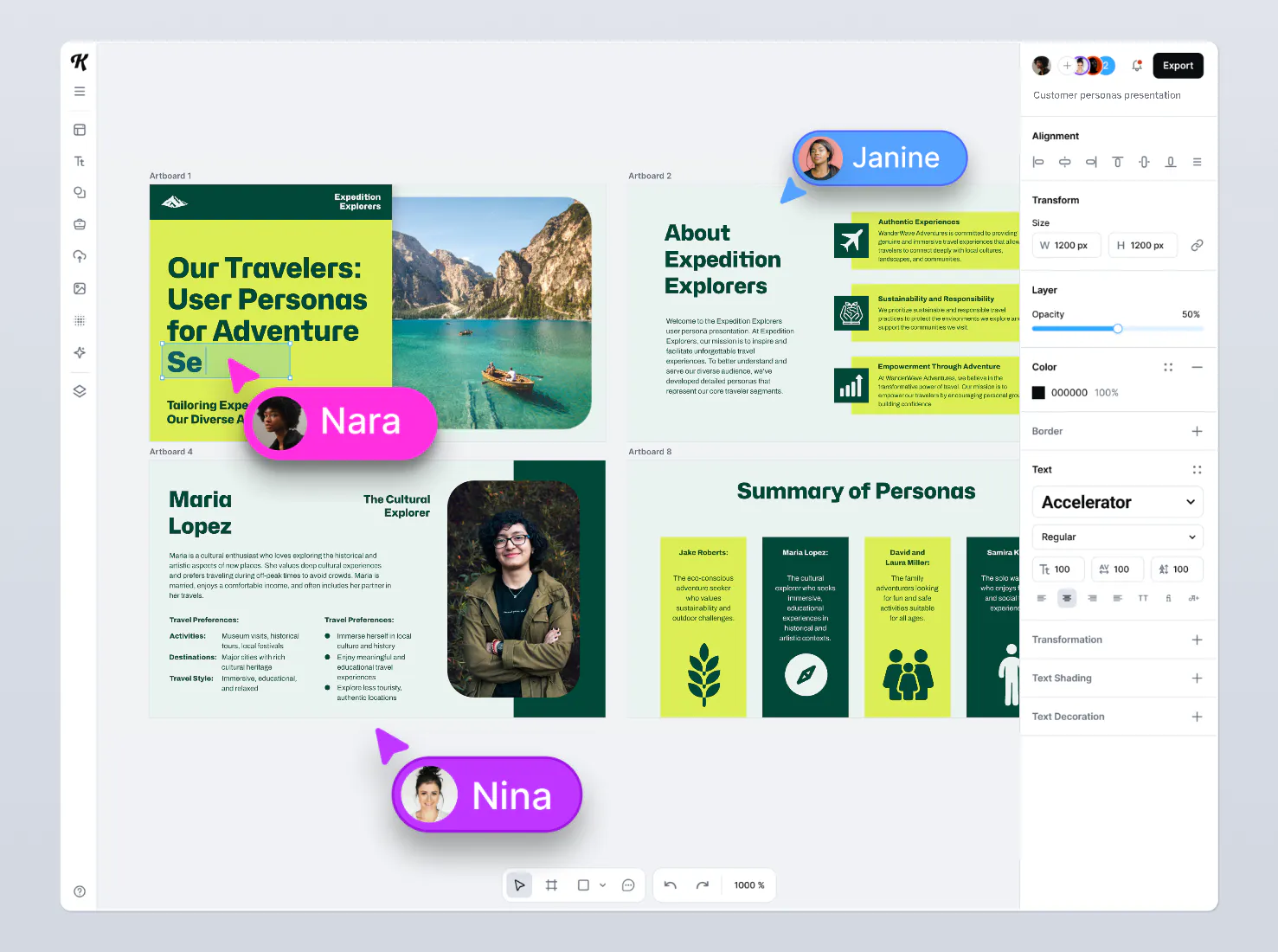
All this is done in Kittl, where you can get started with a free account. No more export loops, feedback confusion, or constant tool-switching. Kittl offers all the design features, assets, and collaboration tools you need in one place, streamlining your entire workflow – from design creation to feedback.
Try Kittl for free today and experience how it helps you work smarter, not harder.
Get 25% off on your first month or year subscription when you sign up with the code KITTLBLOG25.