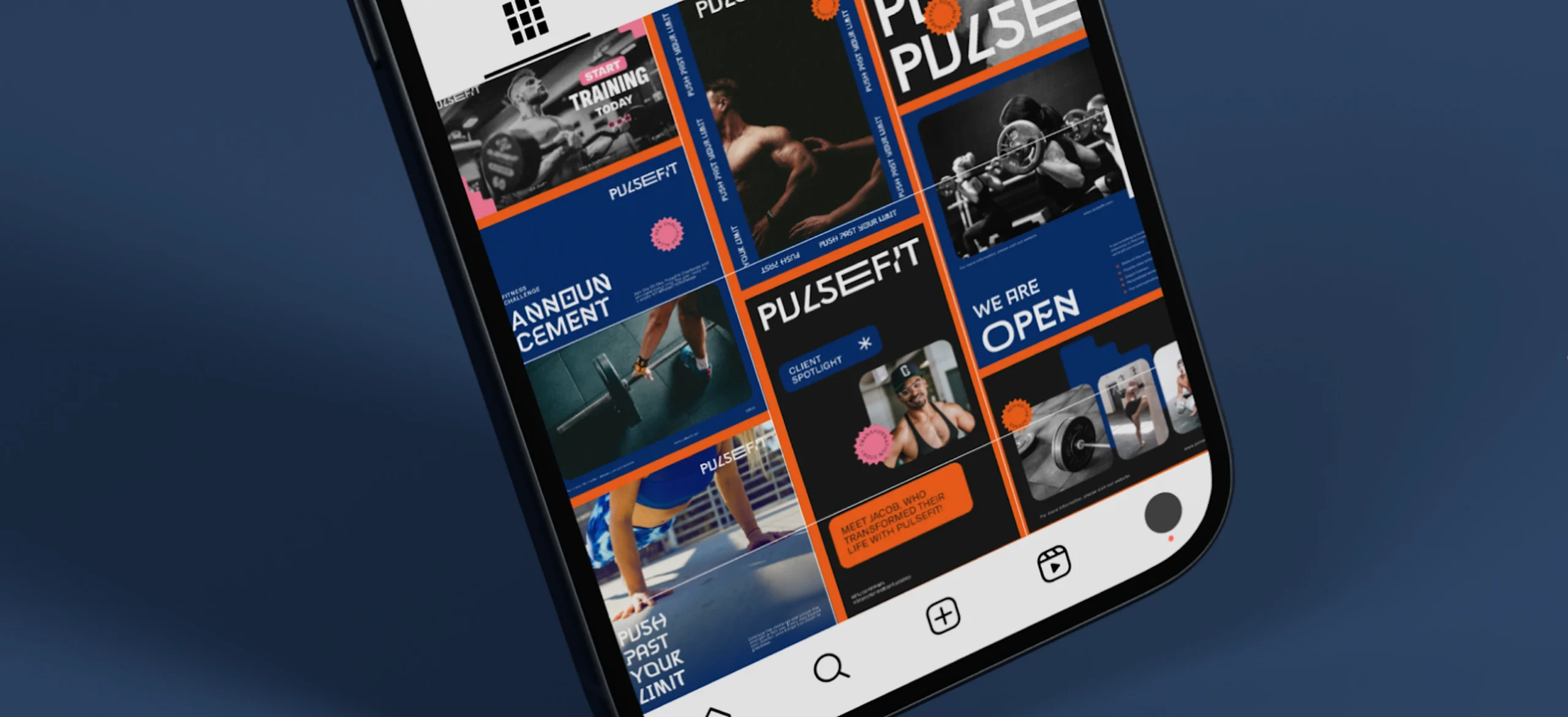
The best creators know that consistent, high-quality visuals are what set a brand apart on social media.
But creating fresh graphics every day doesn’t have to mean starting from scratch. With Kittl’s Content Library, you get access to more than 500,000 curated and fully licensed assets.
It includes illustrations crafted in-house, textures, Flaticon icons, and Unsplash photography. All are editable, scalable, and refreshed weekly to keep your designs sharp and on-trend.
In this article, we’ll walk through 7 proven design hacks that make it easier to stay on brand, speed up your workflow, and produce posts that capture attention and earn engagement.
7 social media design hacks you’ll wish you knew sooner
1. Start with a style kit

Consistency is one of the fastest ways to make your feed recognizable. Pick a family of illustrations and ornaments from Kittl’s Content Library to define your visual language.
Because Kittl vectors are fully editable and scalable, you can recolor them to match your brand palette and lock in a look that’s uniquely yours.
2. Lock icon consistency

A mismatched icon set makes posts look chaotic. Use the built-in Flaticon integration to access thousands of icons directly in the editor.
Stick with one icon family across posts, and you’ll instantly achieve a cleaner, more professional feed.
3. Lead with story-first photography

Stock photos can feel generic, but authentic visuals drive engagement. Use Unsplash photos, available inside the Content Library, to find imagery that fits your story without leaving Kittl.
4. Add tactile depth with textures

Flat visuals get scrolled past. Add paper textures, grains, or overlays from Kittl’s library to give posts a handcrafted, premium feel.
These subtle layers elevate even simple templates into standout designs.
5. Recolor to match your palette

Never settle for off-brand colors. Kittl’s editable vectors let you recolor any asset in seconds.
By customizing illustrations and icons to your exact palette, your posts stay cohesive while still looking fresh.
6. Build post series, not one-offs

Algorithms reward frequency and consistency. Instead of designing single posts, create a batch using one layout and swap in new icons, textures, or photos from the library.
This way, you can publish a week’s worth of content in a single design sprint.
7. Ride trends without losing your style

Trendjacking is powerful… if done on brand.
With weekly content library curated drops, you can quickly refresh your visuals for seasonal events or trending aesthetics while staying consistent with your core design system.
Why the Kittl Content Library is a shortcut to social growth
Strong visuals aren’t a “nice to have” on social — they’re the lever for reach and engagement. Industry roundups and platform analyses repeatedly show that visual content is central to performance and is where brands invest for results.
Here’s why that matters, and how Kittl’s Content Library turns those principles into a practical, faster workflow.
1. Visuals drive attention and engagement
Marketers consistently report that visual-led posts perform better across major networks; it’s a core pillar in current benchmarks for what audiences interact with today.
Kittl advantage: Pull high-quality imagery and graphics without leaving the editor: Unsplash photos and Flaticon icons are built in, alongside a large set of editable illustrations and textures. So you can compose on-brand, image-forward posts in one place.
2. Consistency builds recognition (and feeds momentum)
Brand research and UX guidance emphasize repeated, consistent visual cues, such as color, typography, and iconography ,are core social media design principles that improve recognition and trust across touchpoints.
Kittl advantage: Choose one illustration style or icon family and stick with it. Kittl’s vectors are fully editable and scalable, making it simple to recolor and standardize elements for a recognizable feed.
3. Content velocity wins the algorithm’s timing game
Modern social favors teams that can create quickly and publish while topics are hot; increasing content velocity (without sacrificing quality) is now a documented success factor.
Kittl advantage: A centralized library means less sourcing and more producing — search, drag, customize, and ship series in one sitting. Fresh, curated drops are available weekly, keeping your pipeline stocked for seasonal refreshes.
4. Legal safety protects campaigns
Using unlicensed imagery can trigger takedowns, fines, and brand damage; legal guides flag copyright as a real business risk for marketers.
Kittl advantage: Assets in the Content Library include full commercial licensing under your subscription, removing guesswork when you scale posts into ads or collaborations.
5. One-tool workflow reduces friction (and mistakes)
Fragmented tooling: downloading from stock sites, re-uploading, converting formats — slows teams and introduces errors. Keeping creation and sourcing together streamlines production and review.
Kittl advantage: The Content Library lives inside the Kittl Editor, so designers can combine assets with Kittl’s fonts, effects, and exports without context-switching. It speeds up everything from your first draft to the final post.
Social media design exercise you can try today
Looking for a quick way to put these hacks into practice? Try this social media design challenge:
Take a single template and create three unique versions by swapping out the illustration, changing the featured photo, or experimenting with a different icon set from Kittl’s Content Library.
Once you’ve built those variations, push them further by adjusting the colors of each element or shifting the overall palette to give the template a completely new feel.

Freelance Graphic Designer Tips.
Edit this template

Beige – Social Media Bundle.
Edit this template

Tech Brand Social Media Bundle.
Edit this template
Skipping the exercise and still aiming for a head start? Explore more professionally designed templates and customize them with assets from the Content Library.
Key takeaways of the social media 7 proven design hacks
- Start a style kit. Define palette, type, icon grid, and textures. Save as Kittl templates.
- Lock icon consistency. Fix stroke, corner radius, and grid. Reuse seeds and styles for repeats.
- Lead with story-first photography. Show the product in context. Compose space for type and logos.
- Add tactile depth with textures. Use subtle grain, paper, or fabric. Keep effects clean and consistent.
- Recolor to match your palette. Apply brand swatches, maintain AA contrast, and preview on dark and light.
- Build post series, not one-offs. Plan three to five variants per theme. Keep layout and tone aligned.
- Ride trends without losing your style. Map trends to your kit, not the other way around.
- Use Nano Banana for continuity. Keep mascots, labels, and mockups consistent across scenes.
- Export for real use. Vector for print, PNG for social, PDF for approvals. Test at final size.
- Measure and refine. Track saves, shares, and time-to-ship. Update your kit monthly.
Social media design hacks that fuel growth
At the end of the day, growing on social media isn’t about complicated strategies. It’s about creating visuals that people recognize and connect with, and doing it consistently.
Kittl’s Content Library makes that easier, giving you access to 500,000+ editable, fully licensed assets you can use right inside the editor.
It saves time, keeps your feed on-brand, and takes the stress out of sourcing.
If you’re curious about how it all works, take a look at Kittl’s pricing plans and see which option fits your creative flow best.